
Penguin Football DS: Difference between revisions
More actions
No edit summary |
m Text replacement - "{{Infobox homebrew" to "{{Infobox DS Homebrews" |
||
| Line 1: | Line 1: | ||
{{Infobox | {{Infobox DS Homebrews | ||
| title = Penguin Football DS | | title = Penguin Football DS | ||
| image = https://dlhb.gamebrew.org/dshomebrew/penguinfootballds.png | | image = https://dlhb.gamebrew.org/dshomebrew/penguinfootballds.png | ||
Revision as of 04:17, 17 October 2021
| Penguin Football DS | |
|---|---|
| [[1]] | |
| General | |
| Author | Sam Malone |
| Type | Other |
| Version | 2008 |
| Links | |
| Download | |
| Website | |
![[1]](https://dlhb.gamebrew.org/dshomebrew/penguinfootballds.png%7C300px)
Penguin Football DS is a children’s football game. It is coded in C, DevKitPro and PALib.
Features
- Keepy-uppy.
- Training ground.
- Match v CPU.
- Match v another person (on one DS).
User guide
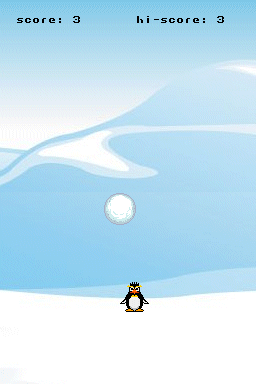
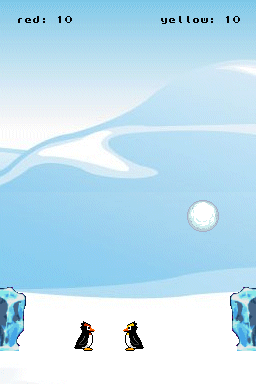
Play as a penguin and the ball’s a snowball. It makes use of both screens, with the ball bouncing up to the top screen if you hit it hard enough.
To score a goal, hit the ball at your opponent’s ice block.
You’ll hear a beep when you score. And your score will go up.
If you’re playing keepy uppy, watch out for the ice patch that will appear.
Controls
Solo:
Left/Right - Move penguin
A - Jump
Start - Pause
Start+A/B - Go out, Continue
2 Players:
Left/Right - Move red penguin (Player 1)
Up - Jump red penguin (Player 1)
A and Y - Move yellow penguin (Player 2)
X - Jump yellow penguin (Player 2)
Start - Pause
Start+A/B - Go out, Continue
Screenshots
Compatibility
Tested and works on Games n Music, DS-X, Supercard Lite, R4, no$gba and Dualis.
Changelog
2008/04/24
- Recompiled it with a better font.
External links
- Author's website - http://www.crowcity.co.uk/?page_id=16 (archived)