PSPVBA: Difference between revisions
From GameBrew
More actions
No edit summary |
No edit summary |
||
| Line 33: | Line 33: | ||
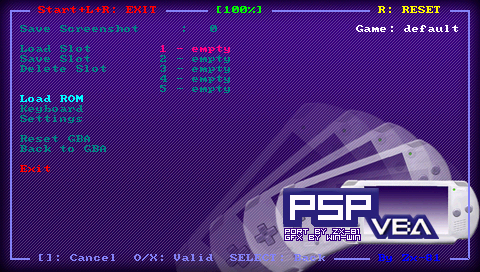
The keyboard mapping file can be loaded using the main menu inside the emulator. If the keyboard filename is the same as the rom filename, the corresponding keyboard file is automatically loaded (when you load the rom). | The keyboard mapping file can be loaded using the main menu inside the emulator. If the keyboard filename is the same as the rom filename, the corresponding keyboard file is automatically loaded (when you load the rom). | ||
Use the Keyboard menu and further edit, load and save your keyboard mapping files inside the emulator. The Save option save the KBD file in the kbd directory using the Game Name as filename. The game name is displayed on the right corner in the emulator menu. | Use the Keyboard menu and further edit, load and save your keyboard mapping files inside the emulator. | ||
The Save option save the KBD file in the kbd directory using the Game Name as filename. The game name is displayed on the right corner in the emulator menu. | |||
===GBA BIOS support=== | ===GBA BIOS support=== | ||
| Line 41: | Line 43: | ||
Then enter in the emulator and select the settings menu. You can enable the bios file support, and the new settings will be saved. You will need to restart the emulator, and it will load the bios file on startup. | Then enter in the emulator and select the settings menu. You can enable the bios file support, and the new settings will be saved. You will need to restart the emulator, and it will load the bios file on startup. | ||
'''Note:''' Save slot/states are done with the bios file option set to on (at save time), can't be read when the bios file feature is reset to off (same when the bios file option is set to off etc). | |||
==Controls== | ==Controls== | ||