PSPVE: Difference between revisions
From GameBrew
More actions
No edit summary |
|||
| Line 19: | Line 19: | ||
==User guide== | ==User guide== | ||
===Key mappings=== | |||
* Multiple mappings in the emulator window (Standard, L-Trigger and R-Trigger). | * Multiple mappings in the emulator window (Standard, L-Trigger and R-Trigger). | ||
* Danzeff On-Screen Keyboard (by Danzel and Jeff Chen). | * Danzeff On-Screen Keyboard (by Danzel and Jeff Chen). | ||
* Customizable IR Keyboard (from the file pspirkeyb.ini). | * Customizable IR Keyboard (from the file pspirkeyb.ini). | ||
===Load Rom files (ROM, BIN)=== | |||
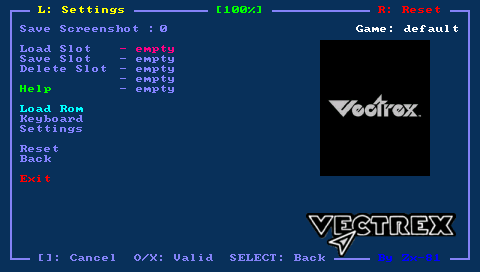
Put your rom file (with .rom or .bin file extension) on your PSP Memory Stick in the roms directory. Choose Load Rom in the main menu and select the rom image to load in the emulator. | Put your rom file (with .rom or .bin file extension) on your PSP Memory Stick in the roms directory. Choose Load Rom in the main menu and select the rom image to load in the emulator. | ||
You can use the virtual keyboard in the file requester menu to choose the first letter of the game you search (if you have a lot of games in the same folder). | You can use the virtual keyboard in the file requester menu to choose the first letter of the game you search (if you have a lot of games in the same folder). | ||
===Load Key Mapping files (KBD)=== | |||
The default keyboard mapping between PSP Keys and VECTREX keys is not suitable for all games, and you can write your own mapping file to overcome the issue. | The default keyboard mapping between PSP Keys and VECTREX keys is not suitable for all games, and you can write your own mapping file to overcome the issue. | ||