PSPTHOM: Difference between revisions
From GameBrew
More actions
No edit summary |
|||
| Line 30: | Line 30: | ||
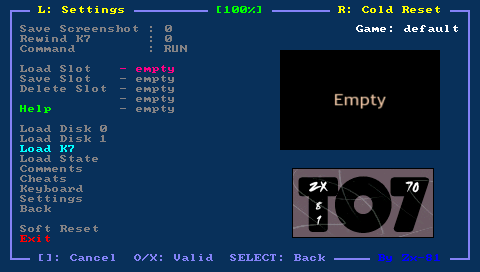
You can use the virtual keyboard in the file requester menu to choose the first letter of the game you search, and the space key from the virtual keyboard to load tape file. | You can use the virtual keyboard in the file requester menu to choose the first letter of the game you search, and the space key from the virtual keyboard to load tape file. | ||
To run game of your tape file, use the virtual keyboard (Start button) and type the following TO7-70 command, followed by Enter (Triangle button). You can also use the shortcut in the emulator menu (Command LOADM option) | To run game of your tape file, use the virtual keyboard (Start button) and type the following TO7-70 command, followed by Enter (Triangle button). You can also use the shortcut in the emulator menu (Command LOADM option) | ||
LOADM"",,R | LOADM"",,R | ||
To run basic program, type the following TO7-70 command followed by Enter (Triangle). You can also use the shortcut in the emulator menu (Command RUN option) | To run basic program, type the following TO7-70 command followed by Enter (Triangle). You can also use the shortcut in the emulator menu (Command RUN option) | ||
RUN"" | RUN"" | ||
Use the Rewind K7 menu to rewind tape. Note you may need to use the following command if LOADM command doesn't work (without M) | Use the Rewind K7 menu to rewind tape. Note you may need to use the following command if LOADM command doesn't work (without M) | ||
LOAD"" | LOAD"" | ||
If you use the Basic rom 1.0 128, then you will have to put the string CASS: in your LOADM, LOAD or RUN command as follows | If you use the Basic rom 1.0 128, then you will have to put the string CASS: in your LOADM, LOAD or RUN command as follows | ||
LOADM"CASS:",,R | LOADM"CASS:",,R | ||
| Line 54: | Line 54: | ||
Use the same commands as described in the Load tape section. | Use the same commands as described in the Load tape section. | ||
If you want to specify the command to run for given games then you can do it in the run.txt, using the following syntax | If you want to specify the command to run for given games then you can do it in the run.txt, using the following syntax | ||
tapename=LOAD"CASS:RunName",,R | tapename=LOAD"CASS:RunName",,R | ||