PSP2600: Difference between revisions
From GameBrew
More actions
No edit summary |
No edit summary |
||
| Line 39: | Line 39: | ||
Those cheat codes would then be automatically loaded when you start the game. | Those cheat codes would then be automatically loaded when you start the game. | ||
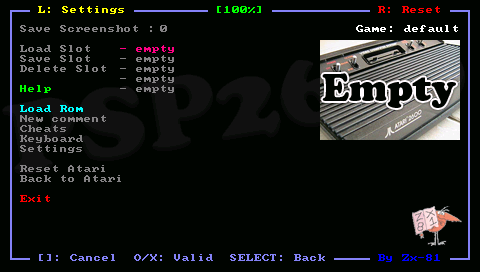
'''Settings:''' | |||
* Sound enable. | |||
* Active Joystick. | |||
* Paddle enable. | |||
* Paddle speed. | |||
* Speed limiter. | |||
* Skip frame. | |||
* Display fps. | |||
* Render mode. | |||
* Delta Y. | |||
* Vsync. | |||
* Flicker mode. | |||
* Swap Analog/Cursor. | |||
* Auto fire period. | |||
* Auto fire mode. | |||
* Display LR led. | |||
* Clock frequency. | |||
'''Flicker mode:''' | |||
On several games such as Asteroids or Missile Command, the screen flicks/the color are dark. You can use the anti-flicker mode in the Settings menu. | |||
'''Key mappings:''' | '''Key mappings:''' | ||
| Line 52: | Line 74: | ||
'''Virtual keyboards:''' | '''Virtual keyboards:''' | ||
You can use the On-Screen Keyboard of "Danzel" and "Jeff Chen" and IR keyboard for entering letters, special characters and digits. | You can use the On-Screen Keyboard of "Danzel" and "Jeff Chen" and IR keyboard for entering letters, special characters and digits. | ||
Edit the pspirkeyb.ini file to specify your IR keyboard model, and modify eventually layout keyboard files in the keymap directory. | Edit the pspirkeyb.ini file to specify your IR keyboard model, and modify eventually layout keyboard files in the keymap directory. | ||
==Controls== | ==Controls== | ||