PSPX48: Difference between revisions
From GameBrew
More actions
No edit summary |
|||
| Line 21: | Line 21: | ||
==User guide== | ==User guide== | ||
===Load HP48 Application files=== | |||
It is suggested you first read the manual of the HP48, as loading applications on this calculator can be fairly complex. | It is suggested you first read the manual of the HP48, as loading applications on this calculator can be fairly complex. | ||
| Line 29: | Line 28: | ||
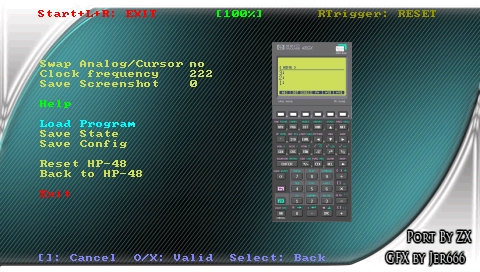
You can save any HP48 files (with .lib or .48 file extensions) on your PSP Memory Stick. Then enter the emulator menu, use the file selector choose one application to load in the RAM of your emulator. | You can save any HP48 files (with .lib or .48 file extensions) on your PSP Memory Stick. Then enter the emulator menu, use the file selector choose one application to load in the RAM of your emulator. | ||
===Library installation=== | |||
If you have loaded a library file, you should see a line such as | If you have loaded a library file, you should see a line such as | ||
| Line 37: | Line 35: | ||
To install it, press 0 then ENTER, then STO. Then you have to switch OFF the HP48 (using Left Shift + ON), and switch it ON. If you go to the library menu (Left Shift + 2), you should now see your library. | To install it, press 0 then ENTER, then STO. Then you have to switch OFF the HP48 (using Left Shift + ON), and switch it ON. If you go to the library menu (Left Shift + 2), you should now see your library. | ||
===Program installation=== | |||
If you have loaded a program file, you should see | If you have loaded a program file, you should see | ||