PSPYape: Difference between revisions
From GameBrew
More actions
| Line 23: | Line 23: | ||
In the YAPE emulator window, there are three different mapping (Standard, L-Trigger and R-Trigger). You can toggle between in game using the two PSP trigger keys. | In the YAPE emulator window, there are three different mapping (Standard, L-Trigger and R-Trigger). You can toggle between in game using the two PSP trigger keys. | ||
===Load Program files (PRG)=== | |||
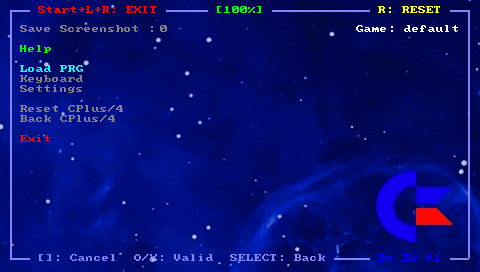
Put your program file (with .zip or .prg file extension) on your PSP Memory Stick in the prg directory. Choose Load PRG inside YAPE emulator and select the program you would like to run. | Put your program file (with .zip or .prg file extension) on your PSP Memory Stick in the prg directory. Choose Load PRG inside YAPE emulator and select the program you would like to run. | ||
===Load Key Mapping files (KBD)=== | |||
The default keyboard mapping between PSP Keys and C-264 keys, is not suitable for some games, and you can write your own mapping file to overcome the issue. | The default keyboard mapping between PSP Keys and C-264 keys, is not suitable for some games, and you can write your own mapping file to overcome the issue. | ||