PSPYape: Difference between revisions
From GameBrew
More actions
Created page with "{{Infobox PSP homebrew | title = PSPYape | image = https://dlhb.gamebrew.org/psphomebrew/pspyape.png|250px | type = Computer | version = 1.0.3 (1 Mar 2007) | licence = GNU GP..." |
|||
| Line 29: | Line 29: | ||
'''Load Key Mapping files (KBD):''' | '''Load Key Mapping files (KBD):''' | ||
The default keyboard mapping between PSP Keys and C-264 keys, is not suitable for some games, and you can write your own mapping file to overcome the issue | The default keyboard mapping between PSP Keys and C-264 keys, is not suitable for some games, and you can write your own mapping file to overcome the issue. | ||
Using notepad for example you can edit a file with the .kbd extension and put it in the kbd directory. Please see default.kbd for the exact syntax of mapping files. | |||
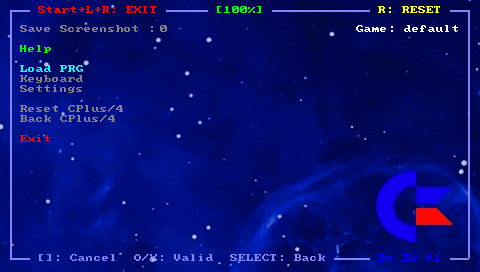
Furthermore you can use the Keyboard menu and edit, load and save your keyboard mapping files inside the emulator. In that case the KBD file will be saved using the Game Name as filename. The game name is displayed on the right corner in the emulator menu. | After writting your own keyboard mapping file, you can load them using the main menu inside the emulator. | ||
If the keyboard filename is the same as the program file (.prg) then when you load this program file, the corresponding keyboard file is automatically loaded. | |||
Furthermore you can use the Keyboard menu and edit, load and save your keyboard mapping files inside the emulator. | |||
In that case the KBD file will be saved using the Game Name as filename. The game name is displayed on the right corner in the emulator menu. | |||
==Controls== | ==Controls== | ||