PSP2600: Difference between revisions
From GameBrew
More actions
| Line 39: | Line 39: | ||
Those cheat codes would then be automatically loaded when you start the game. | Those cheat codes would then be automatically loaded when you start the game. | ||
'''Key mappings:''' | |||
You can toggle between 3 different mappings in the emulator window (Standard, L-Trigger and R-Trigger mappings). | |||
Not all games however can be played with the default keyboard mappings, you can write your own mapping file (KBD) to overcome the issue (follow the syntax from the sample files default.kbd in the kbd directory). | |||
You can save/load and edit your own KBD files in Keyboard menu; and if the keyboard filename is the same as the rom file (A26) then when you load this rom file, the corresponding keyboard file will be automatically loaded. | |||
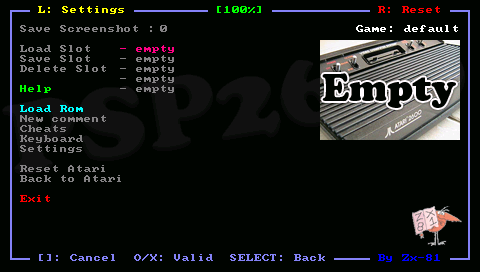
The Save option save the KBD file in the kbd directory using the Game Name as filename. The game name is displayed on the right corner in the emulator menu. | |||
'''Virtual keyboards:''' | |||
You can use the On-Screen Keyboard of "Danzel" and "Jeff Chen" and IR keyboard for entering letters, special characters and digits. | |||
Edit the pspirkeyb.ini file to specify your IR keyboard model, and modify eventually layout keyboard files in the keymap directory. | |||
'''Flicker mode:''' | |||
On several games such as Asteroids or Missile Command, the screen flicks/the color are dark. You can use the anti-flicker mode in the Settings menu. | |||
'''Settings:''' | '''Settings:''' | ||
| Line 56: | Line 76: | ||
* Auto fire mode. | * Auto fire mode. | ||
* Display LR led. | * Display LR led. | ||
* Clock frequency | * Clock frequency. | ||
==Controls== | ==Controls== | ||