Stakker PSP: Difference between revisions
From GameBrew
More actions
| Line 27: | Line 27: | ||
==User guide== | ==User guide== | ||
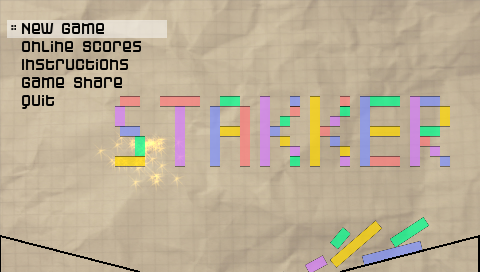
Build up your tower on the platform and don't let any piece fall off. If you reach high enough, destroy it with a projectile coming from the left and get points for each piece falling off the platform and bouncing against the screen borders. | Build up your tower on the platform and don't let any piece fall off. | ||
If you reach high enough, destroy it with a projectile coming from the left and get points for each piece falling off the platform and bouncing against the screen borders. | |||
You can increase the dropping speed of the blocks, however letting them fall directly onto the platform will give you -10 points. | You can increase the dropping speed of the blocks, however letting them fall directly onto the platform will give you -10 points. | ||
| Line 34: | Line 36: | ||
It automatically loads your music files in MP3 format from ms0:/MUSIC, plays back 44kHz mp3s in all bitrates. You are also able to skip tracks, stop and start the player right in the game. | It automatically loads your music files in MP3 format from ms0:/MUSIC, plays back 44kHz mp3s in all bitrates. You are also able to skip tracks, stop and start the player right in the game. | ||
=== | ===Custom background image=== | ||
Place file called theme.jpg in Stakker's directory and it gets loaded as the new background (standard size should be 480x272). | Place file called theme.jpg in Stakker's directory and it gets loaded as the new background (standard size should be 480x272). | ||