Password Lock PSP: Difference between revisions
From GameBrew
More actions
m HydeWing moved page PassWord Lock PSP to Password Lock PSP without leaving a redirect |
No edit summary |
||
| Line 1: | Line 1: | ||
{{Infobox PSP homebrew | {{Infobox PSP homebrew | ||
| title = Password lock | | title = Password lock | ||
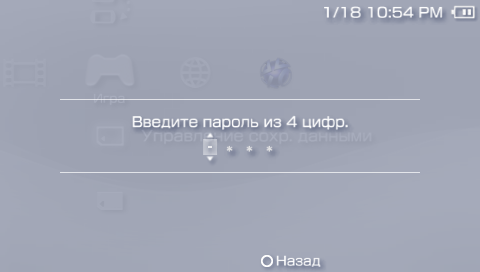
| image = https://dlhb.gamebrew.org/psphomebrew/ | | image = https://dlhb.gamebrew.org/psphomebrew/passwordlock.png|250px | ||
| type = Plugins | | type = Plugins | ||
| version = 3 (2011/08/18) | | version = 3 (2011/08/18) | ||
| Line 7: | Line 7: | ||
| author = Frostegater, neur0n | | author = Frostegater, neur0n | ||
| website = https://wololo.net/talk/viewtopic.php?t=8195 | | website = https://wololo.net/talk/viewtopic.php?t=8195 | ||
| download = https://dlhb.gamebrew.org/psphomebrew/ | | download = https://dlhb.gamebrew.org/psphomebrew/passwordlock.7z | ||
| source = | | source = | ||
}} | }} | ||
| Line 15: | Line 15: | ||
This plugin is developed by frostegater and has added full 6.xx compatibility with bugfixes. | This plugin is developed by frostegater and has added full 6.xx compatibility with bugfixes. | ||
Installation | ==Installation== | ||
Place passlock.prx in the seplugins folder on your Memory Stick. | Place passlock.prx in the seplugins folder on your Memory Stick. | ||
Edit vsh.txt in the same seplugins directiry and add the following line to the text file | Edit vsh.txt in the same seplugins directiry and add the following line to the text file | ||
ms0:/seplugins/passlock.prx 1 | ms0:/seplugins/passlock.prx 1 | ||
For PSP Go users, add this line instead | For PSP Go users, add this line instead | ||
ef0:/seplugins/passlock.prx 1 | ef0:/seplugins/passlock.prx 1 | ||
On the PSP, select Settings | On the PSP, select Settings> Security Settings> Change Password (the default password is 0000). | ||
After the password is set, reboot/reset VSH to see the effect. | After the password is set, reboot/reset VSH to see the effect. | ||
User guide | ==User guide== | ||
If you want to access password after exiting game or psx, disable passctrl.prx in game.txt and pops.txt. | If you want to access password after exiting game or psx, disable passctrl.prx in game.txt and pops.txt. | ||
On the contrary, if you want to remove password access after exit game or psx, add plugin in all directories (vsh.txt, game.txt, pops.txt). | On the contrary, if you want to remove password access after exit game or psx, add plugin in all directories (vsh.txt, game.txt, pops.txt). | ||
Changelog | ==Changelog== | ||
v3 | '''v3''' | ||
* Fixed a bug where require a password when exiting games or PSX. | |||
'''v2''' | |||
* 6.xx Full compatibility. | |||
'''v1''' | |||
* 6.60 Compatibility. | |||
==Credits== | |||
- 6. | * Total_Noob - Original Idea. | ||
* neur0n - plugin. | |||
* bpeterson - 6.20 compatibility. | |||
* Frostegater - all 6.xx compatibility. | |||
* Thanks xetrin for beta-testing. | |||
==External links== | |||
* Wololo - https://wololo.net/talk/viewtopic.php?t=8195 | |||
[[Category:PSP homebrew applications]] | |||
[[Category:PSP homebrew plugins]] | |||