
ISOchange PSP: Difference between revisions
From GameBrew
More actions
Created page with "{{Infobox PSP homebrew | title = ISOchange | image = https://dlhb.gamebrew.org/psphomebrew/ISOchange.jpg|250px | type = Plugins | version = v0.3 | licence = Mixed | author = p..." |
No edit summary |
||
| Line 1: | Line 1: | ||
{{Infobox PSP homebrew | {{Infobox PSP homebrew | ||
| title = ISOchange | | title = ISOchange | ||
| image = https://dlhb.gamebrew.org/psphomebrew/ | | image = https://dlhb.gamebrew.org/psphomebrew/isochange.jpg|250px | ||
| type = Plugins | | type = Plugins | ||
| version = | | version = 0.3 (28 Mar 2012) | ||
| licence = Mixed | | licence = Mixed | ||
| author = plum | | author = plum | ||
| website = | | website = | ||
| download = https://dlhb.gamebrew.org/psphomebrew/ | | download = https://dlhb.gamebrew.org/psphomebrew/isochange.rar | ||
| source = | | source = | ||
}} | }} | ||
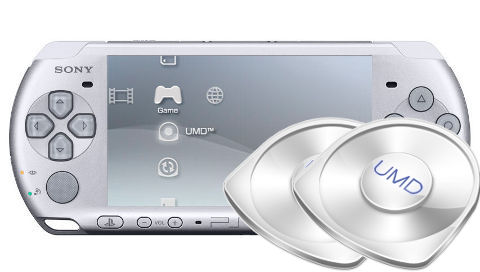
ISO Change is a plugin that is able to switch between emulated UMDs and ISO image files. It can be used for games utilizing multiple UMDs, without changing discs. | ISO Change is a plugin that is able to switch between emulated UMDs and ISO image files. It can be used for games utilizing multiple UMDs, without changing discs. | ||
Installation | ==Installation== | ||
Place isochange.prx to your seplugins folder. | Place isochange.prx to your seplugins folder. | ||
| Line 20: | Line 19: | ||
For PSP, append this line to the text file | For PSP, append this line to the text file | ||
ms0:/seplugins/isochange.prx 1 | ms0:/seplugins/isochange.prx 1 | ||
For PSP Go, add the following line instead | For PSP Go, add the following line instead | ||
ef0:/seplugins/isochange.prx 1 | ef0:/seplugins/isochange.prx 1 | ||
User guide | ==User guide== | ||
===How to use=== | |||
Rename the ISO files that you intend to use with the plugin. | Rename the ISO files that you intend to use with the plugin. | ||
DISC1 | * DISC1 - xxxx1.iso (cso) | ||
DISC2 | * DISC2 - xxxx2.iso (cso) | ||
Start the game. When disc replacement screen appears during the game, open Home menu and press the combination keys to switch discs. | Start the game. When disc replacement screen appears during the game, open Home menu and press the combination keys to switch discs. | ||
Supported Drivers | ===Supported Drivers=== | ||
* M33 driver. | |||
* ME driver. | |||
* Inferno driver. | |||
* NP9660 driver. | |||
* Normal driver. | |||
* OE_isofs driver. | |||
Controls | ==Controls== | ||
Home+L | Home+L+R - Switch between ISO/CSO | ||
Compatibility | ==Compatibility== | ||
Tested on the following Custom Firmwares (with PSP-2000): | Tested on the following Custom Firmwares (with PSP-2000): | ||
6.39ME <br> | |||
Author's Twitter | 6.39PRO <br> | ||
6.60ME <br> | |||
6.60PRO <br> | |||
==External links== | |||
Author's Twitter - https://twitter.com/plum_429/status/184922700219822080 | |||
Author's Twitter - https://twitter.com/plum_429/status/79500502135603200 | |||
[[Category:PSP homebrew applications]] | |||
[[Category:PSP homebrew plugins]] | |||
Revision as of 00:00, 15 August 2021
| ISOchange | |
 | |
| General | |
|---|---|
| Author(s) | plum |
| Type | Plugins |
| Version | 0.3 (28 Mar 2012) |
| Licence | Mixed |
| Links | |
| Download | |
<htmlet>adsense</htmlet>