AIO Tuner PSP: Difference between revisions
From GameBrew
More actions
Created page with "{{Infobox PSP homebrew | title = AIO Tuner | image = https://dlhb.gamebrew.org/psphomebrew/AIOTuner.jpg|250px | type = Music Games | version = initial release | licence = Mixe..." |
No edit summary |
||
| Line 1: | Line 1: | ||
{{Infobox PSP homebrew | {{Infobox PSP homebrew | ||
| title = AIO Tuner | | title = AIO Tuner | ||
| image = https://dlhb.gamebrew.org/psphomebrew/ | | image = https://dlhb.gamebrew.org/psphomebrew/aiotuner.jpg|250px | ||
| type = Music Games | | type = Music Games | ||
| version = initial release | | version = initial release | ||
| Line 24: | Line 24: | ||
User guide | User guide | ||
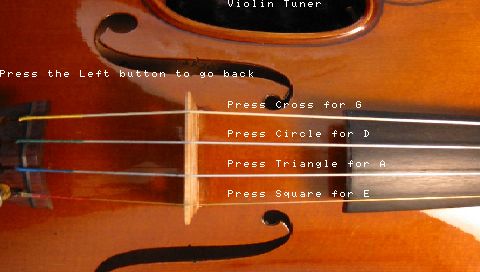
On the menu screen select the instrument. Press the button of the string you want to tune, listen to the sound and match it with your instrument. | On the menu screen select the instrument. Press the button of the string you want to tune, listen to the sound and match it with your instrument. | ||
Screenshots | |||
https://dlhb.gamebrew.org/psphomebrew/aiotuner2.jpg | |||
Compatibility | Compatibility | ||