
Drivesort: Difference between revisions
From GameBrew
More actions
No edit summary |
No edit summary |
||
| Line 1: | Line 1: | ||
{{Infobox homebrew | {{Infobox homebrew | ||
| title = Drivesort | | title = Drivesort | ||
| image = | | image = https://dlhb.gamebrew.org/dshomebrew/drivesort.png | ||
| type = PC Utility | | type = PC Utility | ||
| version = 1.242 | | version = 1.242 | ||
| licence = Mixed | | licence = Mixed | ||
| author = Anerty | | author = Anerty | ||
| website = http://www.anerty.net/software/file/DriveSort | | website = http://www.anerty.net/software/file/DriveSort | ||
| download = | | download = [https://dlhb.gamebrew.org/dshomebrew/drivesort.7z 1.242 English] | ||
| source = | | source = | ||
}} | }} | ||
| Line 52: | Line 52: | ||
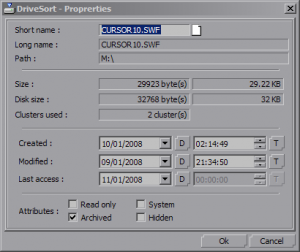
==Screenshots== | ==Screenshots== | ||
https://dlhb.gamebrew.org/dshomebrew/drivesort2.png | |||
==Known issues== | ==Known issues== | ||
| Line 61: | Line 61: | ||
* Fixes two file list scrolling bugs which affect the DriveSort's playlist mode: | * Fixes two file list scrolling bugs which affect the DriveSort's playlist mode: | ||
** The first bug prevented the list from automatically scrolling up or down when you were dragging a file above or below the files currently visible in the file list, which made manually sorting folders with many files a pain. It was due to DriveSort's use of an up or down scroll increment with a number of pixels which was smaller than the list line height, which was rounded down to zero lines by the list view control and thus lead to no scrolling at all. | ** The first bug prevented the list from automatically scrolling up or down when you were dragging a file above or below the files currently visible in the file list, which made manually sorting folders with many files a pain. It was due to DriveSort's use of an up or down scroll increment with a number of pixels which was smaller than the list line height, which was rounded down to zero lines by the list view control and thus lead to no scrolling at all. | ||
** The second bug made the list scroll back up to the first file when a file was dropped in its new position. | ** The second bug made the list scroll back up to the first file when a file was dropped in its new position. It has been fixed so the files currently in view before the drop stay displayed after the drop. | ||
==External links== | |||
* Official website - http://www.anerty.net/software/file/DriveSort | |||
[[Category:DS homebrew applications]] | [[Category:DS homebrew applications]] | ||
[[Category:PC utilities for DS]] | [[Category:PC utilities for DS]] | ||
Revision as of 08:58, 12 October 2021
| Drivesort | |
 | |
| General | |
|---|---|
| Author(s) | Anerty |
| Type | PC Utility |
| Version | 1.242 |
| Licence | Mixed |
| Links | |
| [1.242 English Download] | |
| Website | |
<htmlet>adsense</htmlet>