Switch-NewPipe: Difference between revisions
More actions
No edit summary |
|||
| Line 121: | Line 121: | ||
== External links == | == External links == | ||
* Github - https://github.com/mirusu400/switch-newpipe | * Github - https://github.com/mirusu400/switch-newpipe | ||
* | * HB-App - https://hb-app.store/switch/switchnewpipe | ||
Revision as of 09:06, 21 June 2026
| Switch-NewPipe | |
|---|---|
 | |
| General | |
| Author | mirusu400 |
| Type | Media Players |
| Version | 0.0.3 |
| License | GPL-3.0 |
| Last Updated | 2026/04/26 |
| Links | |
| Download | |
| Website | |
| Source | |
Switch-NewPipe is a free, open-source YouTube client for Nintendo Switch homebrew. It is inspired by NewPipe and requires no Google account, with no ads and no tracking.
The application is built on the Borealis native Switch UI framework, uses mpv and FFmpeg for hardware-accelerated playback on the Switch, and handles networking through libcurl and a custom YouTube innertube API client. It is built with CMake, Docker, and the devkitPro toolchain.
The project is stated to be for educational purposes and is not affiliated with YouTube, Google, or NewPipe.
Features
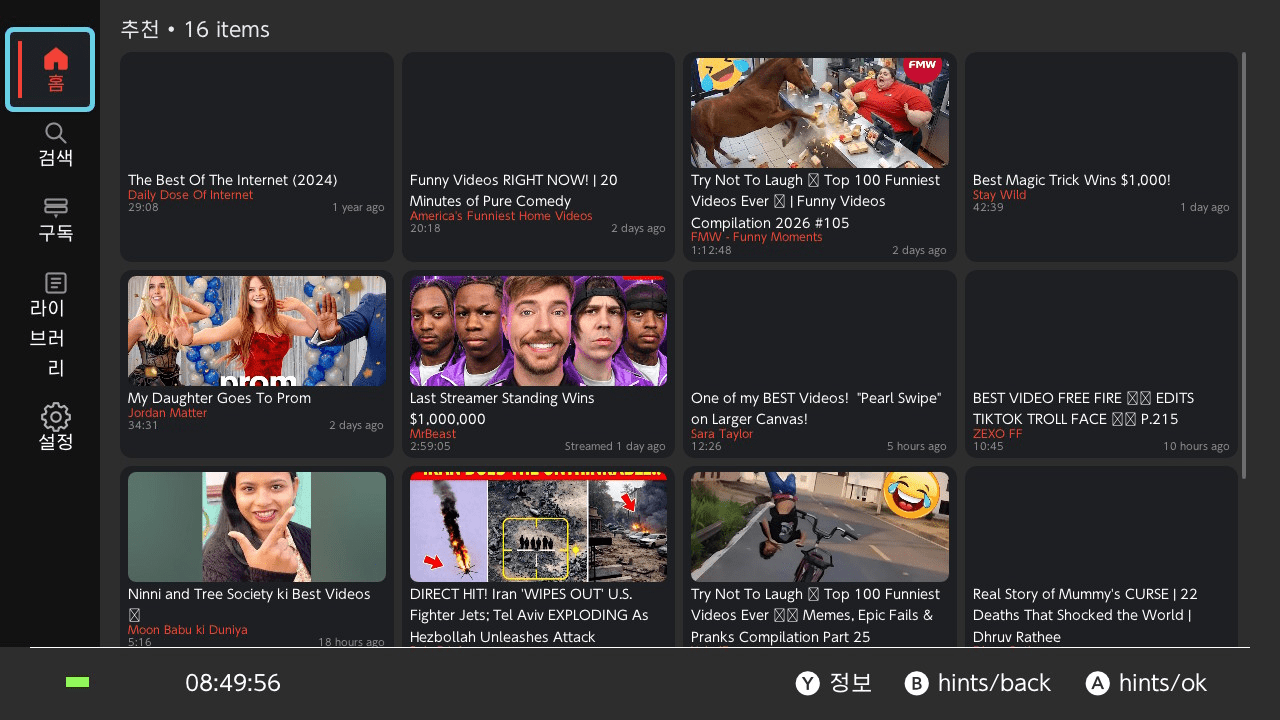
- Browse Home, Search, Subscriptions, Library, and Settings
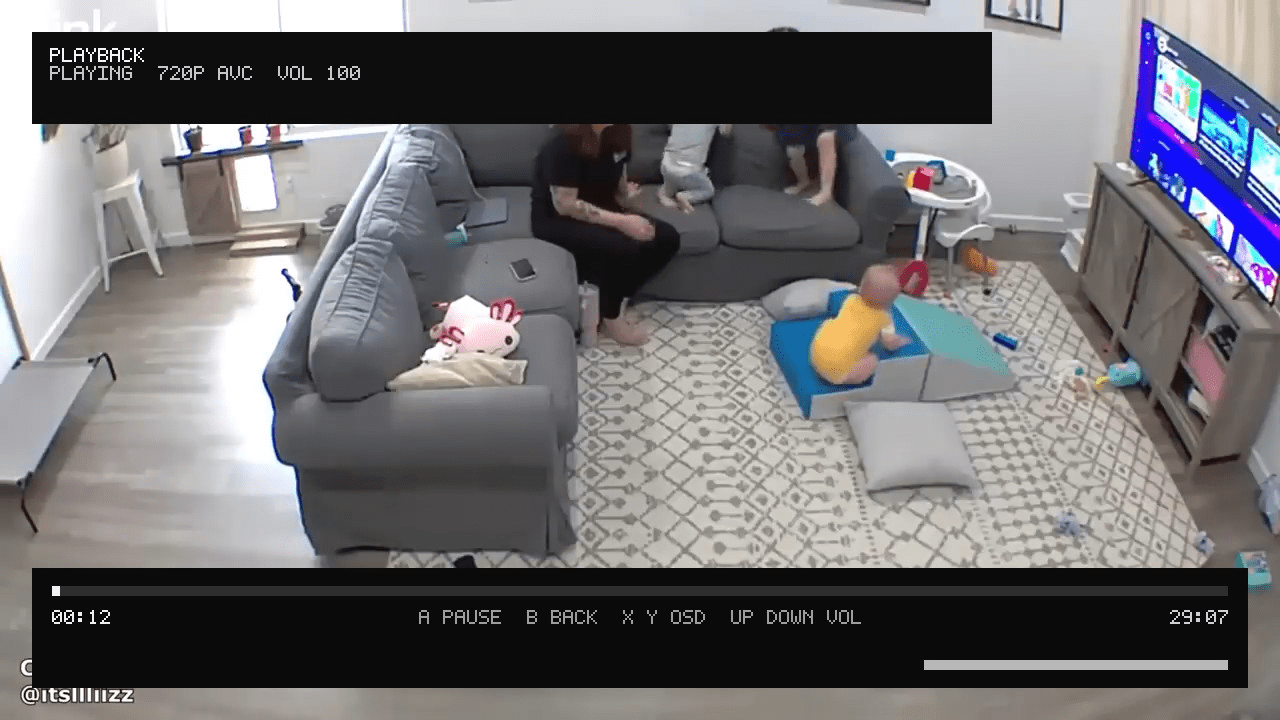
- Watch YouTube at 720p (HLS streaming, no throttle)
- Search for any video and play it immediately
- Log in with cookies to see subscriptions and personalized recommendations
- Save watch history and favorites locally
- English and Korean UI
Playback quality can be configured in the Settings tab between three modes:
| Mode | Description |
|---|---|
| Standard 720p | Best quality. Tries 720p HLS first, falls back gracefully |
| Compatibility | Prefers progressive MP4 (video and audio combined) |
| Data Saver | Lower quality around 480p to save bandwidth |
Known limitations stated by the project: seek is not yet supported; there is no in-app quality picker during playback; there is no in-app Google OAuth (cookie import only); channel pages are not fully browsable yet; and comments and playlists load the first page only.
Installation
- Make sure your Switch has Atmosphere CFW with the Homebrew Menu.
- Download
switch_newpipe.nrofrom the latest release. - Copy it to
sdmc:/switch/switch_newpipe.nro. - Launch from the Homebrew Menu.
Login (optional)
Switch-NewPipe uses cookie import for YouTube login, with no OAuth or Google sign-in required. To set it up:
- Export your YouTube cookies from a browser (using a cookie export extension).
- Save the file as
sdmc:/switch/switch_newpipe_auth.txt. - Restart the app.
Supported formats are a raw Cookie header, JSON {"cookie_header":"..."}, or Netscape cookies.txt. Once logged in, the Subscriptions tab and personalized Home recommendations become available.
Data files
All data is stored on the SD card:
| File | Purpose |
|---|---|
sdmc:/switch/switch_newpipe.log |
Debug log |
sdmc:/switch/switch_newpipe_settings.json |
Settings |
sdmc:/switch/switch_newpipe_library.json |
Watch history and favorites |
sdmc:/switch/switch_newpipe_session.json |
Login session |
sdmc:/switch/switch_newpipe_auth.txt |
Cookie import (user-provided) |
Controls
Main UI
| Button | Action |
|---|---|
| A | Play video from list |
| Y | Open video details |
| X | Refresh / Reset defaults |
| RB | Manage login session (Subscriptions tab) |
Player
| Button | Action |
|---|---|
| A | Pause / Resume |
| B | Exit player |
| Up / Down | Volume |
| X / Y | Toggle OSD overlay |
Screenshots
|
|