|
|
| Line 22: |
Line 22: |
|
| |
|
| This fork is based on commit <code>68107ee</code> of the original Lime repository, dated September 18, 2025. | | This fork is based on commit <code>68107ee</code> of the original Lime repository, dated September 18, 2025. |
|
| |
| == Features ==
| |
|
| |
| * Adds Nintendo Switch as a build and run target for Lime-based projects.
| |
| * Supports building OpenFL projects for the Nintendo Switch.
| |
| * Supports HaxeFlixel projects on the Nintendo Switch (demonstrated with HaxeFlixel 6.1.2 running the [https://haxeflixel.com/demos/Mode Mode] demo).
| |
| * Integrates with DevKitPro and DevKitA64 toolchains.
| |
| * Supports sending built projects wirelessly to the Switch via <code>nxlink</code>, with optional automatic console discovery or manual IP configuration.
| |
| * Supports additional DevKitPro libraries via the <code>project.xml</code> configuration.
| |
| * Compatible with the [https://marketplace.visualstudio.com/items?itemName=openfl.lime-vscode-extension Lime VSCode extension] with Switch-specific target configurations.
| |
|
| |
| == Installation ==
| |
|
| |
| === Prerequisites ===
| |
|
| |
| You must have the following installed before proceeding:
| |
|
| |
| * [https://haxe.org/download Haxe]
| |
| * [https://devkitpro.org/wiki/Getting_Started DevKitPro] with DevKitA64
| |
|
| |
| === DevKitPro Switch Libraries ===
| |
|
| |
| Install the required Switch libraries via <code>pacman</code>. On Linux/macOS, use <code>sudo dkp-pacman</code> instead of <code>pacman</code>:
| |
|
| |
| <pre>
| |
| pacman -S --needed \
| |
| switch-bzip2 \
| |
| switch-cmake \
| |
| switch-curl \
| |
| switch-flac \
| |
| switch-freetype \
| |
| switch-glad \
| |
| switch-glm \
| |
| switch-harfbuzz \
| |
| switch-libdrm_nouveau \
| |
| switch-libjpeg-turbo \
| |
| switch-libmodplug \
| |
| switch-libogg \
| |
| switch-libopus \
| |
| switch-libpng \
| |
| switch-libvorbis \
| |
| switch-libvorbisidec \
| |
| switch-libwebp \
| |
| switch-mesa \
| |
| switch-mpg123 \
| |
| switch-openal-soft \
| |
| switch-opusfile \
| |
| switch-pkg-config \
| |
| switch-sdl2 \
| |
| switch-sdl2_gfx \
| |
| switch-sdl2_image \
| |
| switch-sdl2_mixer \
| |
| switch-sdl2_net \
| |
| switch-sdl2_ttf \
| |
| switch-tools \
| |
| switch-zlib
| |
| </pre>
| |
|
| |
| === Installing Lime-NX ===
| |
| Install this fork via haxelib:
| |
|
| |
| <pre>
| |
| haxelib git lime https://github.com/Slushi-Github/lime-nx.git
| |
| </pre>
| |
|
| |
| Install Lime's dependencies:
| |
|
| |
| <pre>
| |
| haxelib install format
| |
| haxelib install hxp
| |
| </pre>
| |
|
| |
| Install the companion fork of hxcpp:
| |
|
| |
| <pre>
| |
| haxelib git hxcpp https://github.com/Slushi-Github/hxcpp-nx.git
| |
| </pre>
| |
|
| |
| Generate the Lime library for Switch:
| |
|
| |
| <pre>
| |
| haxelib run lime rebuild switch
| |
| </pre>
| |
|
| |
| === Project Configuration ===
| |
|
| |
| Add the following required defines to your <code>project.xml</code> to prevent crashes on launch:
| |
|
| |
| <pre>
| |
| <haxedef name="lime-opengl" if="switch" />
| |
| <haxedef name="lime-cairo" value="false" if="switch" />
| |
| <set name="LIME_CAIRO" value="0" if="switch" />
| |
| <set name="LIME_OPENGL" value="1" if="switch" />
| |
| </pre>
| |
|
| |
| It is also advisable to add the following window configuration:
| |
|
| |
| <pre>
| |
| <!--Switch-specific-->
| |
| <window if="switch" orientation="landscape" fullscreen="true" width="0" height="0" resizable="false" hardware="true" />
| |
| </pre>
| |
|
| |
| === Building ===
| |
|
| |
| Compile your project for the Switch:
| |
|
| |
| <pre>
| |
| haxelib run lime build switch
| |
| </pre>
| |
|
| |
| === Running on the Switch ===
| |
|
| |
| To use the <code>run</code> command, add your Switch's IP address to <code>project.xml</code>:
| |
|
| |
| <pre>
| |
| <config:switch ip="192.168.x.x" if="switch"/>
| |
| </pre>
| |
|
| |
| Or pass it directly on the command line:
| |
|
| |
| <pre>
| |
| haxelib run lime run switch --ip=192.168.x.x
| |
| </pre>
| |
|
| |
| If no IP is set, <code>nxlink</code> will attempt to find the Switch automatically if it is waiting for a connection. Setting the IP explicitly is recommended.
| |
|
| |
| === Adding Extra Libraries ===
| |
|
| |
| To link additional DevKitPro libraries in the generated Makefile, add the following to <code>project.xml</code>:
| |
|
| |
| <pre>
| |
| <config:switch libs="yourLib1, yourLib2" if="switch"/>
| |
| </pre>
| |
|
| |
| === VSCode Extension Setup ===
| |
|
| |
| To use Lime-NX with the Lime VSCode extension, add the following to your VSCode <code>settings.json</code>:
| |
|
| |
| <pre>
| |
| "lime.targets": [
| |
| {
| |
| "name": "switch",
| |
| "label": "Switch",
| |
| "enabled": true
| |
| }
| |
| ],
| |
|
| |
| "lime.targetConfigurations": [
| |
| {
| |
| "label": "Switch",
| |
| "target": "switch",
| |
| "args": ["-DHX_NX"],
| |
| "enabled": true
| |
| },
| |
| {
| |
| "label": "Switch / Release",
| |
| "target": "switch",
| |
| "args": ["-DHX_NX"],
| |
| "enabled": true
| |
| },
| |
| {
| |
| "label": "Switch / Debug",
| |
| "target": "switch",
| |
| "args": ["-debug", "-DHX_NX"],
| |
| "enabled": true
| |
| },
| |
| {
| |
| "label": "Switch / Final",
| |
| "target": "switch",
| |
| "args": ["-final", "-DHX_NX"],
| |
| "enabled": true
| |
| }
| |
| ]
| |
| </pre>
| |
|
| |
| This enables the Switch target defines (<code>HX_NX</code>, <code>switch</code>) in your project.
| |
|
| |
|
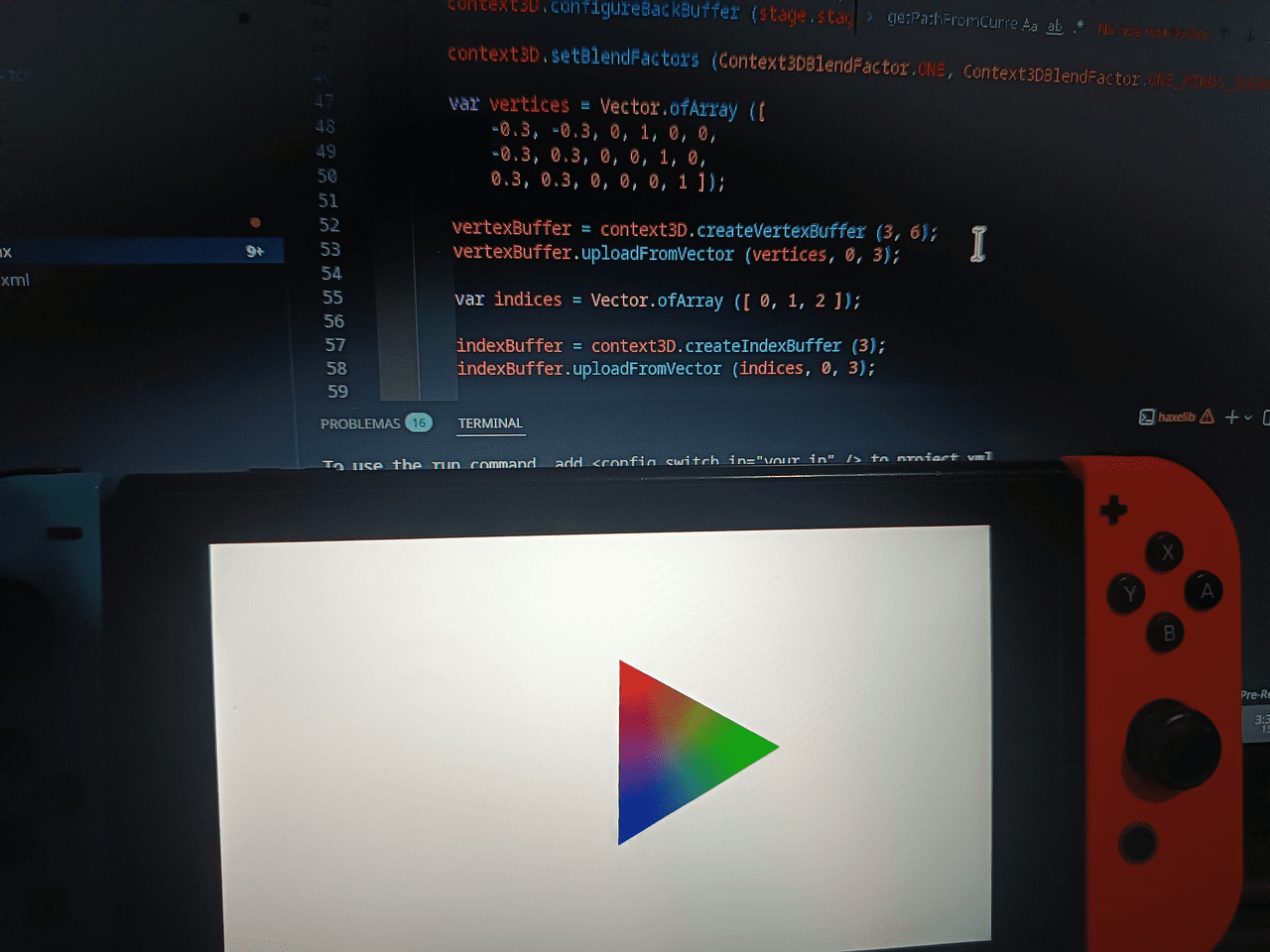
| ==Screenshots== | | ==Screenshots== |
| Line 203: |
Line 27: |
| | | | | |
| https://dlhb.gamebrew.org/switchhomebrews/images/LimeNXSwitch-01.png | | https://dlhb.gamebrew.org/switchhomebrews/images/LimeNXSwitch-01.png |
| https://dlhb.gamebrew.org/switchhomebrews/images/LimeNXSwitch-02.png
| |
| |} | | |} |
|
| |
|
| ==Media== | | ==Media== |
| '''HaxeFlixel MODE on Nintendo Switch''' ([https://www.youtube.com/watch?v=8hwZIDWoHnI Andres_Venezuela]) <br> | | '''HaxeFlixel MODE on Nintendo Switch''' ([https://www.youtube.com/watch?v=8hwZIDWoHnI Andres_Venezuela]) <br> |
| <youtube width=""640"">8hwZIDWoHnI</youtube> | | <youtube width="640">8hwZIDWoHnI</youtube> |
|
| |
|
| == External links == | | == External links == |