
Starship Vita: Difference between revisions
From GameBrew
More actions
Created page with "{{Infobox Vita Homebrews |title=Starship Vita |image=StarshipVita.png |description=Port of Starship for PSVita. |author=Rinnegatamante |lastupdated=2026/04/24 |type=Shooter |version=1.0 |license=CC0-1.0 |download=https://dlhb.gamebrew.org/vitahomebrews/StarshipVita.7z |website=https://github.com/Rinnegatamante/Starship |source=https://github.com/Rinnegatamante/Starship |donation=https://www.patreon.com/Rinnegatamante }} {{#seo: |title=Vita Homebrew Games (Shooter) - Game..." |
No edit summary |
||
| Line 24: | Line 24: | ||
== Installation == | == Installation == | ||
Preparing the game data: | |||
* Download [https://github.com/HarbourMasters/Starship/releases/tag/v1.0.0 Starship] for PC. | |||
* Follow the PC version's instructions to generate <code>sf64.otr</code>. This requires a supported ROM dump of the game (USA 1.1 Rev A, SHA-1: <code>09F0D105F476B00EFA5303A3EBC42E60A7753B7A</code>, in <code>.z64</code> format). | |||
Installing on PS Vita: | |||
* Extract <code>starship.zip</code> from the Release section into <code>ux0:data/</code>. | |||
* Place <code>sf64.otr</code> and <code>starship.otr</code> into <code>ux0:data/starship/</code>. | |||
* Install the <code>.vpk</code> from the Release section. | |||
==Screenshots== | ==Screenshots== | ||
| Line 45: | Line 41: | ||
https://dlhb.gamebrew.org/vitahomebrews/images/StarshipVita-04.png | https://dlhb.gamebrew.org/vitahomebrews/images/StarshipVita-04.png | ||
==Media== | |||
'''Starfox 64 - 20th Anniversary Trailer''' ([https://www.youtube.com/watch?v=b_n0uJOiKG8 Alex Kramer]) <br> | |||
<youtube width="640">b_n0uJOiKG8</youtube> | |||
==Changelog== | ==Changelog== | ||
Latest revision as of 04:16, 8 May 2026
| Starship Vita | |
|---|---|
 | |
| General | |
| Author | Rinnegatamante |
| Type | Shooter |
| Version | 1.0 |
| License | CC0-1.0 |
| Last Updated | 2026/04/24 |
| Links | |
| Download | |
| Website | |
| Source | |
| Support Author | |
Starship Vita is a PlayStation Vita port of Starship, a PC decompilation project of Star Fox 64. This port is based on Starship v1.0.0.
Starship does not include any copyrighted assets. A supported copy of the game is required to generate the necessary data file.
Installation
Preparing the game data:
- Download Starship for PC.
- Follow the PC version's instructions to generate
sf64.otr. This requires a supported ROM dump of the game (USA 1.1 Rev A, SHA-1:09F0D105F476B00EFA5303A3EBC42E60A7753B7A, in.z64format).
Installing on PS Vita:
- Extract
starship.zipfrom the Release section intoux0:data/. - Place
sf64.otrandstarship.otrintoux0:data/starship/. - Install the
.vpkfrom the Release section.
Screenshots
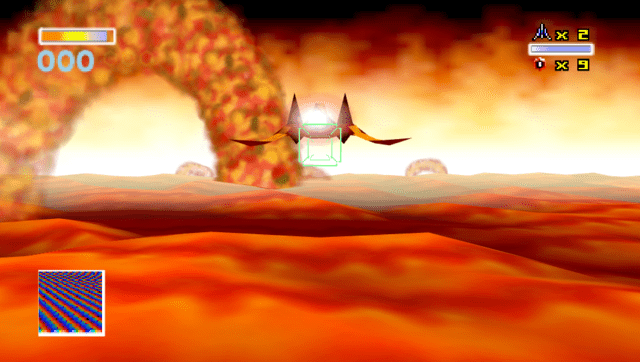
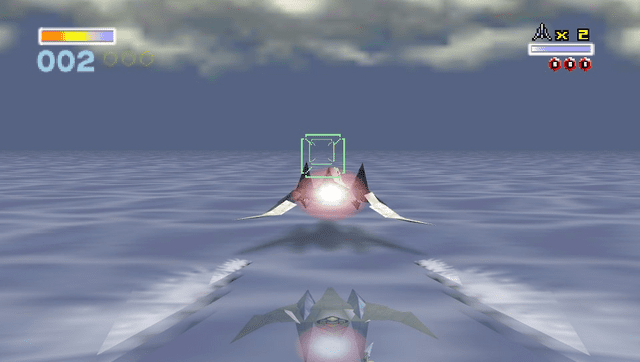
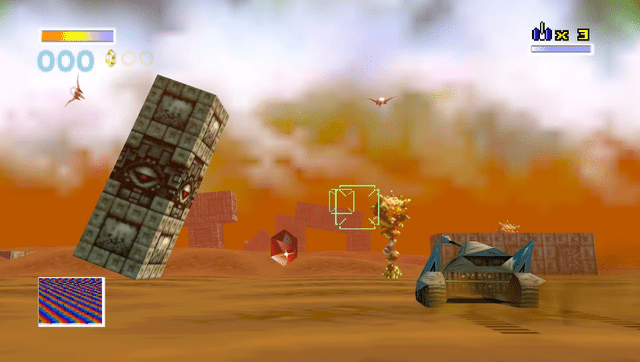
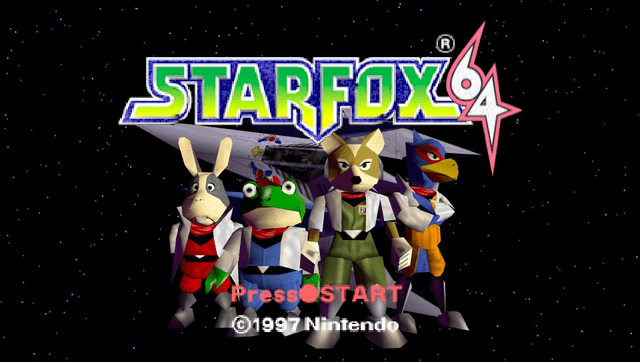
Media
Starfox 64 - 20th Anniversary Trailer (Alex Kramer)
Changelog
v1.0
- First Release.
Credits
- TheIronUniverse - Livearea assets.
- withLogic - Testing.
- hatoving - Testing.