
Alisa Vita: Difference between revisions
From GameBrew
More actions
Created page with "{{Infobox Vita Homebrews |title=Alisa Vita |image=AlisaVita.png |description=Port of Alisa: Developer's Cut for PSVita. |author=Rinnegatamante, PatnosD |lastupdated=2025/12/31 |type=Horror |version=1.1 |license=N/A |download=https://dlhb.gamebrew.org/vitahomebrews/AlisaVita.7z |website=https://github.com/Rinnegatamante/Alisa-Vita |source= |donation=https://www.rinnegatamante.eu/vitadb/#/info/1355#Support%20the%20authors }} {{#seo: |title=Vita Homebrew Games (Horror) - Ga..." |
|||
| Line 39: | Line 39: | ||
* Extract all the files, except for <code>archive.psarc</code>, inside the <code>alisa</code> folder inside the <code>data.zip</code> generated file into <code>ux0:app/ALSA50001/Media</code>. | * Extract all the files, except for <code>archive.psarc</code>, inside the <code>alisa</code> folder inside the <code>data.zip</code> generated file into <code>ux0:app/ALSA50001/Media</code>. | ||
* Extract <code>archive.psarc</code> inside the <code>alisa</code> folder inside the <code>data.zip</code> generated file into <code>ux0:app/ALSA50001</code>. | * Extract <code>archive.psarc</code> inside the <code>alisa</code> folder inside the <code>data.zip</code> generated file into <code>ux0:app/ALSA50001</code>. | ||
* '''Optional''': For trophies to be unlockable, install [ | * '''Optional''': For trophies to be unlockable, install [[NoTrpDrm Vita|NoTrpDRM]]. | ||
== Known issues == | == Known issues == | ||
Revision as of 02:48, 4 January 2026
| Alisa Vita | |
|---|---|
 | |
| General | |
| Author | Rinnegatamante, PatnosD |
| Type | Horror |
| Version | 1.1 |
| License | N/A |
| Last Updated | 2025/12/31 |
| Links | |
| Download | |
| Website | |
| Support Author | |
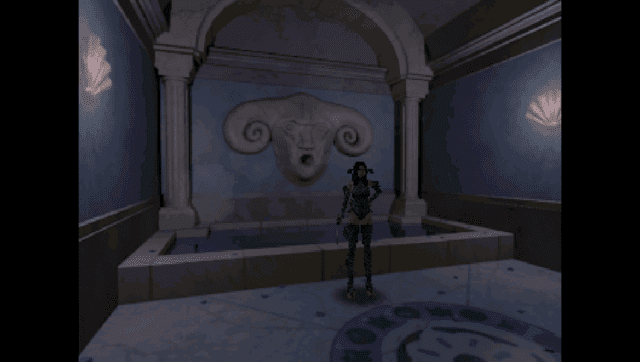
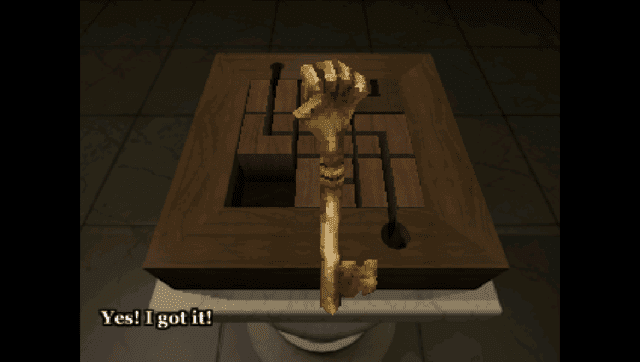
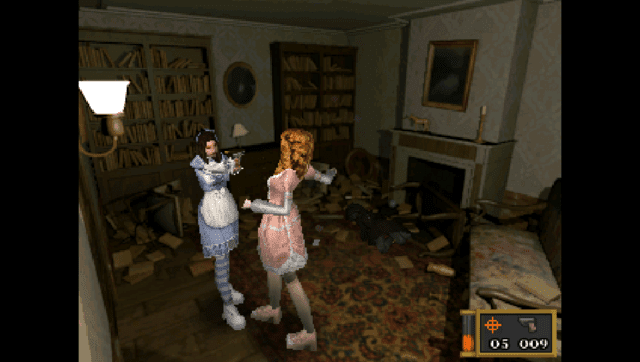
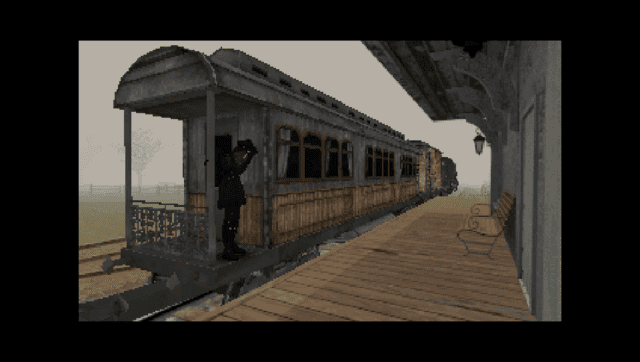
This is a port of Alisa: Developer's Cut for PSVita.
Alisa is a indie survival horror game heavily inspired by the classics of this genre like the original Resident Evil.
Note
- This patch works exclusively with the latest version of the game at the time of writing this README. If the game received a new update, the depot you want is:
download_depot 1335530 1335531 3838329713333394627 - The "Special" button is mapped on L Trigger.
Requirements
- Game Data Files: Steam
How to Install
- Buy Alisa: Director's Cut from Steam and install it.
- Download the
datafiles.zipandalisa.vpkfrom the Release page. - Install
alisa.vpkon your PSVita. - Extract on your PC
datafiles.zipin a folder of your preference. - From the Steam game datafiles, copy all files (excluding directories) from
Alisa_Datafolder except forapp.infoandoutput_log.txt(it should total at 289 files) to thealisafolder in the datafiles folder. - Run
patch_files.bat. - Extract all the files, except for
archive.psarc, inside thealisafolder inside thedata.zipgenerated file intoux0:app/ALSA50001/Media. - Extract
archive.psarcinside thealisafolder inside thedata.zipgenerated file intoux0:app/ALSA50001. - Optional: For trophies to be unlockable, install NoTrpDRM.
Known issues
- On new runs, sometimes the backpack on Alisa won't disappear after the prologue.
- The grab animation during the final boss is a bit glitchy (only visual).
- There are some minor issues with lighting across the game.
Media
Alisa Launch Trailer (Alisa Launch Trailer)
Screenshots
Changelog
v1.1
- Fixed a bug in pathfinding code that was causing AI to be less aggressive than expected.
- Fixed a bug causing the shop menu to be slightly off scaled.
- Restored "Render" feature: now setting it to 2x will correctly make the game look sharper due to higher internal resolution.
- Fixed a bug causing a few meshes to be rendered full purple.
- Fixed the V-Sync button in the Settings menu to be rendered with bilinear filtering erroneously.
- Fixed the unselected V-Sync button to not render in the Settings menu inside the Pause menu.
- Fixed a bug causing the video prior the main menu to not show anymore after clearing a run until the game was rebooted.
- Fixed the main menu fade effect to show a widescreen stretched image instead of a properly 4:3 centered one.
- Added a new option in the Settings menu to enable a post-processing CRT filter in the game.
v1.0
- First Release.
Credits
- PatnosD: For fixing the vast majority of animations in the game and for giving additional help to fix some minor issues.
- hatoving: For helping with the initial bootstraping of the project and for the Livearea assets.
- withLogic: For additional help testing the port.