
IR Switch: Difference between revisions
From GameBrew
More actions
m Hyatt moved page IR Switch Switch to IR Switch without leaving a redirect |
No edit summary |
||
| Line 2: | Line 2: | ||
|title=IR Switch | |title=IR Switch | ||
|image=IRSwitchSwitch.png | |image=IRSwitchSwitch.png | ||
|description= | |description=View the Nintendo Switch's IR camera on the right joy-con. | ||
|author=tech-will | |author=tech-will | ||
|lastupdated=2025/11/23 | |lastupdated=2025/11/23 | ||
| Line 19: | Line 19: | ||
|image_alt=IR Switch | |image_alt=IR Switch | ||
}} | }} | ||
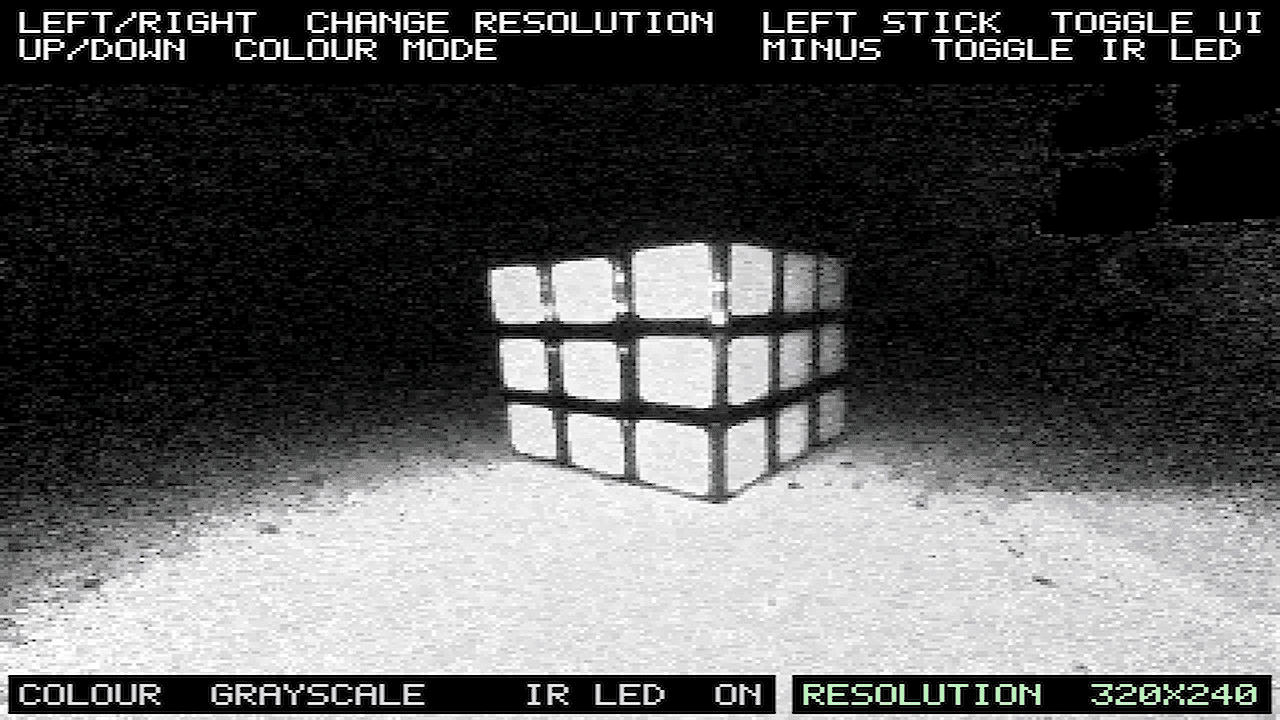
IR-Switch is a Nintendo Switch homebrew application that streams and displays the IR camera feed from the right Joy-Con to the Switch screen | IR-Switch is a Nintendo Switch homebrew application that streams and displays the IR camera feed from the right Joy-Con to the Switch screen. | ||
==Features== | ==Features== | ||
*Change the resolution | *Change the resolution. | ||
*Hide the UI | *Hide the UI. | ||
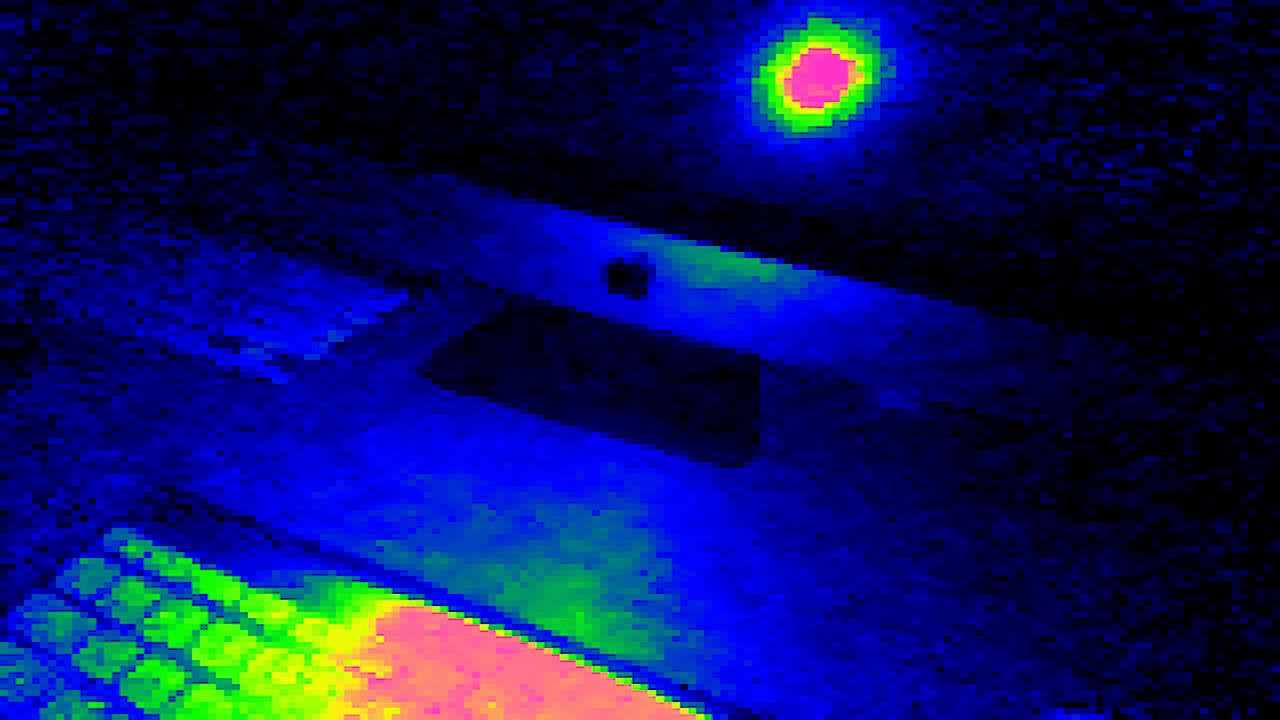
*Switch between greyscale and thermal colour | *Switch between greyscale and thermal colour. | ||
**The thermal colour mode shows the amount of InfaRed light that is recieved by the InfraRed sensor. It is NOT a thermal camera because the sensor only detects shorter infrared wavelengths of around 850-940nm that are emitted by a TV remote for example. It cannot detect heat's wavelength. | **The thermal colour mode shows the amount of InfaRed light that is recieved by the InfraRed sensor. It is NOT a thermal camera because the sensor only detects shorter infrared wavelengths of around 850-940nm that are emitted by a TV remote for example. It cannot detect heat's wavelength. | ||
*Turn on and off the IR led off | *Turn on and off the IR led off. | ||
*Detach the controllers to use like a mini camera | *Detach the controllers to use like a mini camera. | ||
==Installation== | |||
Download the [https://github.com/tech-will/IR-Switch/releases release ZIP], extract files to your Switch SD card root, and launch via Homebrew Menu on custom firmware. | |||
Right Joy-Con required; detach for optimal use. | |||
==Controls== | ==Controls== | ||
Left | Left Stick - Hide/show UI | ||
D-Pad Up/Down: Switch thermal/greyscale | D-Pad Up/Down: Switch thermal/greyscale | ||
D-Pad Left/Right | D-Pad Left/Right - Change resolution | ||
Minus button | Minus button - Toggle IR LED off | ||
==Screenshots== | ==Screenshots== | ||
| Line 51: | Line 53: | ||
== External links == | == External links == | ||
* | * GitHub - https://github.com/tech-will/IR-Switch | ||
* | * Homebrew App Store - https://hb-app.store/switch/IRSwitch | ||
Revision as of 03:32, 30 November 2025
| IR Switch | |
|---|---|
 | |
| General | |
| Author | tech-will |
| Type | Utilities |
| Version | 1.0 |
| License | MIT License |
| Last Updated | 2025/11/23 |
| Links | |
| Download | |
| Website | |
| Source | |
| Support Author | |
IR-Switch is a Nintendo Switch homebrew application that streams and displays the IR camera feed from the right Joy-Con to the Switch screen.
Features
- Change the resolution.
- Hide the UI.
- Switch between greyscale and thermal colour.
- The thermal colour mode shows the amount of InfaRed light that is recieved by the InfraRed sensor. It is NOT a thermal camera because the sensor only detects shorter infrared wavelengths of around 850-940nm that are emitted by a TV remote for example. It cannot detect heat's wavelength.
- Turn on and off the IR led off.
- Detach the controllers to use like a mini camera.
Installation
Download the release ZIP, extract files to your Switch SD card root, and launch via Homebrew Menu on custom firmware.
Right Joy-Con required; detach for optimal use.
Controls
Left Stick - Hide/show UI
D-Pad Up/Down: Switch thermal/greyscale
D-Pad Left/Right - Change resolution
Minus button - Toggle IR LED off
Screenshots
Changelog
v1.0
- First Release.
External links
- GitHub - https://github.com/tech-will/IR-Switch
- Homebrew App Store - https://hb-app.store/switch/IRSwitch