
Fallout 2 CE Switch: Difference between revisions
More actions
Created page with "{{Infobox Switch Homebrews |title=Fallout 2 CE Switch |image=Fallout2CESwitch.png |description=Fallout 2 for the Nintendo Switch. Homebrew port. |author=ryandeering |lastupdated=2024/08/11 |type=Role Playing |version=1.1.0 |license=Mixed |download=https://dlhb.gamebrew.org/switchhomebrews/Fallout2CESwitch.7z |website= |source=https://github.com/ryandeering/fallout2-ce-switch |donation= }} {{#seo: |title=Switch Homebrew Games (Role Playing) - GameBrew |title_mode=append |..." |
No edit summary |
||
| Line 9: | Line 9: | ||
|license=Mixed | |license=Mixed | ||
|download=https://dlhb.gamebrew.org/switchhomebrews/Fallout2CESwitch.7z | |download=https://dlhb.gamebrew.org/switchhomebrews/Fallout2CESwitch.7z | ||
|website= | |website=https://github.com/ryandeering/fallout2-ce-switch | ||
|source=https://github.com/ryandeering/fallout2-ce-switch | |source=https://github.com/ryandeering/fallout2-ce-switch | ||
|donation= | |donation= | ||
Revision as of 12:53, 25 October 2025
| Fallout 2 CE Switch | |
|---|---|
 | |
| General | |
| Author | ryandeering |
| Type | Role Playing |
| Version | 1.1.0 |
| License | Mixed |
| Last Updated | 2024/08/11 |
| Links | |
| Download | |
| Website | |
| Source | |
Fallout 2 CE Switch is an open-source homebrew port of Fallout 2 Community Edition for the Nintendo Switch, developed by ryandeering and based on alexbatalov’s fallout2-ce project. It brings the post-apocalyptic RPG experience of Fallout 2 to the Switch, requiring a console running custom firmware to play. This project is an unofficial fan effort and not affiliated with Interplay or Bethesda.
Installation
- Purchase your copy on GOG or Steam. The files need to be from a Windows installation (I think.)
- Download the latest release or build from the source. See YAML pipelines for reference.
- Drag the installation files into a new folder called
fallout2in yourswitchfolder on the root of your SD card. - Create a file named fallout2_nx.ini in your 'fallout2' folder
- In the fallout2_nx.ini file, paste the following content:
[MAIN]
SCR_WIDTH=1708
SCR_HEIGHT=960
SCALE_2X=1
; Change resolution and determine scaling. SCALE_2X=1 will turn 2x scaling on. SCALE_2X=0 will turn it off.

[IFACE]
IFACE_BAR_MODE=0
IFACE_BAR_WIDTH=800
IFACE_BAR_SIDE_ART=1
IFACE_BAR_SIDES_ORI=0
; I wouldn't change these if you don't know what you're doing. Related to the interface bar.`
WARNING Failure to create the fallout2_nx.ini and required content in it will cause the game to immediately crash upon launch!
- Put the necessary executable in your
switchfolder on the root of your SD card, either.nroor.nso.
Note: Any Fallout 2 saves, CE or not, should work on this port. However, I'm not responsible if your save somehow corrupts!
Controls
|
|
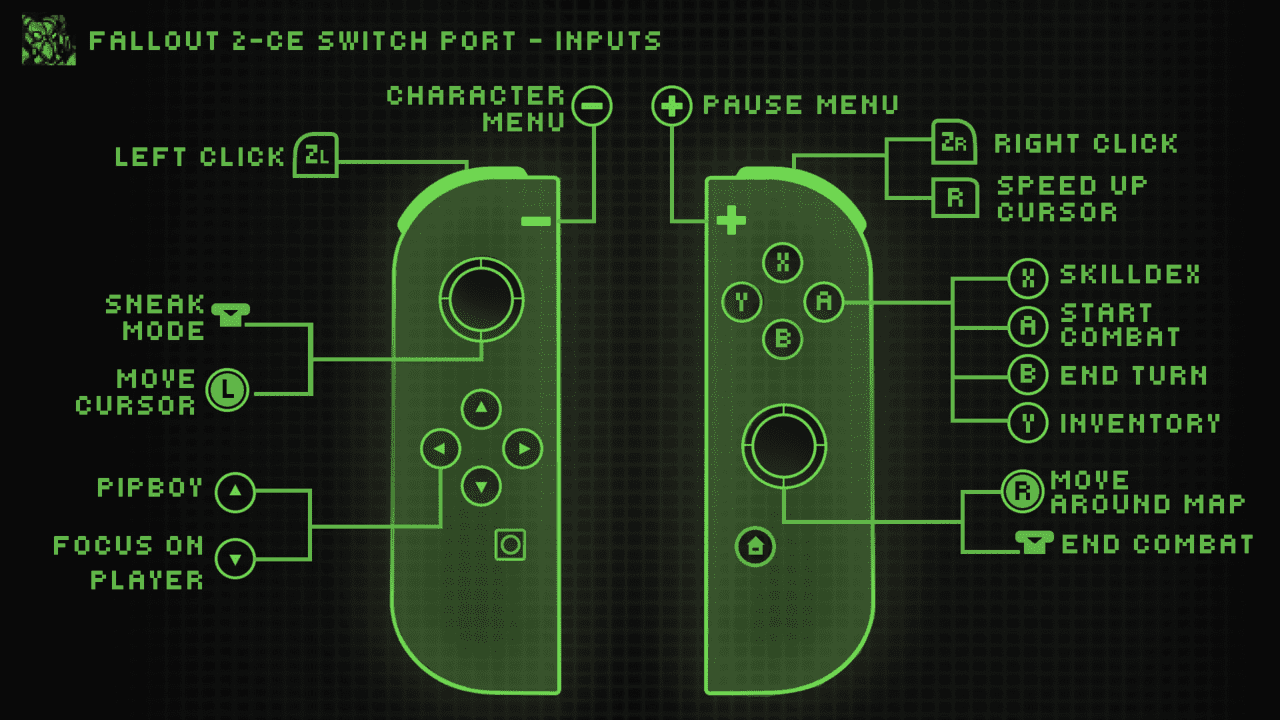
- Basic touchscreen support is implemented.
- On-screen keyboard support implemented for names and saves.
Configuration
- Cursor Sensitivity: Adjustable in options via mouse sensitivity. Note this will affect cursor speedup as well.
- Resolution: You can configure resolution and scaling through a config file. Create a file in your
fallout2folder calledfallout2_nx.ini- It needs to follow the following structure:
[MAIN]
SCR_WIDTH=1708
SCR_HEIGHT=960
SCALE_2X=1
; Change resolution and determine scaling. SCALE_2X=1 will turn 2x scaling on. SCALE_2X=0 will turn it off.

[IFACE]
IFACE_BAR_MODE=0
IFACE_BAR_WIDTH=800
IFACE_BAR_SIDE_ART=1
IFACE_BAR_SIDES_ORI=0
; I wouldn't change these if you don't know what you're doing. Related to the interface bar.`
Media
New Native Switch Ports | Fallout 1+2 ( No Emulation ) How to Install, Tips + Tricks (Son of a Zet)
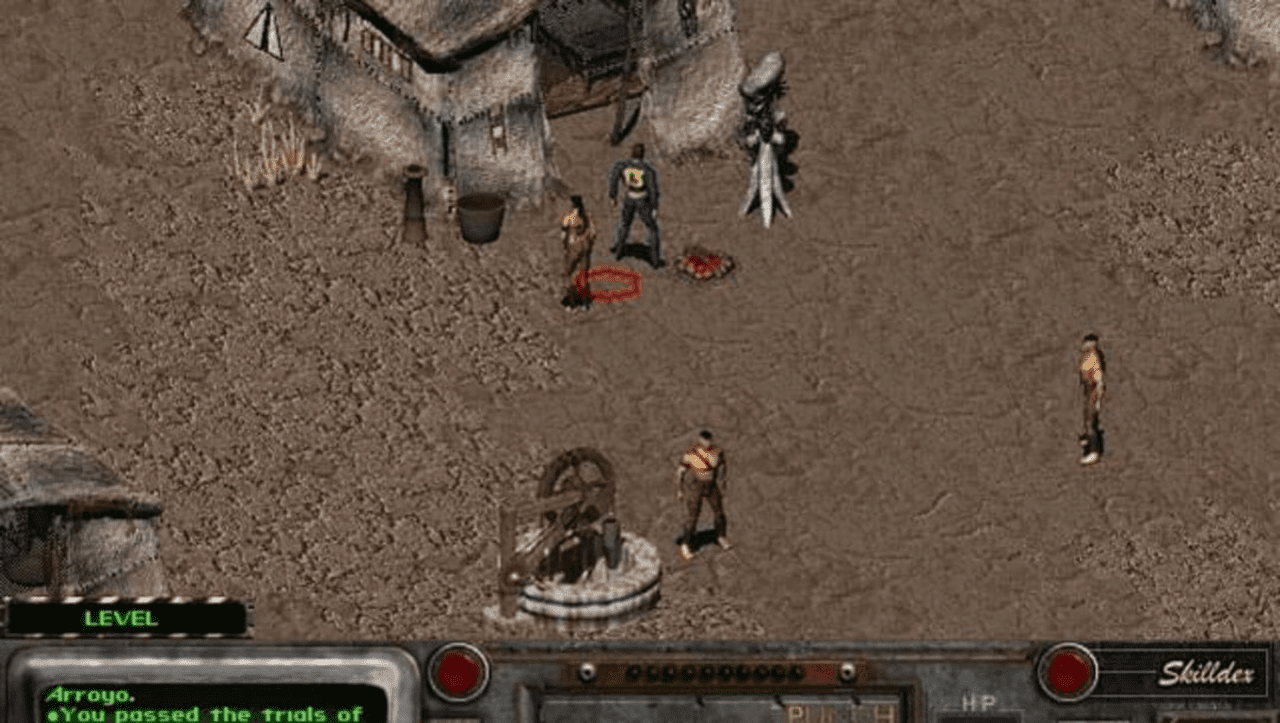
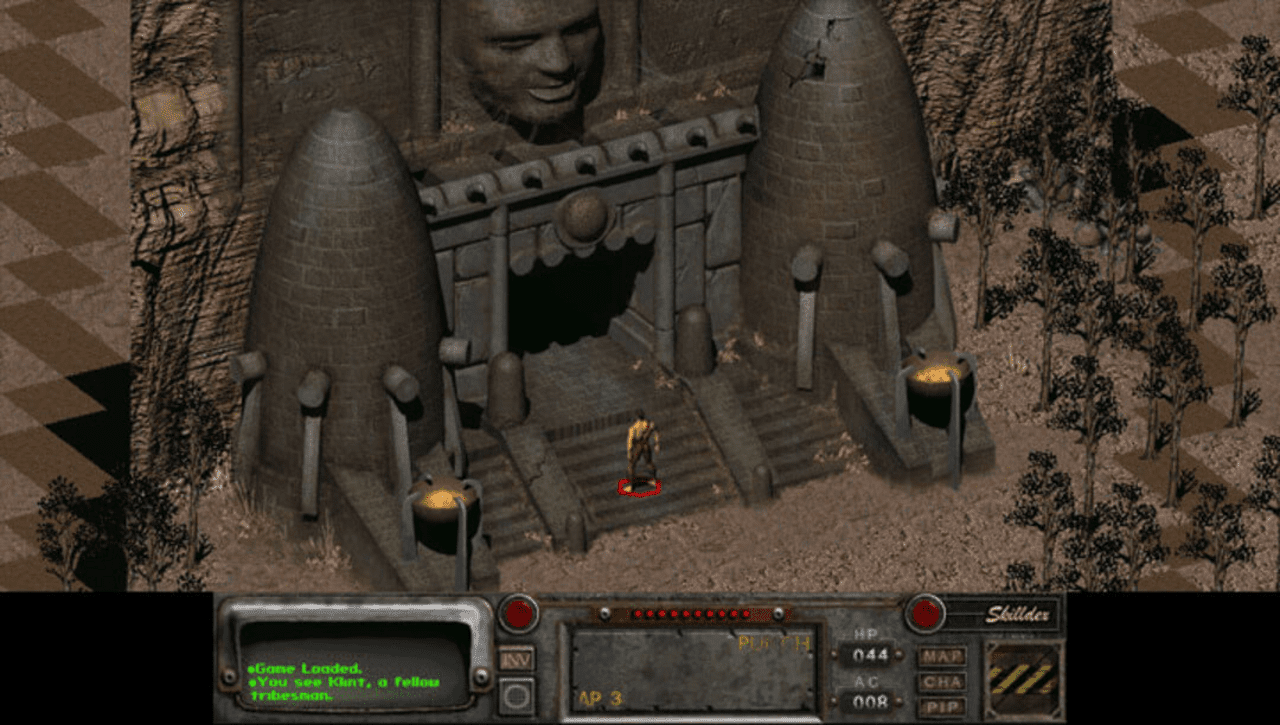
Screenshots
|
|
Changelog
v1.1.0
- feat: disable ESC (+ button) exiting in the main menu by @ryandeering in #8
- feat: allow for fallout2 folder to be loaded from the switch folder by @ryandeering in #9
- feat: include actual release version as part of build process by @ryandeering in #11
- feat: change speed up button to R by @ryandeering in #13
- fix: mouse sensitivity thresholds applied + feat: increase cursor speed by @ryandeering in #15
- feat: switch specific config file 'fallout2_nx.ini' by @ryandeering in #16
- feat: update config to reflect new updates by @ryandeering in #17
v1.0.1
- feat: eliminate use of f2_res.ini by @ryandeering in #3.
v1.0
- First Release.
Credits
- Interplay: For developing and publishing the original game.
- alexbatalov and fallout2-CE Contributors: For their excellent work in keeping this game modern.
- Romane: For the graphics.
- Tiwaz and Caleb Orchard: For testing.