3dmaze DS: Difference between revisions
From GameBrew
More actions
Created page with "{{Infobox DS Homebrews |title=3dmaze |image=3dmazends.png |description=Port of Windows 9x 3D Maze screensaver to modern systems (and other platforms). |author=Headshotnoby |lastupdated=2025/10/19 |type=Puzzle |version=1.0.0 |license=Mixed |download=https://dlhb.gamebrew.org/psphomebrews/3dmazends.7z |website=https://gbatemp.net/threads/release-win9x-3d-maze-screensaver-port.676359/ |source=https://dlhb.gamebrew.org/dshomebrew2/ }} This project aims to port the original s..." |
No edit summary |
||
| Line 10: | Line 10: | ||
|download=https://dlhb.gamebrew.org/psphomebrews/3dmazends.7z | |download=https://dlhb.gamebrew.org/psphomebrews/3dmazends.7z | ||
|website=https://gbatemp.net/threads/release-win9x-3d-maze-screensaver-port.676359/ | |website=https://gbatemp.net/threads/release-win9x-3d-maze-screensaver-port.676359/ | ||
|source=https:// | |source=https://github.com/headshot2017/3dmaze | ||
}} | }} | ||
This project aims to port the original source code of the iconic 3D Maze screensaver from Windows 9x to other platforms. | This project aims to port the original source code of the iconic 3D Maze screensaver from Windows 9x to other platforms. | ||
Revision as of 02:19, 20 October 2025
| 3dmaze | |
|---|---|
 | |
| General | |
| Author | Headshotnoby |
| Type | Puzzle |
| Version | 1.0.0 |
| License | Mixed |
| Last Updated | 2025/10/19 |
| Links | |
| Download | |
| Website | |
| Source | |
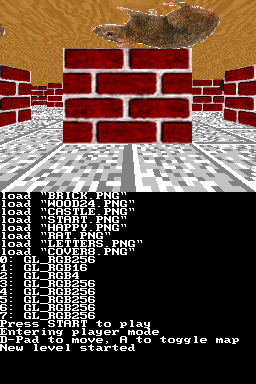
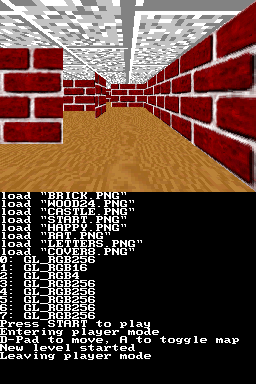
This project aims to port the original source code of the iconic 3D Maze screensaver from Windows 9x to other platforms.
Features
- Player mode (playable).
- CPU mode.
Installation
Download from releases:
- 3dmaze-nds-fat.zip - Nintendo DS FAT
- 3dmaze-nds-nitrofs.zip - Nintendo DS (NitroFS)
For Nintendo DS FAT, copy the data folder to the root of your SD card.
Nintendo DS FAT requires an SD card in order to run but allows texture customization. Nintendo DS NitroFS can run on emulators that cannot emulate the SD card, like DraStic or melonDS Android.
Controls
Start - Toggle between modes
Screenshots