
Inscryption Vita: Difference between revisions
More actions
Created page with "{{Infobox Vita Homebrews |title=Inscryption Vita |image=InscryptionVita.png |description=Port of Inscryption for PSVita. |author=gl00mm |lastupdated=2025/09/19 |type=Card |version=alpha.1 |license=N/A |download=https://dlhb.gamebrew.org/vitahomebrews/InscryptionVita.7z |website=https://github.com/gl00mm/Inscryption_PSVITA |source= |donation=https://www.paypal.me/gl00mm }} {{#seo: |title=Vita Homebrew Games (Card) - GameBrew |title_mode=append |image=InscryptionVita.png |..." |
No edit summary |
||
| Line 2: | Line 2: | ||
|title=Inscryption Vita | |title=Inscryption Vita | ||
|image=InscryptionVita.png | |image=InscryptionVita.png | ||
|description=Port of Inscryption for | |description=Port of Inscryption for PS Vita. | ||
|author=gl00mm | |author=gl00mm | ||
|lastupdated=2025/09/19 | |lastupdated=2025/09/19 | ||
| Line 19: | Line 19: | ||
|image_alt=Inscryption Vita | |image_alt=Inscryption Vita | ||
}} | }} | ||
Inscryption is an inky black card-based odyssey that blends the deckbuilding roguelike, escape-room style puzzles, and psychological horror into a blood-laced smoothie | Inscryption is an inky black card-based odyssey that blends the deckbuilding roguelike, escape-room style puzzles, and psychological horror into a blood-laced smoothie. | ||
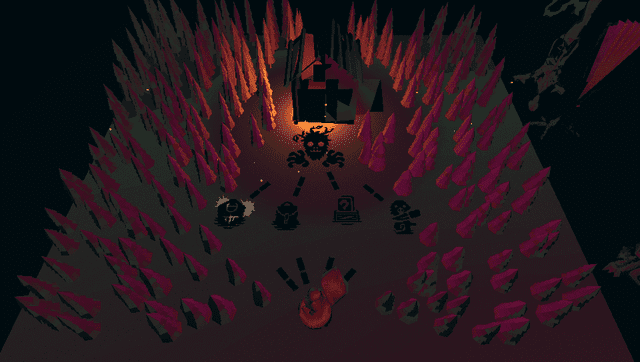
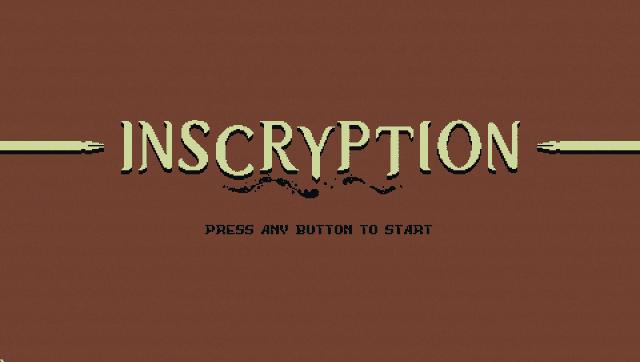
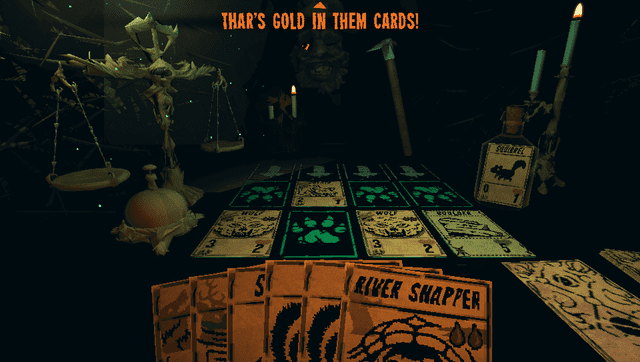
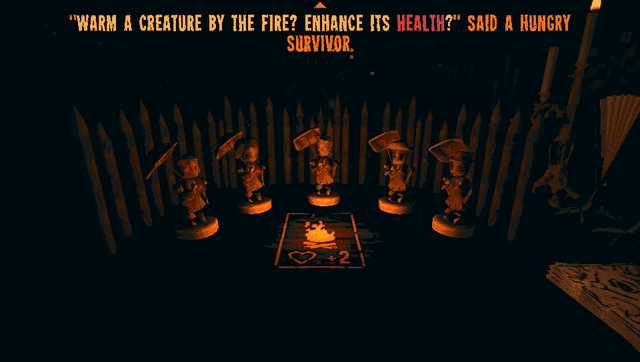
This patch allows the Steam version of Inscryption to run on the PS Vita. It targets a frame rate of ~15 FPS to balance visual quality and playability within the Vita's hardware limitations. | |||
Inscryption | |||
What's changed: | |||
* All shaders had to be rewritten for vita specs, so expect visual differences. | |||
* Textures resolution decreased. | |||
* Meshes (3D models) have been simplified for cpu and ram usage. | |||
* Some meshes were removed or replaced (for critical ones) because they were broken. | |||
* Some tricks were used to reach a decent frame rate (reduced field of view, shortened animations, hidden objects). | |||
* Some languages were removed for ram usage : Chinese, Japanese, Russian, Turkish (sorry guys). | |||
==Installation== | |||
'''Recommended plugins:''' | |||
* [[IoPlus_Vita|ioplus.skprx]] | |||
* Full CPU Overclock (500Mhz) | |||
'''Patch instrucions:''' | |||
* Download inscryption.vpk from [https://www.rinnegatamante.eu/vitadb/#/info/1323 vitadb] or [https://github.com/gl00mm/Inscryption_PSVITA/releases releases] and install it. | |||
* Download <code>InscryptionVitaSteam.zip</code> from [https://github.com/gl00mm/Inscryption_PSVITA/releases releases] and extract it on the PC. | |||
* Put the game's data folder(<code>../steamapps/common/Inscryption/Inscryption_Data</code>) inside the extracted folder (should be official Steam v1.10). | |||
* | |||
* | |||
* Put the game's data folder(<code>../steamapps/common/Inscryption/Inscryption_Data</code>) inside the extracted folder ( | |||
* Launch <code>ApplyPatch.bat</code> and wait. | * Launch <code>ApplyPatch.bat</code> and wait. | ||
* Let it finish and there should be a .ZIP file named <code>InscryptionVita.zip</code>. | * Let it finish and there should be a .ZIP file named <code>InscryptionVita.zip</code>. | ||
* Open VitaShell, connect your PS Vita to your PC and copy the contents of the .ZIP file | * Open VitaShell, connect your PS Vita to your PC and copy the contents of the .ZIP file (zip file should be around 650MB before unpacking) over to <code>ux0:app/INSC12345/</code>. | ||
* Click on "Replace the files in destination" when it asks you to. | * Click on "Replace the files in destination" when it asks you to. | ||
== Controls == | == Controls == | ||
Cross/L - Select (where cursor is or on highlighted interactable) | |||
R - Ring bell to end turn | |||
D-Pad - Move player, Change interactable selection (card selection, table slot selection, map destination selection,...) | |||
Right Stick - Look / Flip rulebook page | |||
Triangle - Open rulebook when cursor is on rulebook icon | |||
Circle - Cancel | |||
Start - Open Pause menu | |||
Cursor can be moved with touch screen but is (most of the time) not clickable. | |||
==Screenshots== | ==Screenshots== | ||
| Line 88: | Line 71: | ||
https://dlhb.gamebrew.org/vitahomebrews/images/InscryptionVita-04.png | https://dlhb.gamebrew.org/vitahomebrews/images/InscryptionVita-04.png | ||
== Known issues | ==Media== | ||
* Rulebook in cabin is buggy (low perf shader + page changing to right ) | '''Inscryption PS VITA port version ALPHA.1 - 14 minutes of early gameplay''' ([https://www.youtube.com/watch?v=xkCgldud1hA gl00mm]) <br> | ||
* Subtitles are not visible when playing videos | <youtube width="640">xkCgldud1hA</youtube> | ||
* Framerate drops when some animations are running | |||
* Some meshes are missing | '''Inscryption - Official Launch Trailer''' ([https://www.youtube.com/watch?v=BRlnP67TAf4 GameTrailers]) <br> | ||
* Teeth collisions are sometimes buggy | <youtube width="640">BRlnP67TAf4</youtube> | ||
* Crash can happen when vita is running out of memory (as usual with Unity games) | |||
== Known issues == | |||
* Rulebook in cabin is buggy (low perf shader + page changing to right ). | |||
* Subtitles are not visible when playing videos. | |||
* Framerate drops when some animations are running. | |||
* Some meshes are missing. | |||
* Teeth collisions are sometimes buggy. | |||
* Crash can happen when vita is running out of memory (as usual with Unity games). | |||
==Changelog== | ==Changelog== | ||
| Line 101: | Line 91: | ||
== External links == | == External links == | ||
* | * GitHub - https://github.com/gl00mm/Inscryption_PSVITA | ||
* VitaDB - https://www.rinnegatamante.eu/vitadb/#/info/1323 | * VitaDB - https://www.rinnegatamante.eu/vitadb/#/info/1323 | ||
[[Category:PC game ports on Vita]] | |||
[[Category:Vita game ports]] | |||
Revision as of 04:14, 21 September 2025
| Inscryption Vita | |
|---|---|
 | |
| General | |
| Author | gl00mm |
| Type | Card |
| Version | alpha.1 |
| License | N/A |
| Last Updated | 2025/09/19 |
| Links | |
| Download | |
| Website | |
| Support Author | |
Inscryption is an inky black card-based odyssey that blends the deckbuilding roguelike, escape-room style puzzles, and psychological horror into a blood-laced smoothie.
This patch allows the Steam version of Inscryption to run on the PS Vita. It targets a frame rate of ~15 FPS to balance visual quality and playability within the Vita's hardware limitations.
What's changed:
- All shaders had to be rewritten for vita specs, so expect visual differences.
- Textures resolution decreased.
- Meshes (3D models) have been simplified for cpu and ram usage.
- Some meshes were removed or replaced (for critical ones) because they were broken.
- Some tricks were used to reach a decent frame rate (reduced field of view, shortened animations, hidden objects).
- Some languages were removed for ram usage : Chinese, Japanese, Russian, Turkish (sorry guys).
Installation
Recommended plugins:
- ioplus.skprx
- Full CPU Overclock (500Mhz)
Patch instrucions:
- Download inscryption.vpk from vitadb or releases and install it.
- Download
InscryptionVitaSteam.zipfrom releases and extract it on the PC. - Put the game's data folder(
../steamapps/common/Inscryption/Inscryption_Data) inside the extracted folder (should be official Steam v1.10). - Launch
ApplyPatch.batand wait. - Let it finish and there should be a .ZIP file named
InscryptionVita.zip. - Open VitaShell, connect your PS Vita to your PC and copy the contents of the .ZIP file (zip file should be around 650MB before unpacking) over to
ux0:app/INSC12345/. - Click on "Replace the files in destination" when it asks you to.
Controls
Cross/L - Select (where cursor is or on highlighted interactable)
R - Ring bell to end turn
D-Pad - Move player, Change interactable selection (card selection, table slot selection, map destination selection,...)
Right Stick - Look / Flip rulebook page
Triangle - Open rulebook when cursor is on rulebook icon
Circle - Cancel
Start - Open Pause menu
Cursor can be moved with touch screen but is (most of the time) not clickable.
Screenshots
Media
Inscryption PS VITA port version ALPHA.1 - 14 minutes of early gameplay (gl00mm)
Inscryption - Official Launch Trailer (GameTrailers)
Known issues
- Rulebook in cabin is buggy (low perf shader + page changing to right ).
- Subtitles are not visible when playing videos.
- Framerate drops when some animations are running.
- Some meshes are missing.
- Teeth collisions are sometimes buggy.
- Crash can happen when vita is running out of memory (as usual with Unity games).
Changelog
alpha.1
- First Release.