
Assassin's Creed Altair Chronicles Vita: Difference between revisions
From GameBrew
More actions
Created page with "{{Infobox Vita Homebrews |title=Assassin's Creed Altair Chronicles Vita |image=AssassinsCreedAltairChroniclesVita.png |description=Port of Assassin's Creed Altair Chronicles for PSVita. |author=Rinnegatamante |lastupdated=2025/07/27 |type=Action |version=0.9.5 |license=MIT |download=https://dlhb.gamebrew.org/vitahomebrews/AssassinsCreedAltairChroniclesVita.7z |website=https://www.rinnegatamante.eu/vitadb/#/info/1292 |source=https://github.com/Rinnegatamante/ac_vita |dona..." |
No edit summary |
||
| Line 21: | Line 21: | ||
This is a wrapper/port of Assassin's Creed Altair Chronicles for the PS Vita. | This is a wrapper/port of Assassin's Creed Altair Chronicles for the PS Vita. | ||
Note: | |||
* This port works with both the Android and Xperia build of the game. In order to achieve the best result, it's highly recommended to use the Xperia build (v.1.0.2) of the game since it has native physical buttons support. | * This port works with both the Android and Xperia build of the game. In order to achieve the best result, it's highly recommended to use the Xperia build (v.1.0.2) of the game since it has native physical buttons support. | ||
* There are some border glitches on some 2D sprites. | * There are some border glitches on some 2D sprites. | ||
* There are some issues in which pause menu and analogs movement can stop working in certain levels (Dpad movement will still work fine). | * There are some issues in which pause menu and analogs movement can stop working in certain levels (Dpad movement will still work fine). | ||
== | ==Installation== | ||
Requirements: | |||
* libshacccg.suprx | * libshacccg.suprx | ||
* kubridge.skprx | * kubridge.skprx | ||
* | * Android game files | ||
Instructions: | |||
* Install [[kubridge Vita|kubridge]] and [[FdFix Vita|FdFix]] by copying <code>kubridge.skprx</code> and <code>fd_fix.skprx</code> to your taiHEN plugins folder (usually <code>ux0:tai</code>) and adding two entries to your <code>config.txt</code> under <code>*KERNEL</code>: | |||
* Optional | <pre> *KERNEL | ||
ux0:tai/kubridge.skprx | |||
ux0:tai/fd_fix.skprx</pre> | |||
* Note: Don't install fd_fix.skprx if you're using rePatch plugin | |||
* (Optional) Install [[PSVshell]] to overclock your device to 500Mhz. | |||
* Install <code>libshacccg.suprx</code>, if you don't have it already, by following [https://samilops2.gitbook.io/vita-troubleshooting-guide/shader-compiler/extract-libshacccg.suprx this guide]. | * Install <code>libshacccg.suprx</code>, if you don't have it already, by following [https://samilops2.gitbook.io/vita-troubleshooting-guide/shader-compiler/extract-libshacccg.suprx this guide]. | ||
* Obtain your copy of | * Obtain your copy of "Assassin's Creed: Altair Chronicles" legally for Android or Sony Xperia Play in form of an <code>.apk</code> file and an <code>.obb</code> file. [https://stackoverflow.com/questions/11012976/how-do-i-get-the-apk-of-an-installed-app-without-root-access You can get all the required files directly from your phone] or by using an apk extractor you can find in the play store. | ||
* Open the apk with your zip explorer and extract the file <code>libassissinscreed.so</code> from the <code>lib/armeabi-v7a</code> or <code>lib/armeabi</code> folder to <code>ux0:data/assassins</code>. | * Open the apk with your zip explorer and extract the file <code>libassissinscreed.so</code> from the <code>lib/armeabi-v7a</code> or <code>lib/armeabi</code> folder to <code>ux0:data/assassins</code>. | ||
* Open the obb with your zip explorer and extract the <code>gameloft</code> folder inside it in <code>ux0:data/assassins</code>. | * Open the obb with your zip explorer and extract the <code>gameloft</code> folder inside it in <code>ux0:data/assassins</code>. | ||
==Screenshots== | ==Screenshots== | ||
| Line 62: | Line 52: | ||
https://dlhb.gamebrew.org/vitahomebrews/images/AssassinsCreedAltairChroniclesVita-04.png | https://dlhb.gamebrew.org/vitahomebrews/images/AssassinsCreedAltairChroniclesVita-04.png | ||
==Media== | |||
'''Assassin's Creed - Altaïr's Chronicles - iPhone Game Trailer''' ([https://www.youtube.com/watch?v=xKyLziosPLM iGamesView]) <br> | |||
<youtube width="640">xKyLziosPLM</youtube> | |||
==Changelog== | ==Changelog== | ||
| Line 70: | Line 64: | ||
* Removed debug logs leftovers. | * Removed debug logs leftovers. | ||
* Disabled the rendering of the left virtual analog on screen when using the Xperia build of the game. | * Disabled the rendering of the left virtual analog on screen when using the Xperia build of the game. | ||
'''v0.9''' | '''v0.9''' | ||
* First Release. | * First Release. | ||
| Line 78: | Line 71: | ||
== External links == | == External links == | ||
* | * GitHub - https://github.com/Rinnegatamante/ac_vita | ||
* VitaDB - https://www.rinnegatamante.eu/vitadb/#/info/1292 | * VitaDB - https://www.rinnegatamante.eu/vitadb/#/info/1292 | ||
Revision as of 07:42, 27 July 2025
| Assassin's Creed Altair Chronicles Vita | |
|---|---|
 | |
| General | |
| Author | Rinnegatamante |
| Type | Action |
| Version | 0.9.5 |
| License | MIT License |
| Last Updated | 2025/07/27 |
| Links | |
| Download | |
| Website | |
| Source | |
| Support Author | |
This is a wrapper/port of Assassin's Creed Altair Chronicles for the PS Vita.
Note:
- This port works with both the Android and Xperia build of the game. In order to achieve the best result, it's highly recommended to use the Xperia build (v.1.0.2) of the game since it has native physical buttons support.
- There are some border glitches on some 2D sprites.
- There are some issues in which pause menu and analogs movement can stop working in certain levels (Dpad movement will still work fine).
Installation
Requirements:
- libshacccg.suprx
- kubridge.skprx
- Android game files
Instructions:
- Install kubridge and FdFix by copying
kubridge.skprxandfd_fix.skprxto your taiHEN plugins folder (usuallyux0:tai) and adding two entries to yourconfig.txtunder*KERNEL:
 *KERNEL
 ux0:tai/kubridge.skprx
 ux0:tai/fd_fix.skprx
- Note: Don't install fd_fix.skprx if you're using rePatch plugin
- (Optional) Install PSVshell to overclock your device to 500Mhz.
- Install
libshacccg.suprx, if you don't have it already, by following this guide. - Obtain your copy of "Assassin's Creed: Altair Chronicles" legally for Android or Sony Xperia Play in form of an
.apkfile and an.obbfile. You can get all the required files directly from your phone or by using an apk extractor you can find in the play store. - Open the apk with your zip explorer and extract the file
libassissinscreed.sofrom thelib/armeabi-v7aorlib/armeabifolder toux0:data/assassins. - Open the obb with your zip explorer and extract the
gameloftfolder inside it inux0:data/assassins.
Screenshots
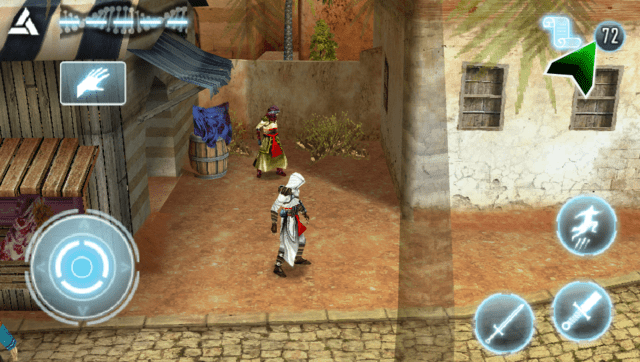
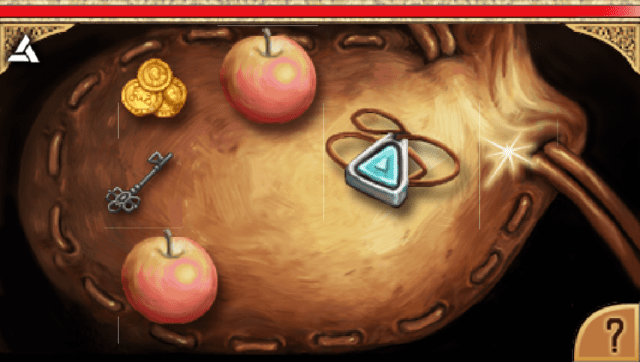
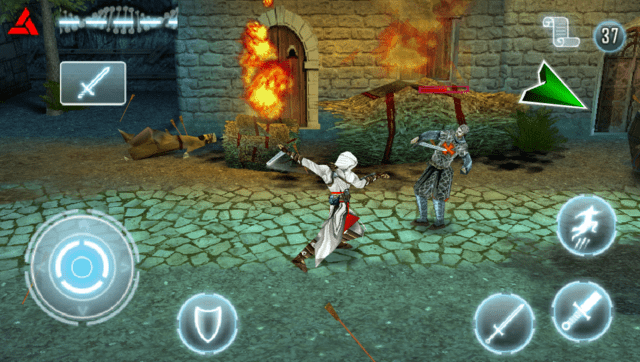
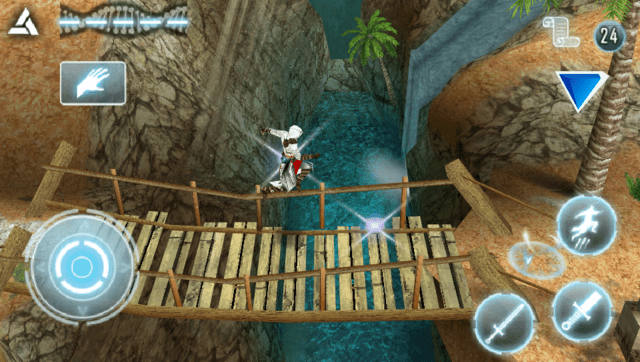
Media
Assassin's Creed - Altaïr's Chronicles - iPhone Game Trailer (iGamesView)
Changelog
v0.9.5
- Mitigated border glitches in the main menu.
- Fixed a bug causing some dialogues audio to play in incorrect places.
- Improved the whole audio system: now sounds shouldn't glitch one on top of the other anymore.
- Removed debug logs leftovers.
- Disabled the rendering of the left virtual analog on screen when using the Xperia build of the game.
v0.9
- First Release.
Credits
- TheFloW for the original .so loader.