
USB Loader GX Wii: Difference between revisions
More actions
No edit summary |
No edit summary |
||
| Line 4: | Line 4: | ||
|description=It allows listing and launching Wii games, Gamecube games and homebrew on Wii and WiiU vWii mode. | |description=It allows listing and launching Wii games, Gamecube games and homebrew on Wii and WiiU vWii mode. | ||
|author=cyan06, dimok789, wiidev/blackb0x | |author=cyan06, dimok789, wiidev/blackb0x | ||
|lastupdated=2025/ | |lastupdated=2025/07/04 | ||
|type=Title Launchers | |type=Title Launchers | ||
|version=4.0- | |version=4.0-r1283 | ||
|license=GPL-3.0 | |license=GPL-3.0 | ||
|download=https://dlhb.gamebrew.org/wiihomebrews/usbloadergxwii.7z?k33p0fil35 | |download=https://dlhb.gamebrew.org/wiihomebrews/usbloadergxwii.7z?k33p0fil35 | ||
| Line 160: | Line 160: | ||
==Changelog== | ==Changelog== | ||
'''vv4.0-r1283 - blackb0x''' | |||
* New / Improved | |||
** Improved how partition sizes are calculated and refreshed | |||
** Improved GUI responsiveness by adjusting when the cache is loaded | |||
** Improved how a region patch is applied for Japanese GameCube games | |||
** Updated the Korean translation (thanks to DDinghoya) | |||
* Improved GitHub CI | |||
** Fixed | |||
** Fixed crashes when using NTFS partitions | |||
** Fixed some partition detection issues | |||
** Fixed a misaligned column in exported game lists | |||
'''vv4.0-r1282 - blackb0x''' | '''vv4.0-r1282 - blackb0x''' | ||
*New / Improved | *New / Improved | ||
Latest revision as of 09:23, 13 July 2025
| USB Loader GX | |
|---|---|
 | |
| General | |
| Author | cyan06, dimok789, wiidev/blackb0x |
| Type | Title Launchers |
| Version | 4.0-r1283 |
| License | GPL-3.0 |
| Last Updated | 2025/07/04 |
| Links | |
| Download | |
| Website | |
| Source | |
| Support Author | |
USBLoaderGX is a GUI for Waninkoko's USB Loader, based on libwiigui. It allows listing and launching Wii games, Gamecube games and homebrew on Wii and WiiU vWii mode.
The current official version is maintained by blackb0x that adds new features, fixes cheatcode download, got Nintendont update back, fixes channel patching, homebrew launching, among other changes.
Features
- The GUI is completely based on the awesome libwiigui by Tantric.
- Look and feel like the original Wii Menu: Use rumble feature, button sounds, background music, disc slot lights up etc. (you can also turn it off in the settings).
- Real Wii system menu feeling with our improved System Menu Player with Channels and Banners animation!
- Use the real Wii font from the console to look even better.
- Supports Dumping and Launching of GameCube games through Dios Mios Lite v1.2+ (DML), DIOS MIOS, Devolution and Nintendont.
- Supports Launching of triforce arcade games through Quadforce.
- Supports multi-disc GameCube games.
- Supports WiimmFi custom network server.
- Game information: Reads gameinfos from a xml file in your config folder like publisher, developer, year, rating, genre etc.
- Wide-screen support: Without any special themes for wide-screen.
- Alternative dol loading: Supports special dol files needed to launch some games (internal or external dol).
- Block games from reloading another IOS: No need to use alternative dol booting method (e.g. Metroid Prime Trilogy, Sam&Max or CSI games) (needs cIOS d2x v6+).
- Loading homebrew and USBLoaderGX settings files from SD or USB (Support up to 8 partitions, FAT32/NTFS/ext2/3/4).
- Works with AHB access and IOS58. No cIOS required to use the loader and launch GameCube or channels.
- Supports WiiU virtual Wii mode.
- Auto-detects and set the correct screen aspect-ratio based on your WiiU video settings.
- Supports UStealth (modified HDD MBR's signature to prevent WiiU's format message).
- Supports WiiU pro controller inside USBLoaderGX interface, on both Wii and vWii.
- Works without a connected HDD to list games from other origins (NAND, EmulatedNand or GameCube).
- Supports arguments from meta.xml on boot.
- Global Settings and "per game" settings.
- Parental control: Read levels for each game via the games database or on user request, locks every menus and buttons one by one.
- Four different Layouts: Simple Game list, Game Grid, Game Carousel, Channel grid.
- Display games from multiple origins simultaneously : Wii games, GameCube Games, Channels on Wii, Channels on Emulated NAND.
- Searching for games via on-screen keyboard.
- Themes support: Download themes from the loader or create your own.
- Covers support: Download "normal" covers, 3D covers and disc-images for all the games on your HDD.
- Custom animated banner download for GameCube games.
- Language file support (use your native language for the loader).
- Custom sounds: Direct streaming supports for AIF/MP3/OGG/BNS/WAV.
- List sorting & Favorites: You can sort the list by playstats, names, favorites ranking and number of players. You also can display your favorites only.
- Create and sort games by categories. (Tutorial)
- Update function: Update to the latest revision from inside the GUI (requires internet connection).
- Playstats: Shows you how many times you played the game.
- Playlog: Log the game you played to the Wii message board (You need to exit the game to the wii menu).
- Return to the loader (or any installed channel) when exiting a game to the Wii menu. Needs the UNEO forwarder or the UNLR channel installed. (Works best with cIOSx d2x v4+)
- Gamer tag compatible, to send the launched game to a dynamic signature creation website, such as Winnertag or DUtag.
- Compatible with both USB ports (needs Hermes cIOS or d2x v9+).
- List all games from all partitions and from both USB ports at the same time (needs Hermes cIOS or d2x v9+).
- Full d2x cIOS support with it's new features (Block IOS Reload, Return To, Sector Sizes > 512b, NAND Emulation).
- Supports USB3.0 hard drives.
- Supports hard drives with 4kb sector size for FAT32, NTFS and WBFS. (needs cIOSx d2x v6+).
- WBFS partition with 4kb sector size allows you to store more than 500 games.
- Supports NandEmulation to directly store the save games to SD or USB instead of the Wii memory. (needs d2x cIOS v7 alpha or later)
- Supports Displaying and Launching Channels from NandEmulation.
- Supports install/uninstall of WAD files to the Emulated NAND, external Wad Managers not needed.
- Supports Batch install/uninstall of WAD files from a folder to/from EmuNAND.
- Support Neek2o (Wii and vWii) and channel autobooting.
Installation
Extract the apps folder to the root of your SD card or USB drive and replace any existing files.
Install the d2x v11 cIOS.
(Optional) Download wiitdb.xml by selecting the update option within the loaders settings menu.
(Optional) Install the loaders forwarder channel (Wii or vWii) and then set the return to setting to UNEO.
cIOS guide
The first configuration is the optimal one for the Wii, but the second configuration should improve compatibility.
For Wii
Slot 249 base 56
Slot 250 base 57
Slot 251 base 38
For vWii and Wii
Slot 248 base 38 (Wii only)
Slot 249 base 56
Slot 250 base 57
Slot 251 base 58
Advanced users can edit the meta.xml arguments and specifying which IOS slot you want to load the first time. Specify the same IOS slot number than the one defined in your User's Settings to prevent any IOS reloading.
How to add games
Wii games:
- Create a folder named wbfs on the root of the storage device. Make a separate folder for each game.
- The folder naming convention is as follows
/wbfs/game name [gameid]/ - Example:
/wbfs/MySims Agents [R6QE69]/ - Within each game folder, place the game file with the name gameid.wbfs (or gameid.iso).
- Example:
/wbfs/MySims Agents [R6QE69]/R6QE69.wbfs
GameCube games:
- Create a folder named games on the root of the storage device. Make a separate folder for each game.
- The folder naming convention is as follows
/games/game name [gameid]/ - The filename must be named
game.iso; for multi-disc games, the 2nd disc must be nameddisc2.iso.
To find the game ID, visit GameTDB and search for your game's name. Next to the game's name, you'll find a 6-character alphanumeric string. This string is the game ID.
Notes
Useful links:
SD card user need to enable SD card mode. From the Settings > Hard Drive Settings:
- SD card mode - ON
- Mount USB at launch - OFF
User guide
Boxarts/DVD covers
If you wii has internet connection, Boxart and DVD covers can be downloaded directly from the loader. Press "1" button and select the type of cover (Flat or 3D) or the DVD label.
If you want to download a full offline cover pack, you can go to gametdb.com, these packs are updated every weeks.
Backup game disc
When a game disc is inserted, a prompt will appear with an "Install" option. Click yes will initiate the process of creating a backup on the storage device.
You can also access this menu by pressing the + icon located at the bottom left corner (on the default theme).
Wii game backups will be stored in the wbfs folder, and GameCube backups will be stored in the games folder.
For multi-disc GameCube games, you may need to rip disc 2 before ripping disc 1.
Alternatively, you can use CleanRip to rip game discs to ISO format.
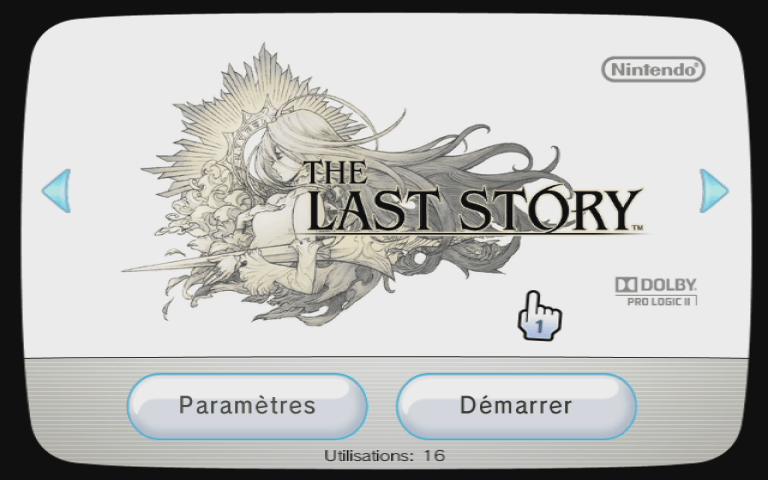
Screenshots
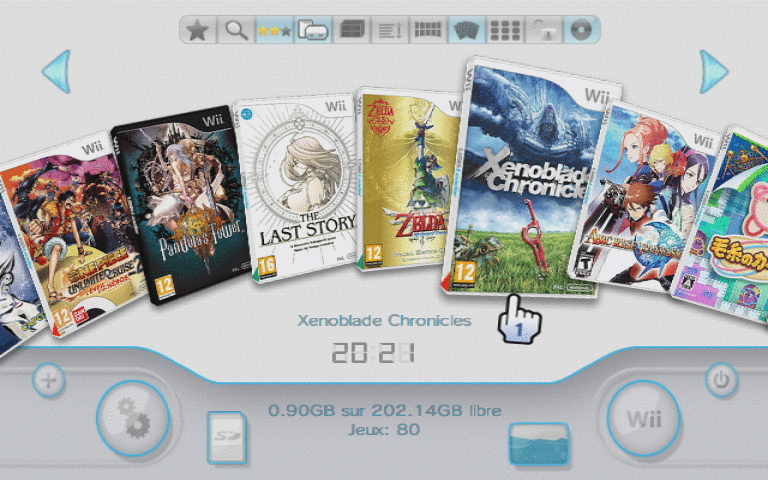
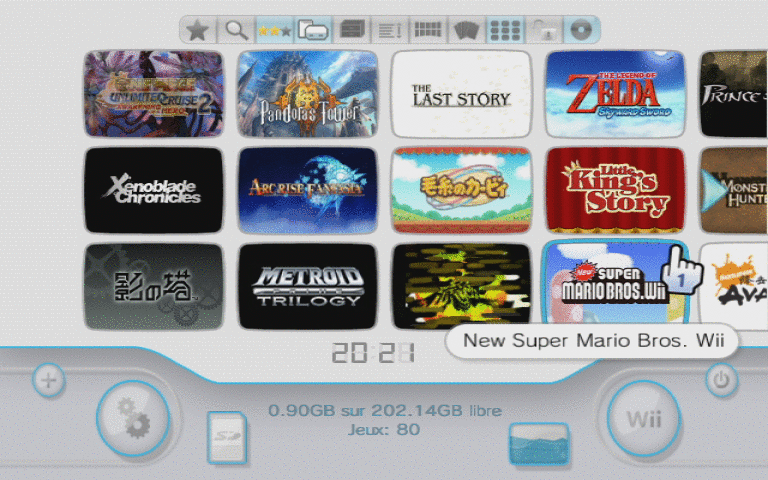
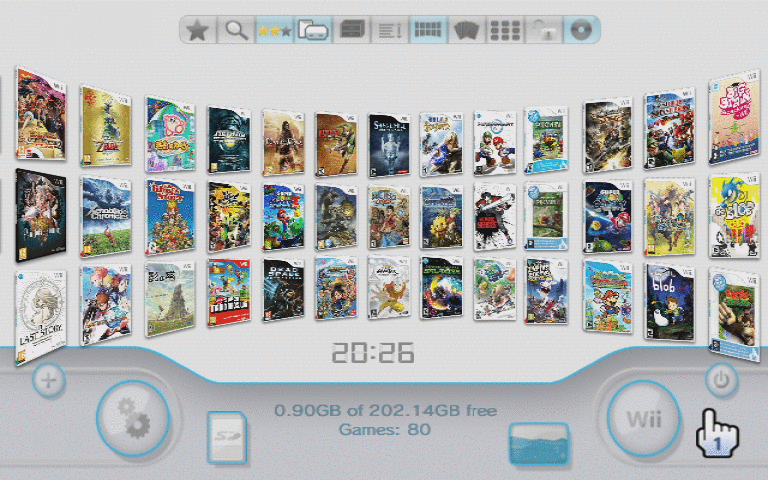
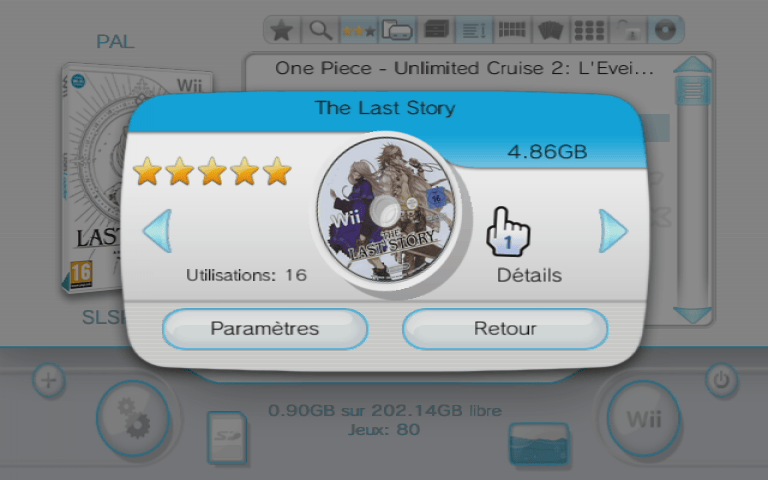
Media
Ultimate USB Loader GX Guide 2021+ (Play ISO Backups) (Anton Retro)
USB Loader GX - Wii U Widescreen Functionality Demonstration (cheatfreak47)
Backup & Play Wii Games on a USB Drive! - USBLoader GX Tutorial (Michael MJD)
Changelog
vv4.0-r1283 - blackb0x
- New / Improved
- Improved how partition sizes are calculated and refreshed
- Improved GUI responsiveness by adjusting when the cache is loaded
- Improved how a region patch is applied for Japanese GameCube games
- Updated the Korean translation (thanks to DDinghoya)
- Improved GitHub CI
- Fixed
- Fixed crashes when using NTFS partitions
- Fixed some partition detection issues
- Fixed a misaligned column in exported game lists
vv4.0-r1282 - blackb0x
- New / Improved
- Updated the theme to support quick switching between Wii, GameCube, NAND, and EmuNAND games (thanks to nully)
- Added the ability to sync Wiimotes and supported accessories (thanks to Zarithya)
- The Adventures of Tintin: The Secret of the Unicorn is now fully playable
- Kirby's Return to Dream Land and Excite Truck are now playable from an SD card
- All Just Dance games should now work without the need for outdated cIOS (e.g., Hermes)
- Driver: San Francisco should now work correctly for everyone (cheats still cause issues)
- Various Super Smash Bros. Brawl mods now function correctly
- We Dare now works correctly with the loaders default settings
- Japanese games should now display text correctly
- Added the ability to disable the Wiimote's speaker and motor on a per-game basis or globally
- Added the ability to autoboot discs, allowing quick patching and launching of disc-based games (thanks to jdfr228)
- Games that only support 4:3 on vWii will now automatically use the correct aspect ratio
- Added a
Screen Modesetting for vWii (visible only if 16:9 is enabled) - Improved the 480p fix and video width patches so that all games boot correctly
- Prevented the loader from launching when installed to Priiloader (install the UNEO channel booter and forwarder as intended!)
- Improved USB storage handling on Wii U so that encrypted drives can remain connected
- Improved partition seeking for the config file
- Titles and banners of poorly made forwarder channels are now read correctly
- USB drives missing their MBR will now function with the loader (though formatting and writing an MBR is strongly recommended)
- GameCube controllers should now "just work" with Resident Evil 4: Wii Edition
- Improved country string patching
- Improved detection of some countries for the
Disc Defaultvideo mode setting - The Homebrew Browser can now boot all types of homebrew correctly
- The Homebrew Browser now displays a wider range of date formats correctly
- Added an option to resample the loaders audio to 48,000 Hz (enabled by default)
- Custom background music now shuffles instead of playing randomly
- Made the silent home menu optional (GUI > Silent HOME Menu)
- While viewing the home menu, pressing left or right on the D-pad changes the music track
- Added
Askas an Ocarina cheat option - Improved Kirby's Return to Dream Land MetaFortress patches
- The loader now comes with and writes valid meta.xml files
- Added the ability to delete EmuNAND saves (Game Settings > Uninstall Menu)
- Improved formatting of exported game lists
- Improved the loaders built-in updater
- Added the ability to set the Wii U GamePad slot for Nintendont
- Moved the
Update Nintendontoption to the update menu - Missing Nintendont assets will now be downloaded during updates
- Added the ability to (re)download all covers from the update menu
- Added the ability to download all cheat files (coming soon!)
- Transitions to and from the home screen are now much smoother
- Added Priiloader as a home screen menu option
- After playing from a disc and returning to the loader, the DVD drive will now be stopped
- The loader will no longer offer the standby option if it is not enabled in your system settings
- Large storage devices will now display their size in terabytes instead of gigabytes
- Improved how the settings menu displays text across all supported languages
- Improved tooltip positioning for custom themes
- Reduced the default tooltip delay
- Favorites now refresh correctly when switching between menus and view types
- Added and cleaned up several parental control options
- The address bar for custom paths is now clickable
- The D-pad can now always be used to navigate in the loaders file manager
- Resetting the loader to its default settings now correctly resets overscan and theme settings
- Removed the
Sync FAT32andMount USB at launchoptions - Removed all online patches for Call of Duty and Rock Band games
- Reorganized various settings
- Added support for reproducible builds (requires matching devkitPPC and libogc versions)
- Updated libraries and ensured compatibility with the latest devkitPro version
- Configured GitHub CI to use an official devkitPPC Docker image
- Improved how the Git ID and revision are generated and used
- Updated all translations (via AI)
- Numerous minor internal changes and fixes
- Fixed
- Fixed vWii layout issues caused by Priiloader v0.10.0+
- Fixed NAND titles not being read and displayed correctly on vWii
- Fixed Wii U VC inject support (note: the loader still only functions as a Nintendont frontend)
- Fixed a race condition that could sometimes cause the loader to crash
- Fixed an issue that prevented NAND and EmuNAND games from applying patches correctly
- Fixed an issue that caused banners to turn black when file paths were too long
- Fixed an issue that could cause custom background music to crash the loader
- Fixed an issue that could prevent some games that use MetaFortress from working properly
- Fixed an issue where some 3D case images were incorrectly colored
- Fixed an issue that prevented some Spanish covers from downloading
- Fixed an issue that prevented shared content from installing to an EmuNAND (thanks to qWii)
- Fixed an issue that allowed favorites to be modified while parental controls were enabled
v3.0-r1281 - blackb0x
- Fixed:
- Fixed an issue that would cause USB Loader GX to crash as it boots on some systems.
- Fixed an issue that would cause some games to freeze if you turned off the deflicker filter.
- Improved:
- The video width patch should no longer conflict with other patches.
- Updated the Spanish translation (thanks to bjxuf).
v3.0-r1280 - blackb0x
- New:
- Added the ability to play Wii games from SD cards.
- Added automatic cIOS selection for games (cIOS changes are recommended).
- Added automatic language selection for when a Wii game doesn't support your systems language (requires wiitdb.xml).
- Added basic CISO support for Nintendont.
- Added an option to render games at their framebuffer widths.
- Added an option to hide or show your game count.
- Added an option to remember your last played game.
- Added patches that make Kirby's Return to Dreamland playable (SUKE01, SUKP01 and SUKJ01).
- Added cover action options for the list view (download covers or view information).
- Added the ability to navigate USB Loader GX via guitars.
- Added the ability to scroll through the channel grid view.
- Added support for multiple instances with separate config files (this is mainly a developer feature).
- Added support for Devolution's progressive patching and regional emulated memory cards (thanks to xperia64).
- Fixed:
- Fixed an issue that made Excite Truck unplayable.
- Fixed an issue that made Driver: San Francisco freeze after you'd complete the tutorial.
- Fixed an issue that prevented other homebrew from accessing your USB storage device.
- Fixed an issue that prevented USB Loader GX from launching custom channel forwarders correctly.
- Fixed an issue that prevented homebrew from returning you back to USB Loader GX when you'd exit.
- Fixed an issue that prevented Devolution from loading games from an SD card (thanks to xperia64).
- Fixed an issue that would cause the amount of free space to not be displayed correctly.
- Fixed an issue that would cause game ID's to be displayed for EmuNAND titles.
- Improved:
- Drastically improved caching (huge thanks to Oddx for this).
- Improved the accuracy of the region information that's displayed in the list view.
- Improved cover downloading (it refreshes less and it should download more covers).
- Improved the quality of the built-in audio files.
- The DVD drive should now stop spinning after you've installed a game.
- Nintendont's PAL50 patch can now be applied to any video mode.
- Game ID's can now be viewed from the info screen (press 2 when the cursor is over a game).
- Some EmuNAND and WAD settings were cleaned up.
- USB Loader GX can be compiled with devkitPPC r41.
- The development environment was overhauled (Visual Studio Code support, Codespaces support etc.).
- Some translations were updated (thanks to bjxuf, DDinghoya & Bamsemesteren).
- Other miscellaneous corrections and improvements.
v3.0 r1260
- New:
- Added RU/FI/SE cover download if EN is not found on gametdb.
- Added batch wad (un)install from a folder.
- Added game type and console name in exported game list.
- Changes:
- Rename meta.xml to lowercase.
- Updated game's region detection and use "Region Free" instead of PAL as default value.
- Set default scroll direction to "system menu" for natural behavior.
- Force a game's title reload when selecting a different EmuNAND path.
- Removed Nintendont internal update feature (requires SSL).
- Changed the wad install menu interface.
- Fixes:
- Reverted HTTP to non SSL revision (r1252).
External links
- GBAtemp - https://gbatemp.net/threads/usb-loader-gx.149922/page-1316#post-8856063
- GBAtemp - https://gbatemp.net/threads/usb-loader-gx-on-vwii-with-priiloader-fix.658777/
- Github - https://github.com/Jacoby6000/usbloadergx
- GitHub - https://github.com/wiidev/usbloadergx
- SourceForge - https://sourceforge.net/projects/usbloadergx/
- Google Code - https://code.google.com/archive/p/usbloader-gui/
- USB Devices Compatibility List - https://wiki.gbatemp.net/wiki/USB_Devices_Compatibility_List
- Backup Loaders comparison - https://wiki.gbatemp.net/wiki/USB_Loader_Releases (forum post)