
ACNH Chat Switch: Difference between revisions
From GameBrew
More actions
Created page with "{{Infobox Switch Homebrews |title=ACNH Chat |image=ACNHChatSwitch.png |description=ACNH Chat for Android Phone to easily talk on your island or other island. |author=ELY3M |lastupdated=2022/08/14 |type=PC Utilities |version=1.0 |license=Mixed |download=https://dlhb.gamebrew.org/switchhomebrews/ACNHChatSwitch.7z |website=https://gbatemp.net/threads/acnh-chat-for-android-phone-to-easily-talk-on-your-island-or-other-island.617269/ |source=https://github.com/ELY3M/ACNH-Chat..." |
No edit summary |
||
| Line 2: | Line 2: | ||
|title=ACNH Chat | |title=ACNH Chat | ||
|image=ACNHChatSwitch.png | |image=ACNHChatSwitch.png | ||
|description= | |description=An Android app to easily talk on your island or other island. | ||
|author=ELY3M | |author=ELY3M | ||
|lastupdated=2022/08/14 | |lastupdated=2022/08/14 | ||
| Line 19: | Line 19: | ||
|image_alt=ACNH Chat | |image_alt=ACNH Chat | ||
}} | }} | ||
This is | This is an Android app that lets you easily talk on your island instead of using Switch's keyboard or ACNH's nooklink. | ||
== | ==Installation== | ||
Prerequisite: | |||
* A Nintendo Switch capable of running unsigned code. | |||
* [[sys-botbase Switch|sys-botbase]] installed on your Switch. | |||
* A copy of Animal Crossing: New Horizons for the Nintendo Switch. | |||
* Android Phone. | |||
Instructions: | |||
* Download APK from release page on your phone. | |||
== | * Allow APK from external source and install it. | ||
==User guide== | |||
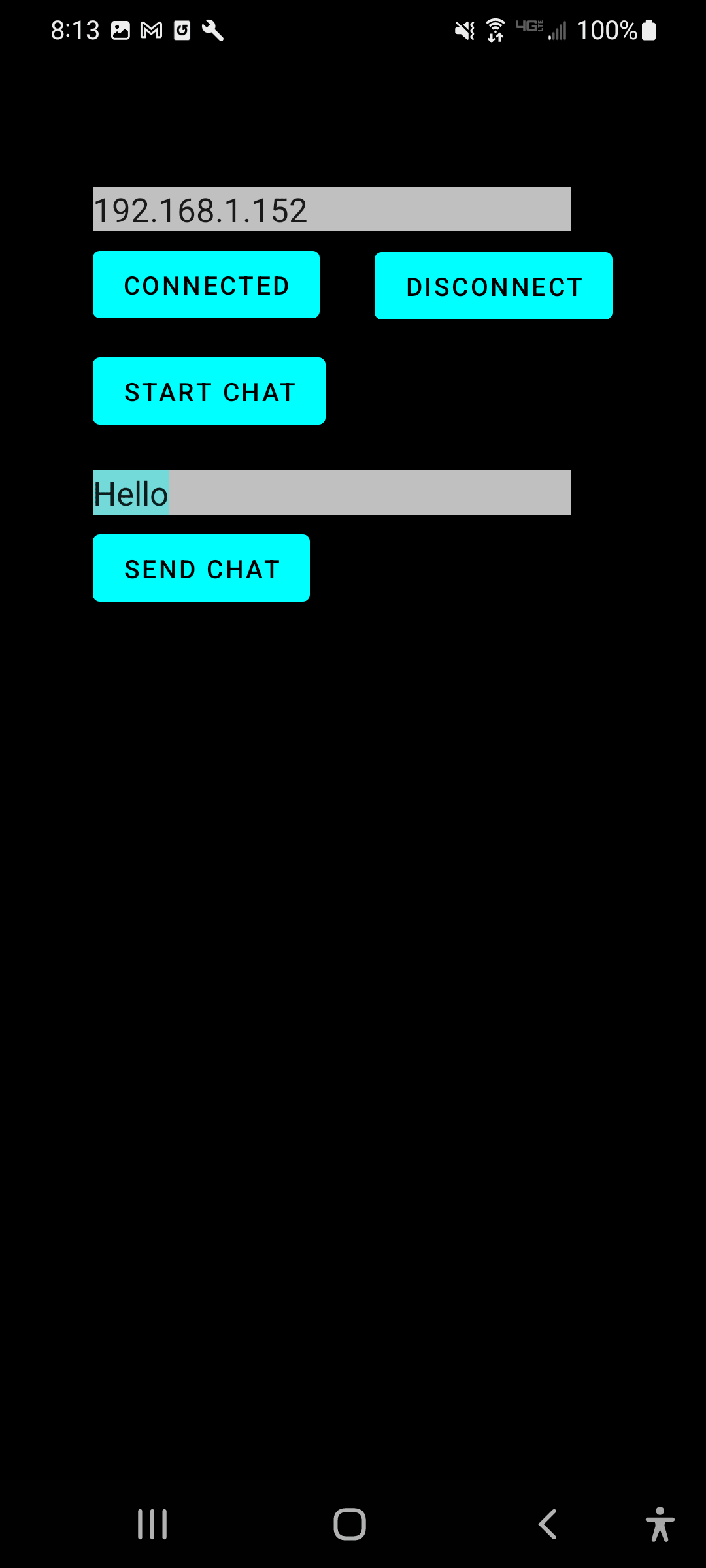
Enter your switch ip address, then click on the "Connect" button. | |||
Click on the "Start chat" button. | |||
Type in whatever you want, then click "Send Chat". | |||
==Screenshots== | ==Screenshots== | ||
| Line 45: | Line 47: | ||
== Credits == | == Credits == | ||
This uses some of ACNHPokerCore codes for connection and chat parts. Thank you to [https://github.com/MyShiLingStar/ACNHPokerCore MyShiLingStar]. | |||
== External links == | == External links == | ||
* | * GitHub - https://github.com/ELY3M/ACNH-Chat | ||
* GBAtemp - https://gbatemp.net/threads/acnh-chat-for-android-phone-to-easily-talk-on-your-island-or-other-island.617269/ | |||
Revision as of 06:27, 8 June 2025
| ACNH Chat | |
|---|---|
 | |
| General | |
| Author | ELY3M |
| Type | PC Utilities |
| Version | 1.0 |
| License | Mixed |
| Last Updated | 2022/08/14 |
| Links | |
| Download | |
| Website | |
| Source | |
This is an Android app that lets you easily talk on your island instead of using Switch's keyboard or ACNH's nooklink.
Installation
Prerequisite:
- A Nintendo Switch capable of running unsigned code.
- sys-botbase installed on your Switch.
- A copy of Animal Crossing: New Horizons for the Nintendo Switch.
- Android Phone.
Instructions:
- Download APK from release page on your phone.
- Allow APK from external source and install it.
User guide
Enter your switch ip address, then click on the "Connect" button.
Click on the "Start chat" button.
Type in whatever you want, then click "Send Chat".
Screenshots
Changelog
v1.0
- First Release.
Credits
This uses some of ACNHPokerCore codes for connection and chat parts. Thank you to MyShiLingStar.