
QMOD PSP: Difference between revisions
From GameBrew
More actions
Created page with "{{Infobox PSP Homebrews |title=QMOD |image=qmodpsp.png |description=A sandbox game mod of Kurok engine. |author=ThatPolyDude |lastupdated=2012/06/04 |type=Shooter |format= |version=Alpha 0.1 |license=Mixed |download=https://dlhb.gamebrew.org/psphomebrew/qmodpsp.7z |website=https://www.moddb.com/games/qmod-qreate |source= }} QMOD (Qreate_Mod) is a sandbox game modification for Kurok engine (almost like Gmod). This is an alpha release so it more or less just lets you pose..." |
No edit summary |
||
| Line 13: | Line 13: | ||
|source= | |source= | ||
}} | }} | ||
QMOD (Qreate_Mod) is a sandbox game modification for Kurok engine (almost like Gmod). | QMOD (Qreate_Mod) is a sandbox game modification for Quake/[[Kurok PSP|Kurok]] engine (almost like Gmod). | ||
This is an alpha release so it more or less just lets you pose props for screenshot. Also expect errors to occur. | This is an alpha release so it more or less just lets you pose props for screenshot. Also expect errors to occur. | ||
| Line 23: | Line 23: | ||
Note: | Note: | ||
* Unsheathe toolgun first to use function/ | * Unsheathe toolgun first to use function/ | ||
* If toolgun doesn't work, press left button again. | * If toolgun doesn't work, press left button again. | ||
Revision as of 02:42, 21 February 2025
| QMOD | |
|---|---|
 | |
| General | |
| Author | ThatPolyDude |
| Type | Shooter |
| Version | Alpha 0.1 |
| License | Mixed |
| Last Updated | 2012/06/04 |
| Links | |
| Download | |
| Website | |
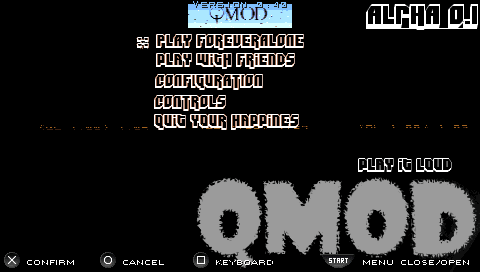
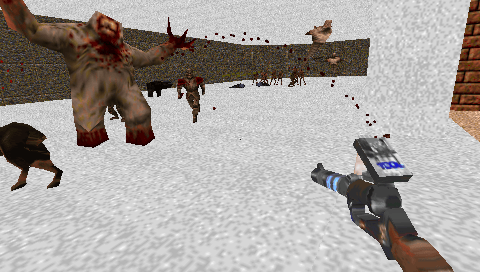
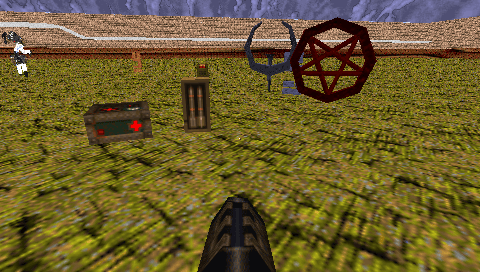
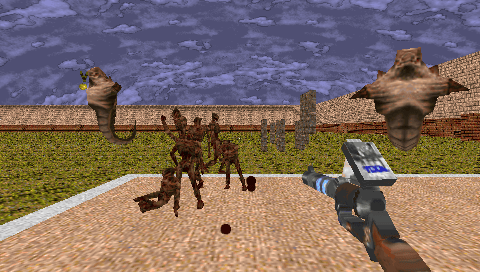
QMOD (Qreate_Mod) is a sandbox game modification for Quake/Kurok engine (almost like Gmod).
This is an alpha release so it more or less just lets you pose props for screenshot. Also expect errors to occur.
Installation
Put Qmod_0.1 folder to ms0:/PSP/GAME/.
Rename PHAT.PBP to EBOOT.PBP IF you are using PSP-1000.
Note:
- Unsheathe toolgun first to use function/
- If toolgun doesn't work, press left button again.
- No multiplayer yet.
Controls
Left - Unsheathe toolgun
Right - Choose entity to spawn
Up - Choose toolgun function
Down - Jump
R - Trigger toolgun function
L - Spawn selected entity
Triangle/Cross - Move forward/backward
Square/Circle - Move left/right
Analog - Look
Select - Screenshot
Start - Menu
Screenshots
Credit
- Eukos
- TheCoolGman
- _Exile_
- st1x51
- WeeGee9000
- grinch