
Beat Hazard 2 Vita: Difference between revisions
More actions
m Text replacement - "https://vitadb.rinnegatamante.it/" to "https://www.rinnegatamante.eu/vitadb/" |
1.1 |
||
| Line 4: | Line 4: | ||
|description=Port of Beat Hazard 2 for PS Vita. | |description=Port of Beat Hazard 2 for PS Vita. | ||
|author=Rinnegatamante | |author=Rinnegatamante | ||
|lastupdated= | |lastupdated=2026/05/12 | ||
|type=Music | |type=Music | ||
|version=1. | |version=1.1 | ||
|license=Mixed | |license=Mixed | ||
|download=https://dlhb.gamebrew.org/vitahomebrews/beathazard2vita.7z | |download=https://dlhb.gamebrew.org/vitahomebrews/beathazard2vita.7z | ||
| Line 54: | Line 54: | ||
artist=Name of the artist | artist=Name of the artist | ||
title=Name of the song | title=Name of the song | ||
albume=Name of the album | |||
genre=Name of the genre of the song | |||
Those will define respectively what the game will use as Artist name and Song Title. If this file is not provided, Artist will be set as <code>Unknown</code> and Song Title will be set to the name of the song file stripped from its format. | Those will define respectively what the game will use as Artist name and Song Title. If this file is not provided, Artist will be set as <code>Unknown</code> and Song Title will be set to the name of the song file stripped from its format. | ||
In order to categorize songs by Albums, you can create subfolders inside the | In order to categorize songs by Albums without a metadata txt file or metadata in the song itself, you can create subfolders inside the `songs` folder with the name of the album in question and place inside that the songs of said album. Here is a practical example: | ||
https://dlhb.gamebrew.org/vitahomebrews/beathazard2vita-05.png | https://dlhb.gamebrew.org/vitahomebrews/beathazard2vita-05.png | ||
| Line 78: | Line 80: | ||
==Changelog== | ==Changelog== | ||
'''v1.1''' | |||
* Added support for imported musics in ux0:music. | |||
* Added Genre metadata support for custom songs. | |||
* Added possibility to customize album and genre metadata from the auxiliary txt metadata file. | |||
* Added support for metadata extraction for the song files themselves. (These can be overloaded with the auxiliary txt metadata file) | |||
* Improved the FFT and wavelength calculations for songs: this will result in a much more accurate visual pattern and better enemies spawns timed with music beats. | |||
* Updated to latest vitaGL commit. | |||
* Optimized rendering logic by removing temporary memory allocations for oneshot vbos. | |||
'''v1.0''' | '''v1.0''' | ||
* First Release. | * First Release. | ||
Latest revision as of 09:39, 15 May 2026
| Beat Hazard 2 Vita | |
|---|---|
 | |
| General | |
| Author | Rinnegatamante |
| Type | Music |
| Version | 1.1 |
| License | Mixed |
| Last Updated | 2026/05/12 |
| Links | |
| Download | |
| Website | |
| Source | |
| Support Author | |
This is a port of the Android version of Beat Hazard 2 for the PS Vita.
Installation
Requirements:
- libshacccg.suprx (ShaRKBR33D)
- Kubridge
- FdFix OR repatch_ex.skprx
- Android game data files.
Instructions:
- Copy kubridge.skprx and fd_fix.skprx to your taiHEN plugins folder and add these entries to your config.txt under *KERNEL (change to ur0 if you store the plugin there):
*KERNEL
ux0:tai/kubridge.skprx
ux0:tai/fd_fix.skprx
- Note: Don't install fd_fix.skprx if you're using rePatch plugin
- (Optional) Install PSVshell to overclock your device to 500Mhz.
- Install libshacccg.suprx, if you don't have it already, by following this guide.
- Install the vpk.
- Obtain your copy of Beat Hazard 2 legally for Android in form of an .apk file.
- Open the apk with your zip explorer and extract the files "libc++_shared.so", "libSDL2_ttf.so", "libtags.so" and "libmain.so" from the "lib/armeabi-v7a" folder to ux0:data/hazard.
- Extract the "assets" folder from inside the apk to ux0:data/hazard.
User guide
About the game
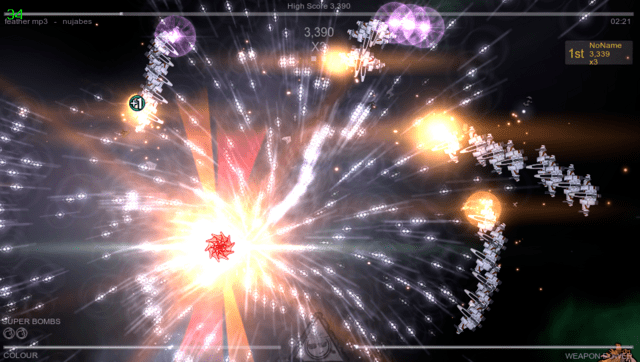
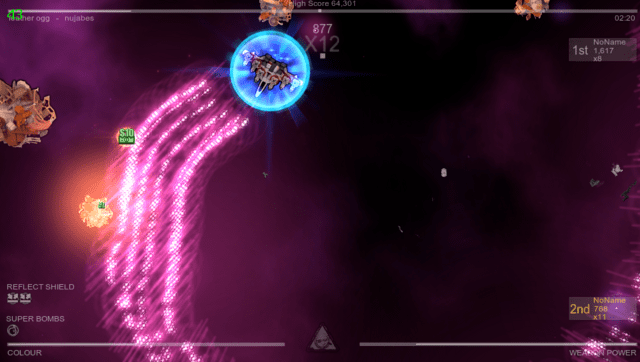
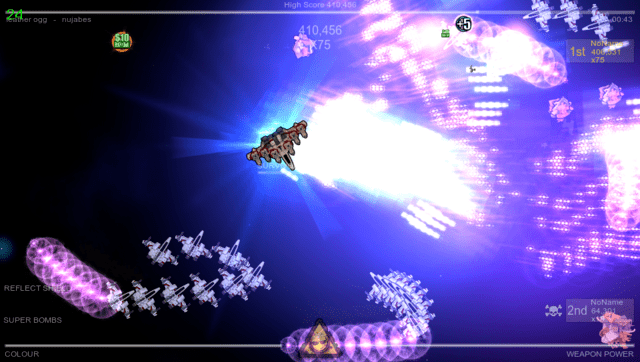
Beat Hazard 2 is a music driven arcade shooter. Each of your songs will have its own unique ebb and flow based on the music. Power up your spaceship and watch as the music boosts your firepower. Unleash hell on the enemy ships when you max out with weapon pickups!
Pushing the boundaries of music powered gameplay, the sequel will include procedurally generated boss ships. Each track will create a unique archenemy ship for you to vanquish.
How to use custom songs
Beat Hazard 2 features support for custom songs. On the Vita port, songs in .wav, .mp3, .flac and .ogg formats are supported.
Songs must be placed in ux0:data/hazard/songs and an additional metadata file can be added named as "filename_of_the_song.format.txt". In this file, two parameters can be written:
artist=Name of the artist
title=Name of the song
albume=Name of the album
genre=Name of the genre of the song
Those will define respectively what the game will use as Artist name and Song Title. If this file is not provided, Artist will be set as Unknown and Song Title will be set to the name of the song file stripped from its format.
In order to categorize songs by Albums without a metadata txt file or metadata in the song itself, you can create subfolders inside the `songs` folder with the name of the album in question and place inside that the songs of said album. Here is a practical example:
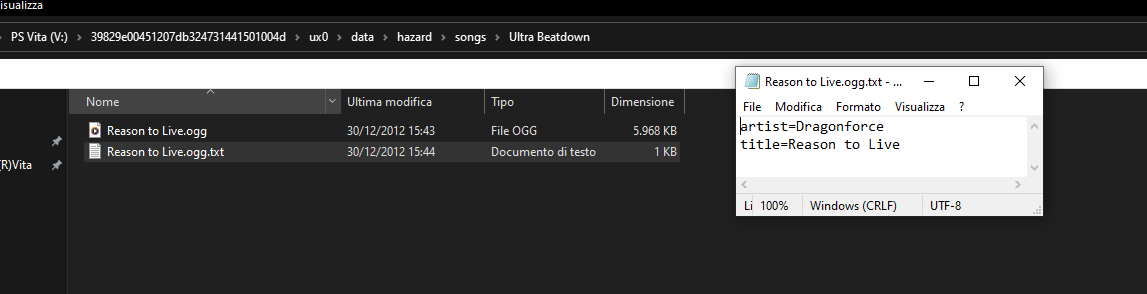
In this example, the song in question will be shown in the game as:
Artist: Dragonforce
Title: Reason to Live
Album: Ultra Beatdown
Screenshots
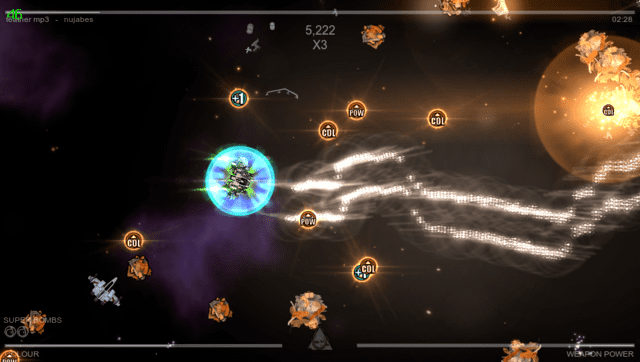
Media
Beat Hazard 2 PSVita Port (Rinne4Fun)
Changelog
v1.1
- Added support for imported musics in ux0:music.
- Added Genre metadata support for custom songs.
- Added possibility to customize album and genre metadata from the auxiliary txt metadata file.
- Added support for metadata extraction for the song files themselves. (These can be overloaded with the auxiliary txt metadata file)
- Improved the FFT and wavelength calculations for songs: this will result in a much more accurate visual pattern and better enemies spawns timed with music beats.
- Updated to latest vitaGL commit.
- Optimized rendering logic by removing temporary memory allocations for oneshot vbos.
v1.0
- First Release.
Credits
- TheFloW for the original .so loader.
- CatoTheYounger for the screenshots and for testing the homebrew.
- Northfear for the SDL2 fork with vitaGL as backend.
- Once13one for the Livearea assets.