
REDRIVER2 Vita: Difference between revisions
From GameBrew
More actions
No edit summary |
m Text replacement - "https://vitadb.rinnegatamante.it/" to "https://www.rinnegatamante.eu/vitadb/" |
||
| Line 68: | Line 68: | ||
* GitHub - https://github.com/OsirizX/REDRIVER2/tree/vita | * GitHub - https://github.com/OsirizX/REDRIVER2/tree/vita | ||
* FuHen - https://fuhen.homebrew-contest.com/submissions/61/ | * FuHen - https://fuhen.homebrew-contest.com/submissions/61/ | ||
* VitaDB - https:// | * VitaDB - https://www.rinnegatamante.eu/vitadb/#/info/1145 | ||
[[Category:Other game ports on Vita]] | [[Category:Other game ports on Vita]] | ||
[[Category:Vita game ports]] | [[Category:Vita game ports]] | ||
[[Category:FuHEN Homebrew Contest]] | [[Category:FuHEN Homebrew Contest]] | ||
Latest revision as of 04:38, 5 January 2025
| REDRIVER2 | |
|---|---|
 | |
| General | |
| Author | OsirizX |
| Type | Racing |
| Version | 1.0 |
| License | Mixed |
| Last Updated | 2023/09/22 |
| Links | |
| Download | |
| Website | |
| Source | |
Before GTA3 there was Driver 2. Driver 2 is a open-world driving game originally developed for the PS1. This is a port of Reverse Engineered Driver 2 (REDRIVER2) for Vita. Reverse engineering efforts of the game were originally done by SoapyMan of OpenDriver2.
This was participated in the FuHEN Homebrew Contest (Port).
Installation
Requirements:
- PSX Game Data Files.
Instructions:
- Find and download the PS1 Driver 2 game on your PC. Extract the archive if it came as one. (You only need CD1)
- Rename the (extracted) bin file to Driver2CD1.bin
- Download and extract REDRIVER2_Win32_Release.zip
- After extraction, transfer only the DRIVER2 folder to ux0:/data/DRIVER2 on your Vita.
- Transfer Driver2CD1.bin to ux0:/data/DRIVER2/Driver2CD1.bin
- Download config.ini
- Transfer the config.ini to ux0:/data/DRIVER2/config.ini
- Download the VPK and install.
- Launch the game selecting 1 of 3 modes:
- Stretched widescreen (default)
- 4:3 aspect ratio (not centered)
- Widescreen fix (better image quality with lower perf).
Notes:
- Debug menu is enabled by default. Press start to view it.
- Press start+select to use analog sticks.
- Press up+triangle to get out of car.
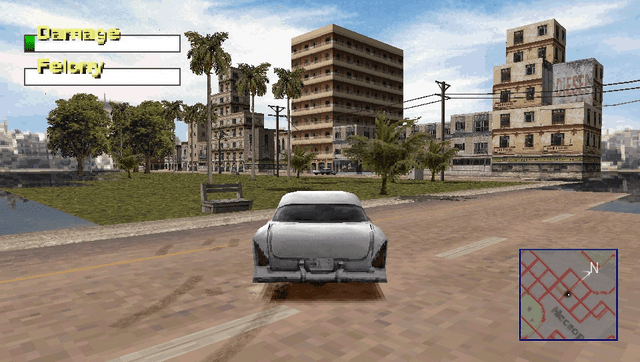
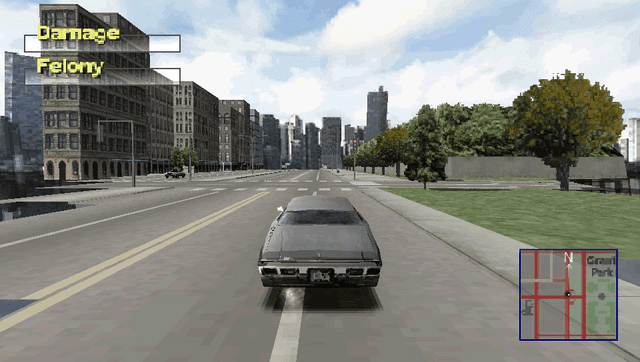
Screenshots
Media
Driver 2 - Full Game Walkthrough (All Missions) (Willzyyy)
Known issues
- Some levels fail to load properly. Reloading the level from main menu sometimes fixes this. (Use debug menu to skip the level if this happens)
- FMV playback doesn't work
- Suspend/resume crashes the game
- Peformance hit when car crashes and in heavily populated areas
- Graphical glitches
Changelog
v1.0
- First Release.