Content Downloader Vita: Difference between revisions
From GameBrew
More actions
No edit summary |
No edit summary |
||
| Line 1: | Line 1: | ||
{{Infobox Vita Homebrews | {{Infobox Vita Homebrews | ||
|title=Content Downloader | |title=Content Downloader | ||
|image=contentdownloadervita2.png | |image=contentdownloadervita2.png | ||
|description=Server for Content Downloader. | |description=Server for Content Downloader. | ||
|author= | |author=Li | ||
|lastupdated=2020/07/06 | |lastupdated=2020/07/06 | ||
|type=PC Utilities | |type=PC Utilities | ||
| Line 18: | Line 12: | ||
|source=https://github.com/KuromeSan/ContentServer | |source=https://github.com/KuromeSan/ContentServer | ||
}} | }} | ||
{{#seo: | |||
|title=Vita Homebrew PC Tools (PC Utilities) - GameBrew | |||
|title_mode=append | |||
|image=contentdownloadervita2.png | |||
|image_alt=Content Downloader | |||
}} | |||
Server for Content Downloader. It does not work with DRMFree Vita Packages (unless your console has IDU Flagged). | Server for Content Downloader. It does not work with DRMFree Vita Packages (unless your console has IDU Flagged). | ||
Revision as of 23:19, 9 May 2025
| Content Downloader | |
|---|---|
 | |
| General | |
| Author | Li |
| Type | PC Utilities |
| Version | 1.0 |
| License | GPL-2.0 |
| Last Updated | 2020/07/06 |
| Links | |
| Download | |
| Website | |
| Source | |
Server for Content Downloader. It does not work with DRMFree Vita Packages (unless your console has IDU Flagged).
More info on content downloader here.
Note: "PKG" option only works with FPKG, PS Mobile & Game Update packages.
User guide
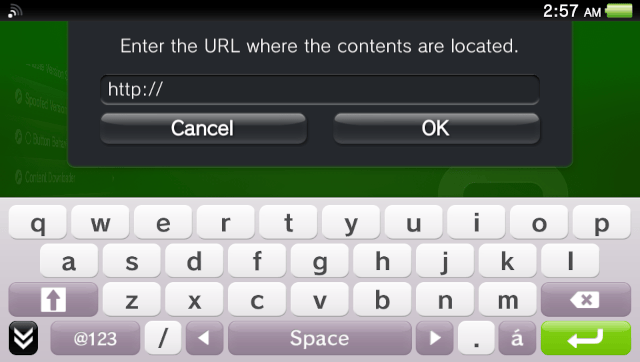
Just enter http://<your computers local IP address>:1337 into the content downloader.
Example: http://192.168.1.3:1337
You can get your local ip using ipconfig command.
Screenshots