
Phoenix DS: Difference between revisions
From GameBrew
More actions
m Text replacement - "Category:Shooter Games on DS" to "" |
No edit summary |
||
| Line 25: | Line 25: | ||
https://dlhb.gamebrew.org/dshomebrew/phoenixds3.png | https://dlhb.gamebrew.org/dshomebrew/phoenixds3.png | ||
<!--BEGIN Online Emulator Section--> | <!--BEGIN Online Emulator Section--> | ||
==Online | ==Online emulator== | ||
{{ | {{EmulatorJS Main | ||
|width=515px | |||
|height=384px | |||
|EJS_backgroundImage=https://www.gamebrew.org/images/2/23/Phoenixds.png | |||
EJS_core = | |EJS_core=desmume2015 | ||
EJS_gameName = | |EJS_gameName=Phoenix DS | ||
EJS_gameUrl = | |EJS_gameUrl=https://dlhb.gamebrew.org/onlineemulators/nds/phoenixds.7z | ||
}} | }} | ||
{{DS Control Settings}} | {{DS Control Settings}} | ||
Revision as of 01:26, 14 August 2024
| Phoenix DS | |
|---|---|
 | |
| General | |
| Author | David Matthews |
| Type | Shooter |
| Version | 2011 |
| License | Mixed |
| Last Updated | 2011/04/01 |
| Links | |
| Download | |
| Website | |
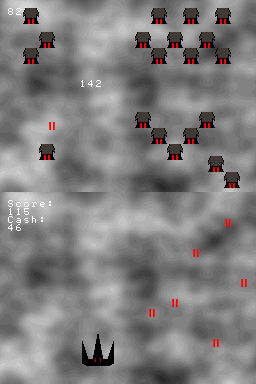
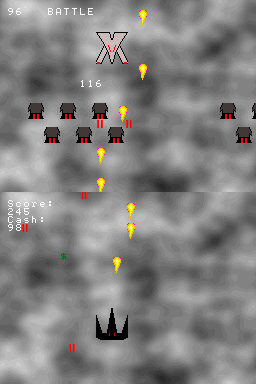
Phoenix DS is a DS homebrew shoot'em up based on Phoenix for the TI83+ initially created by Patrick Davidson. It has 3 levels.
User guide
Destroy all enemy ships, collect as much money as you can while avoiding their attacks.
Controls
D-Pad - Move
A - Shoot
Screenshots
Online emulator
| Nintendo DS | Keyboard |
|---|---|

|

|

|

|

|

|

|

|

|

|

|

|

|

|

|

|

|

|
Compatibility
Tested on:
DSTT/TTDS (Wood4TT firmware 1.25)
M3DS Simply (WoodR4 firmware 1.28)
Known issues
Couple of glitches and money block does not disappear.
Unbeatable boss.
External links
- SceneBeta - http://nds.scenebeta.com/noticia/phoenix-ds