
PusherDS: Difference between revisions
From GameBrew
More actions
m Text replacement - "EJS_gameUrl = 'https://dlhb.gamebrew.org/dshomebrew/" to "EJS_gameUrl = 'https://dlhb.gamebrew.org/onlineemulators/nds/" |
m Text replacement - "EJS_core = 'nds';" to "EJS_core = 'desmume2015';" |
||
| Line 32: | Line 32: | ||
<script type='text/javascript'> | <script type='text/javascript'> | ||
{{DS EmulatorJS Settings}} | {{DS EmulatorJS Settings}} | ||
EJS_core = ' | EJS_core = 'desmume2015'; | ||
EJS_gameName = "PusherDS"; | EJS_gameName = "PusherDS"; | ||
EJS_gameUrl = 'https://dlhb.gamebrew.org/onlineemulators/nds/pusherds.7z'; | EJS_gameUrl = 'https://dlhb.gamebrew.org/onlineemulators/nds/pusherds.7z'; | ||
Revision as of 11:37, 28 November 2023
| PusherDS | |
|---|---|
 | |
| General | |
| Author | Raphi2 |
| Type | Other Games |
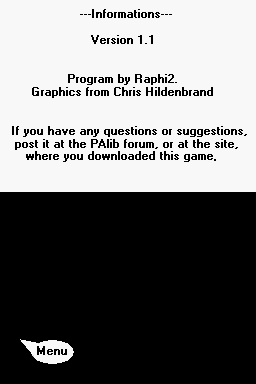
| Version | 1.1 |
| License | Mixed |
| Last Updated | 2009/06/04 |
| Links | |
| Download | |
| Website | |
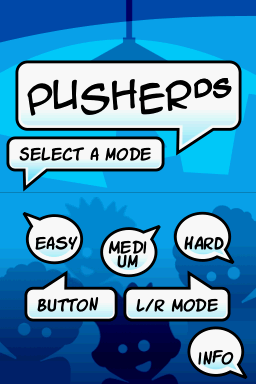
PusherDS is a simple button pressing homebrew with 3 game modes.
User guide
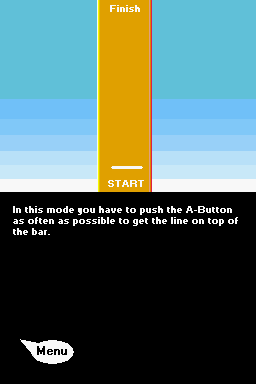
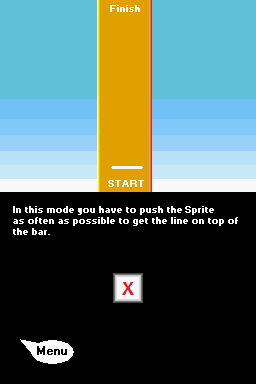
Press the A button as fast as possible to get the line on top of the bar.
There are 3 modes: Easy, Medium and Hard.
All modes have another gravity, so it's harder to get the line on top of the bar.
Screenshots
Online Emulator
| Nintendo DS | Keyboard |
|---|---|

|

|

|

|

|

|

|

|

|

|

|

|

|

|

|

|

|

|
Compatibility
Works on R4, M3 Series and other flashcards. It works with DS, DS Lite and the new DSi.
Changelog
1.1
- Fixed the black screens which appear on the most DS flashcards.
- Sprite and L'R Mode.
- New Menu.
- New Graphics.
- Harder Levels.
- Black Screen fix.