
Digimon Adventure English Translation PSP: Difference between revisions
From GameBrew
More actions
| Line 37: | Line 37: | ||
| NPJH-50686 | | NPJH-50686 | ||
|- | |- | ||
!Unmodified | !Unmodified CRC32 | ||
|DE0DD20A | |DE0DD20A | ||
|- | |- | ||
!Patched | !Patched CRC32 | ||
|7D4728B9 | |7D4728B9 | ||
|- | |- | ||
Revision as of 09:24, 16 July 2023
| Digimon Adventure English Translation | |
|---|---|
 | |
| General | |
| Author | Kazari |
| Type | Translations |
| Version | 1.2 |
| License | Mixed |
| Last Updated | 2018/03/23 |
| Links | |
| Download | |
| Website | |
This is a fully translated English patch for Digimon Adventure PSP.
Digimon Adventure is based on the animated series. A group of kids get caught up in a freak snowstorm, and are transported to the Digital World. There they meet some strange monsters named Digimon and try to find their way back to the real world.
Installation
| Game information | |
|---|---|
| Japanese title | デジモンアドベンチャー |
| English title | Digimon Adventure |
| ROM information | |
| ROM format | ISO |
| Serial | NPJH-50686 |
| Unmodified CRC32 | DE0DD20A |
| Patched CRC32 | 7D4728B9 |
How to use:
- Run xdeltaUI.exe from the extracted "Digimon Adventure (English Patch Ver. 1.2)" folder.
- On the "Apply Patch" tab, select "Digimon Adventure (English Patch Ver. 1.2).xdelta" file in the "Patch" field.
- In "Source File" field, select your clean Japanese Digimon Adventure ISO file (its CRC-32 checksum should be DE0DD20A).
- In the "Output File" field, select a folder you wish to save a patched ISO to, then enter the desired name for it.
- Example: "Digimon Adventure (English Patch Ver. 1.2).iso".
- It's important to include the ".iso" extension, as the patcher won't do it automatically.
- Press the "Patch" button and wait a minute or two. Don't freak out if the patcher seems to have frozen at first, it will come to its senses.
- When the "File patched successfully" message pops up, it's all done. Press OK.
- Your patched Digimon Adventure ISO will be in the folder you specified earlier in the "Output File" input field.
Screenshots
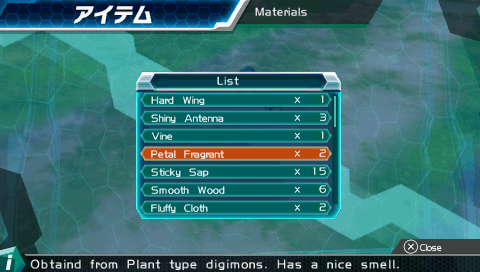
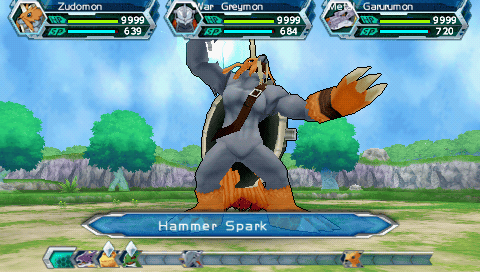
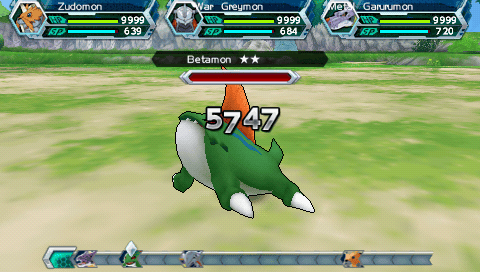
External links
- Official website - https://digimonadventurenglish.weebly.com/
- Romhacking.net - https://www.romhacking.net/translations/2018/