
WinDex Switch: Difference between revisions
From GameBrew
More actions
No edit summary |
No edit summary |
||
| Line 32: | Line 32: | ||
Windows Smart Screen and some Antivirus will block the Application from running. This is because the Application is not signed. | Windows Smart Screen and some Antivirus will block the Application from running. This is because the Application is not signed. | ||
==Screenshots== | |||
https://dlhb.gamebrew.org/switchhomebrews/windexnx2.png | |||
==Changelog== | ==Changelog== | ||
Latest revision as of 13:38, 20 June 2023
| WinDex | |
|---|---|
 | |
| General | |
| Author | NicoAICP |
| Type | Hack Utilities |
| Version | 0.3 |
| License | Mixed |
| Last Updated | 2019/12/05 |
| Links | |
| Download | |
| Website | |
| Source | |
Pokemon Sword and Shield Companion for Windows.
Features
- PokeDex.
- Catch Checkbox (Shiny, NonShiny).
- Encounter Counter (Shiny, NonShiny).
- Export of single or all files (in case the list gets updated so you can keep your entered data) to .wndx files.
- Import of data (.wndx).
- Updating DataBase.
- Searching for Pokémon by using their Name or Entry Number (format: #Number).
User guide
.Net Framework 4.8 is required.
First time clicking on the Pokémon Generation will take a few minutes, since it's initializing.
Currently the Sprites are saved under Appdata/Roaming/WinDex.
Windows Smart Screen and some Antivirus will block the Application from running. This is because the Application is not signed.
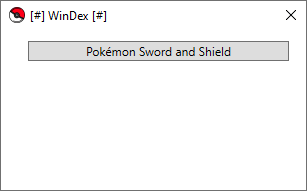
Screenshots
Changelog
v0.3 2019/12/05
- This updates adds following stuff:
- Updating DB.
- Search for Pokémon by EntryNumber (format: #Number) or Name.
v0.2 2019/12/02
- PokeDex.
- Catch Checkbox (Shiny, NonShiny).
- Encounter Counter (Shiny, NonShiny).
- Export of single or all files (in case the list gets updated so you can keep your entered data) to .wndx files.
- Import of data (.wndx).
Credits
- Coding, Setting up the CSV - NicoAICP.
- Sprites - GameFreak/Pokémon Company/Serebii (hosting them).