Mario Tennis Aces Rank Editor Switch: Difference between revisions
From GameBrew
More actions
No edit summary |
No edit summary |
||
| Line 5: | Line 5: | ||
|author=ADDZ | |author=ADDZ | ||
|lastupdated=2018/06/26 | |lastupdated=2018/06/26 | ||
|type=Save and | |type=Save Editors and Converters | ||
|version=2018 | |version=2018 | ||
|license=Mixed | |license=Mixed | ||
Latest revision as of 04:08, 6 July 2023
| Mario Tennis Aces Rank Editor | |
|---|---|
 | |
| General | |
| Author | ADDZ |
| Type | Save Editors and Converters |
| Version | 2018 |
| License | Mixed |
| Last Updated | 2018/06/26 |
| Links | |
| Download | |
| Website | |
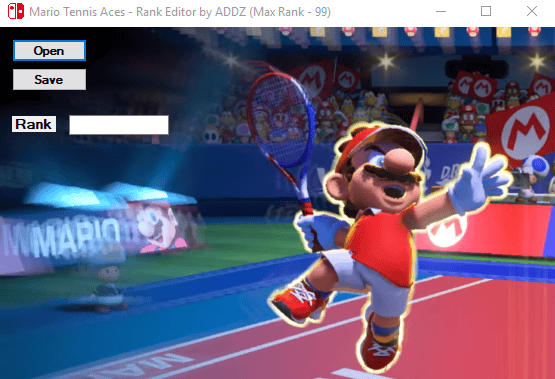
Mario Tennis Aces Rank Editor.
User guide
- Back up your save using checkpoint, via the Homebrew Launcher.
- Copy your save to PC/Laptop.
- Open save in the editor, Choose your desired level (MAX 99).
- Hit Save.
- Copy the save back to your SD card.
- Re-launch Checkpoint and choose restore save.
- Launch the game.
Screenshots