
TxtEd Mod Wii: Difference between revisions
From GameBrew
More actions
No edit summary |
|||
| Line 19: | Line 19: | ||
'''Wiimote:''' | '''Wiimote:''' | ||
A | A - Select | ||
B | B - Caps Lock | ||
Minus Button - Delete Last Char | Minus Button - Delete Last Char | ||
| Line 33: | Line 33: | ||
D-Pad Up - Returns to Start of File | D-Pad Up - Returns to Start of File | ||
1 | 1 - Delete Next Char | ||
Home | Home - Quit/Save (A to save changes, B to return to editing) | ||
==Screenshots== | ==Screenshots== | ||
Revision as of 07:40, 14 February 2023
| TxtEd Mod | |
|---|---|
 | |
| General | |
| Author | Freigeist |
| Type | Utilities |
| Version | 1.0 |
| License | Not specified (open source) |
| Last Updated | 2009/06/03 |
| Links | |
| Download | |
| Website | |
| Source | |
TxtEd is a basic text editor for the Wii, designed for ease of use.
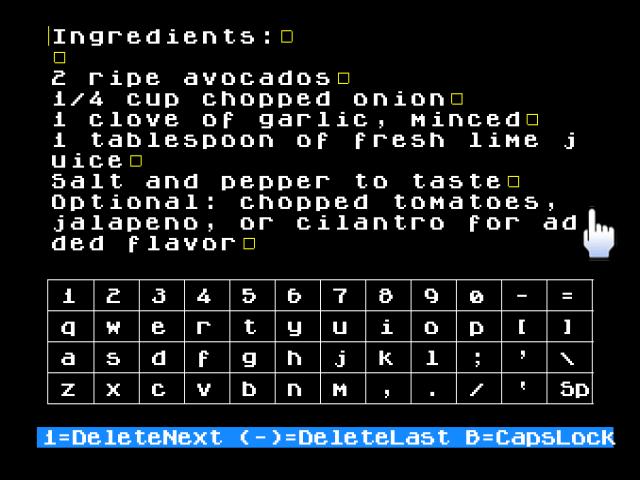
TxtEd Mod is a modified version of the original, with controls that mimic the keyboard layout of the Wii menu for added convenience.
Controls
Wiimote:
A - Select
B - Caps Lock
Minus Button - Delete Last Char
D-Pad Left - Move Cursor Back 1 Space
D-Pad Right - Move Forward Fast
D-Pad Down - Advance Screen One Page
D-Pad Up - Returns to Start of File
1 - Delete Next Char
Home - Quit/Save (A to save changes, B to return to editing)
Screenshots
External links
- WiiBew - https://wiibrew.org/wiki/TxtEd_Mod