
MVPlayer Vita: Difference between revisions
From GameBrew
More actions
No edit summary |
No edit summary |
||
| Line 2: | Line 2: | ||
|title=Vita Homebrew Apps (Media players) - GameBrew | |title=Vita Homebrew Apps (Media players) - GameBrew | ||
|title_mode=append | |title_mode=append | ||
|image= | |image=mvplayervita2.png | ||
|image_alt=MVPlayer | |image_alt=MVPlayer | ||
}} | }} | ||
{{Infobox Vita Homebrews | {{Infobox Vita Homebrews | ||
|title=MVPlayer | |title=MVPlayer | ||
|image= | |image=mvplayervita2.png | ||
|description=Stylish video player for PS Vita. | |description=Stylish video player for PS Vita. | ||
|author=AntHJ | |author=AntHJ | ||
| Line 60: | Line 60: | ||
==Screenshots== | ==Screenshots== | ||
mvplayervita3.png | https://dlhb.gamebrew.org/vitahomebrews/mvplayervita3.png | ||
mvplayervita4.png | https://dlhb.gamebrew.org/vitahomebrews/mvplayervita4.png | ||
mvplayervita5.png | https://dlhb.gamebrew.org/vitahomebrews/mvplayervita5.png | ||
==Media== | ==Media== | ||
Revision as of 15:23, 14 December 2022
| MVPlayer | |
|---|---|
 | |
| General | |
| Author | AntHJ |
| Type | Media players |
| Version | 1.3 |
| License | Mixed |
| Last Updated | 2022/04/17 |
| Links | |
| Download | |
| Website | |
| Source | |
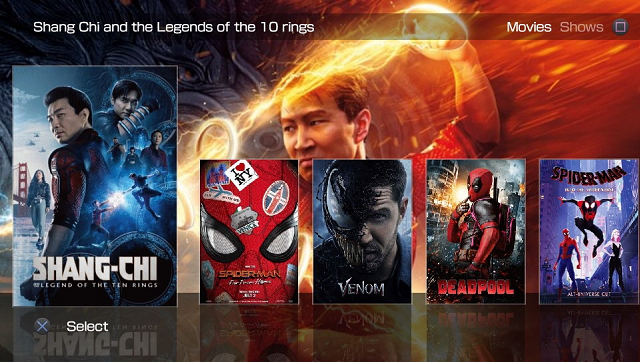
Stylish video player for PS Vita.
Use the builder tool Boxset Bubble Creator to convert and prepare your movies.
Features
- Professional looking video library and player.
- Additional features such as bookmarking and image stretch/zoom.
Controls
Cross - Play video
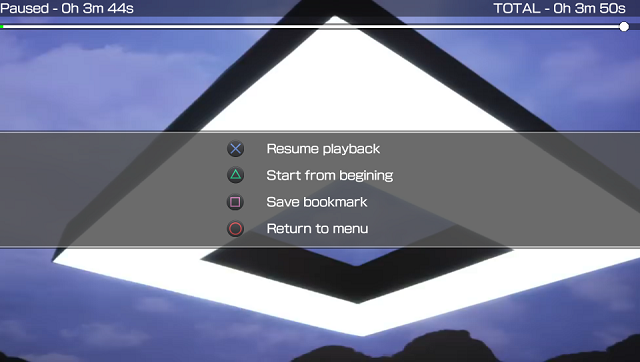
During playback:
Start - Change screen size
Triangle - Play from the beginning
Square - Bookmark
Circle - Return to the first menu
Cross - Open the menu
Menu:
Cross - Return to the video being played
Triangle - Play from the beginning
Square - Save the bookmark
Circle - Return to the first menu
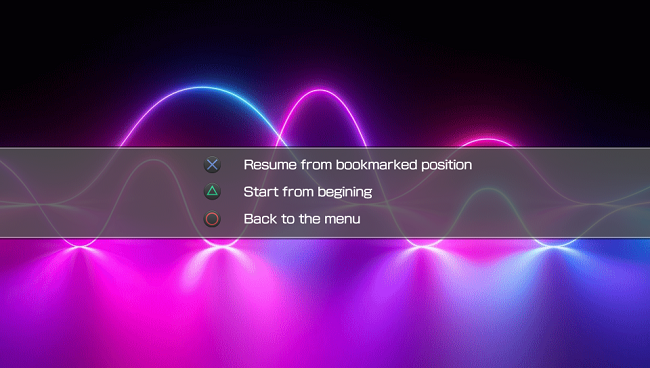
From the next playback:
Cross - Play from bookmark
Triangle - Play from the beginning
Circle - Return to the menu
Screenshots
Media
New mv-player vita video player almost complete (Wyvern)