
PSPLife by JoJoJoris: Difference between revisions
From GameBrew
More actions
No edit summary |
|||
| (3 intermediate revisions by the same user not shown) | |||
| Line 8: | Line 8: | ||
|version=0.2 | |version=0.2 | ||
|license=Mixed | |license=Mixed | ||
|download=https://dlhb.gamebrew.org/psphomebrew/psplife.7z | |download=https://dlhb.gamebrew.org/psphomebrew/psplife.7z?k33p0fil35 | ||
|website=http://jojosoft.1free.ws/ | |website=http://jojosoft.1free.ws/ | ||
|source=https://dlhb.gamebrew.org/psplife.7z | |source=https://dlhb.gamebrew.org/psphomebrew/psplife.7z | ||
}} | }} | ||
PSPLife is an adaptation of John Conway's Game of Life to the PSP. | PSPLife is an adaptation of John Conway's Game of Life to the PSP. | ||
| Line 55: | Line 55: | ||
* JoJoSoft - [https://web.archive.org/web/20100418032214/http://jojosoft.1free.ws/viewtopic.php?f=10&t=17 http://jojosoft.1free.ws/viewtopic.php?f=10&t=17] (archived) | * JoJoSoft - [https://web.archive.org/web/20100418032214/http://jojosoft.1free.ws/viewtopic.php?f=10&t=17 http://jojosoft.1free.ws/viewtopic.php?f=10&t=17] (archived) | ||
* QuickJump - [https://web.archive.org/web/20100228210928/http://forums.qj.net/psp-development-forum/164813-psplife-v0-2-a.html http://forums.qj.net/psp-development-forum/164813-psplife-v0-2-a.html] (archived) | * QuickJump - [https://web.archive.org/web/20100228210928/http://forums.qj.net/psp-development-forum/164813-psplife-v0-2-a.html http://forums.qj.net/psp-development-forum/164813-psplife-v0-2-a.html] (archived) | ||
Latest revision as of 11:18, 27 June 2025
| PSPLife by JoJoJoris | |
|---|---|
 | |
| General | |
| Author | JoJoJoris (Joris Vergeer) |
| Type | Simulation |
| Version | 0.2 |
| License | Mixed |
| Last Updated | 2010/02/23 |
| Links | |
| Download | |
| Website | |
| Source | |
PSPLife is an adaptation of John Conway's Game of Life to the PSP.
User guide
The save/load state with the L and R works well, but not the Save and Load feature (it will crash).
Controls
Analog/D-Pad - Cursor
Cross/Circle - Place/Remove cell
Triangle - Clear field
Start - Start/Stop simulation
Select - Back to menu
L/R - Load/Save state, Change CUP speed (in menu)
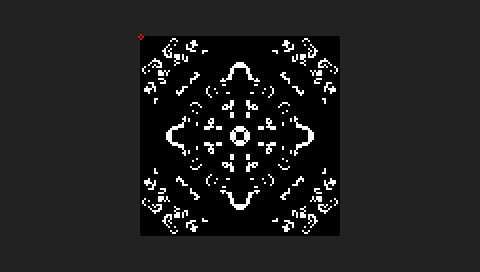
Screenshots


Known issues
The Load and Save feature don't work. The app will crash if you try.
Changelog
V0.2
- Added seperate menu/game/help/credits screen.
- Added option to change the raster size.
- Added option to change the CPU Speed.
- Added analog stick support.
- Added XMB icon (created by cmbeke)
- Added feature to save and load a savestate (temporary)
- Some GU optimalisation
- Dpad now only moves one pixel at the time so it should be easier to create complex structures.
- Fixed bug #001: You can activate a pixel while running the simulation.
External links
- JoJoSoft - http://jojosoft.1free.ws/viewtopic.php?f=10&t=17 (archived)
- QuickJump - http://forums.qj.net/psp-development-forum/164813-psplife-v0-2-a.html (archived)