
Mii Extractor Wii: Difference between revisions
From GameBrew
More actions
No edit summary |
No edit summary |
||
| (2 intermediate revisions by the same user not shown) | |||
| Line 1: | Line 1: | ||
{{Infobox Wii Homebrews | {{Infobox Wii Homebrews | ||
|title=Mii Extractor | |title=Mii Extractor | ||
|image= | |image=miiextractorwii2.png | ||
|description=Extracts all the Miis from your Wii to a SD card | |description=Extracts all the Miis from your Wii to a SD card. | ||
|author=Waninkoko | |author=Waninkoko | ||
|lastupdated=2008/05/06 | |lastupdated=2008/05/06 | ||
| Line 14: | Line 8: | ||
|version=1.0 | |version=1.0 | ||
|license=Mixed | |license=Mixed | ||
|download=https:// | |download=https://dlhb.gamebrew.org/wiihomebrews/miiextractorwii.7z | ||
|website=https:// | |website=https://wiibrew.org/wiki/Mii_Extractor | ||
}} | }} | ||
This application extracts all the | This application extracts all the Mii's from your Wii to a SD card. | ||
==User guide== | |||
Just run this application and all your Mii's will be copied to the "miis" directory at the SD card. | |||
== | ==Screenshots== | ||
https://dlhb.gamebrew.org/wiihomebrews/miiextractorwii2.png | |||
== | ==Credits== | ||
KUDOS: | |||
* bushing and marcan. | |||
* www.elotrolado.net. | |||
== External links == | == External links == | ||
* | * Author's website - http://www.teknoconsolas.info/ | ||
* | * WiiBrew - https://wiibrew.org/wiki/Mii_Extractor | ||
Latest revision as of 09:13, 19 January 2024
| Mii Extractor | |
|---|---|
 | |
| General | |
| Author | Waninkoko |
| Type | System Tools |
| Version | 1.0 |
| License | Mixed |
| Last Updated | 2008/05/06 |
| Links | |
| Download | |
| Website | |
This application extracts all the Mii's from your Wii to a SD card.
User guide
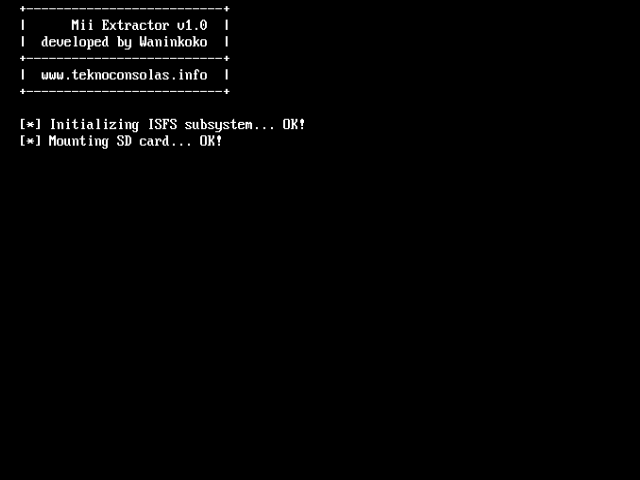
Just run this application and all your Mii's will be copied to the "miis" directory at the SD card.
Screenshots
Credits
KUDOS:
- bushing and marcan.
- www.elotrolado.net.
External links
- Author's website - http://www.teknoconsolas.info/
- WiiBrew - https://wiibrew.org/wiki/Mii_Extractor