
Swingball 2 Wii: Difference between revisions
From GameBrew
More actions
Created page with "{{#seo: |title=Wii Homebrew Games (Platform) - GameBrew |title_mode=append |image=swingball2wii.jpg |image_alt=Swingball 2 }} {{Infobox Wii Homebrews |title=Swingball 2 |image..." |
No edit summary |
||
| (7 intermediate revisions by the same user not shown) | |||
| Line 1: | Line 1: | ||
{{Infobox Wii Homebrews | {{Infobox Wii Homebrews | ||
|title=Swingball 2 | |title=Swingball 2 | ||
|image= | |image=swingball2wii2.png | ||
|description=A time trial platformer with a swinging mechanic and a built in level editor. | |description=A time trial platformer with a swinging mechanic and a built in level editor. | ||
|author=ThatOtherPerson | |author=ThatOtherPerson | ||
| Line 14: | Line 8: | ||
|version=0.4 | |version=0.4 | ||
|license=Mixed | |license=Mixed | ||
|download=https://dlhb.gamebrew.org/wiihomebrews/swingball2wii.7z | |download=https://dlhb.gamebrew.org/wiihomebrews/swingball2wii.7z?k33p0fil35 | ||
|website= | |website=https://thatotherdev.wordpress.com/category/my-games/swingball-2/ | ||
| | |donation=https://thatotherdev.wordpress.com/donate/ | ||
}} | }} | ||
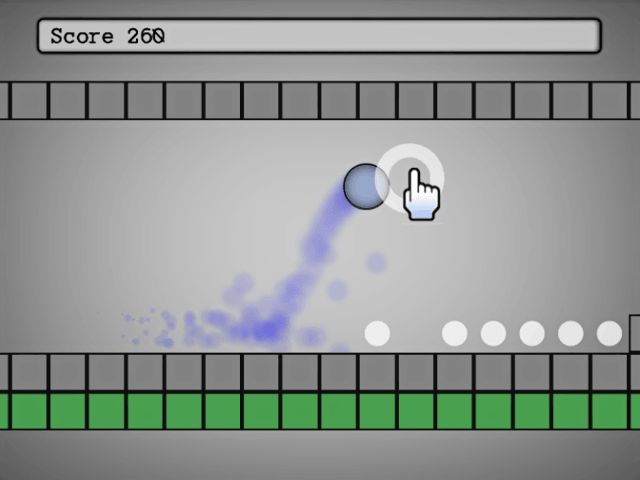
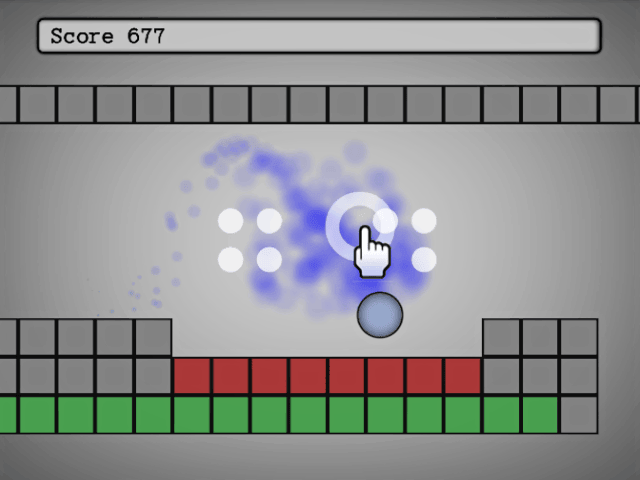
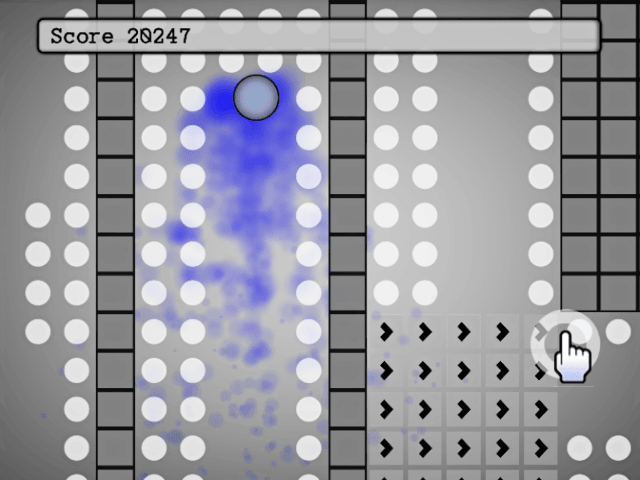
Swingball 2 is a time trial platform game with the ability to swing from almost anything. | |||
It is the sequel to [[Swingball Wii|Swingball]] and features a level editor along with several new tiles. | |||
==Controls== | |||
Analog - Move | |||
Pointer - Aim | |||
A - Jump, Place an object (in editor) | |||
B - Swing | |||
D-Pad - Change placeable object (in editor) | |||
==Screenshots== | ==Screenshots== | ||
https://dlhb.gamebrew.org/wiihomebrews/swingball2wii3.png | |||
https://dlhb.gamebrew.org/wiihomebrews/swingball2wii4.png | |||
https://dlhb.gamebrew.org/wiihomebrews/swingball2wii5.png | |||
https://dlhb.gamebrew.org/wiihomebrews/swingball2wii6.png | |||
==Media== | ==Media== | ||
<youtube></youtube> | '''SwingBall2 v0.3''' ([https://www.youtube.com/watch?v=-xMbwAQaCKI ThatOther Person]) <br> | ||
<youtube>-xMbwAQaCKI</youtube> | |||
==Changelog== | |||
''''''0.4''' | |||
* Added a level editor. | |||
* You now have a score which is displayed at the top of the screen and decreases as time passes. | |||
* If you score reaches zero then you lose. | |||
* Your score increases when you collect the white orbs. | |||
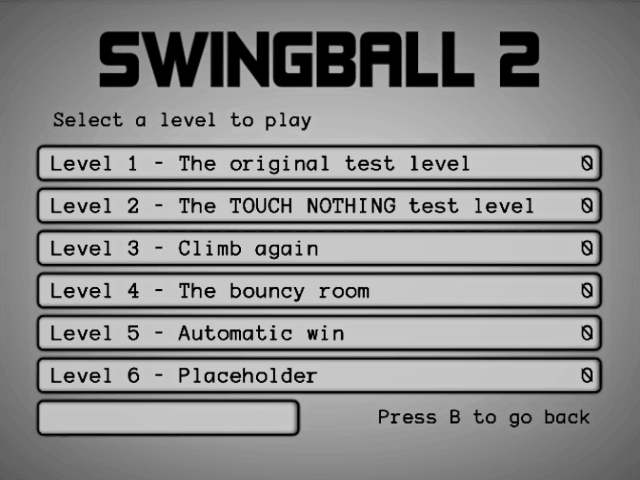
* High scores are automatically saved and displayed in the level selection screen. | |||
* The level selection screens scrolls so it can deal with a quantity of levels that would be too large to comfortable display on screen. | |||
* The “automatic win” level has been made more elaborate. | |||
* I added 10 place holder levels for you to edit (you can edit levels but you can’t create new ones from within the game yet). | |||
== External links == | |||
* Author's website - https://thatotherdev.wordpress.com/category/my-games/swingball-2/ | |||
* WiiBrew - https://wiibrew.org/wiki/Swingball_2 | |||
[[Category:Support the author]] | |||
Latest revision as of 10:34, 28 January 2024
| Swingball 2 | |
|---|---|
 | |
| General | |
| Author | ThatOtherPerson |
| Type | Platform |
| Version | 0.4 |
| License | Mixed |
| Last Updated | 2012/01/28 |
| Links | |
| Download | |
| Website | |
| Support Author | |
Swingball 2 is a time trial platform game with the ability to swing from almost anything.
It is the sequel to Swingball and features a level editor along with several new tiles.
Controls
Analog - Move
Pointer - Aim
A - Jump, Place an object (in editor)
B - Swing
D-Pad - Change placeable object (in editor)
Screenshots
Media
SwingBall2 v0.3 (ThatOther Person)
Changelog
'0.4
- Added a level editor.
- You now have a score which is displayed at the top of the screen and decreases as time passes.
- If you score reaches zero then you lose.
- Your score increases when you collect the white orbs.
- High scores are automatically saved and displayed in the level selection screen.
- The level selection screens scrolls so it can deal with a quantity of levels that would be too large to comfortable display on screen.
- The “automatic win” level has been made more elaborate.
- I added 10 place holder levels for you to edit (you can edit levels but you can’t create new ones from within the game yet).
External links
- Author's website - https://thatotherdev.wordpress.com/category/my-games/swingball-2/
- WiiBrew - https://wiibrew.org/wiki/Swingball_2