
Pong DS (DDaniel): Difference between revisions
From GameBrew
More actions
No edit summary |
No edit summary |
||
| (10 intermediate revisions by the same user not shown) | |||
| Line 1: | Line 1: | ||
{{Infobox DS Homebrews | {{Infobox DS Homebrews | ||
| title | |title=Pong | ||
| image | |image=pongdsdda.png | ||
| | |description=Pong game. | ||
|author=DDaniel | |||
|lastupdated=2007/08/07 | |||
| author | |type=Arcade Games | ||
| lastupdated = 2007/08/07 | |version=2008 | ||
| | |license=Mixed | ||
| download | |download=https://dlhb.gamebrew.org/dshomebrew2/pongds_ddaniel.rar | ||
| | |website=http://nds.scenebeta.com/noticia/pong | ||
}} | }} | ||
A pong game that can play up to 3 players at the same time with configuration menu. | A pong game that can play up to 3 players at the same time with configuration menu. | ||
| Line 43: | Line 42: | ||
https://dlhb.gamebrew.org/dshomebrew/pongdsdda2.png | https://dlhb.gamebrew.org/dshomebrew/pongdsdda2.png | ||
https://dlhb.gamebrew.org/dshomebrew/pongdsdda3.png | https://dlhb.gamebrew.org/dshomebrew/pongdsdda3.png | ||
<!--BEGIN Online Emulator Section--> | |||
==Online emulator== | |||
{{EmulatorJS Main | |||
|width=515px | |||
|height=384px | |||
|EJS_backgroundImage=https://www.gamebrew.org/images/7/70/Pongdsdda.png | |||
|EJS_core=desmume2015 | |||
|EJS_gameName=Pong | |||
|EJS_gameUrl=https://dlhb.gamebrew.org/onlineemulators/nds/pongdsdda.7z | |||
}} | |||
{{DS Control Settings}} | |||
<!--END Online Emulator Section--> | |||
==External links== | ==External links== | ||
* SceneBeta - http://nds.scenebeta.com/noticia/pong | * SceneBeta - http://nds.scenebeta.com/noticia/pong | ||
Latest revision as of 04:42, 21 August 2024
| Pong | |
|---|---|
 | |
| General | |
| Author | DDaniel |
| Type | Arcade Games |
| Version | 2008 |
| License | Mixed |
| Last Updated | 2007/08/07 |
| Links | |
| Download | |
| Website | |
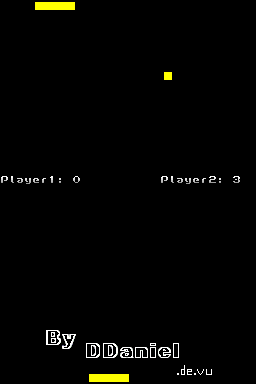
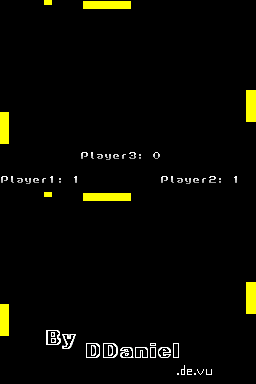
A pong game that can play up to 3 players at the same time with configuration menu.
Features
- 3 players.
- Change the game settings.
- Simple controls.
User guide
Settings:
D-Pad - Change Score
L/R - Change the number of balls
Select - Add/remove CPU
In game:
Start - Pause (2 Player Mode)
R+L - Pause (3 Player Mode)
Y/A or X/B (depend on the configuration) - Player 1
D-Pad - Player 2
Start/Select - Player 3
Screenshots
Online emulator
| Nintendo DS | Keyboard |
|---|---|

|

|

|

|

|

|

|

|

|

|

|

|

|

|

|

|

|

|
External links
- SceneBeta - http://nds.scenebeta.com/noticia/pong