
Worms Xbox: Difference between revisions
From GameBrew
More actions
m Text replacement - "{{Infobox XBOX homebrew" to "{{Infobox XBOX Homebrews" |
No edit summary |
||
| (5 intermediate revisions by the same user not shown) | |||
| Line 1: | Line 1: | ||
{{Infobox XBOX Homebrews | {{Infobox XBOX Homebrews | ||
| title | |title=WormS | ||
| image | |image=wormsxbox2.png | ||
| type | |description=A homebrew game similar to old snakes game. | ||
| version | |author=Xfactor | ||
| | |lastupdated=2002/09/07 | ||
| | |type=Arcade Games | ||
|version=Beta 2 | |||
| download | |license=Mixed | ||
| | |format=XBE | ||
|download=https://dlhb.gamebrew.org/xboxhomebrews/worms_beta2.rar | |||
|website=http://www.xfactordev.net/ | |||
}} | }} | ||
WormS is a homebrew game similar to old snakes game. | |||
== | ==Installation== | ||
Simply copy the default.xbe and the media folder to your Xbox. | |||
==Controls== | |||
A - Start game | |||
D-Pad - Move the worm | |||
Start - Pause game | |||
Back - Un-pause | |||
L+R+Black - Return to dash | |||
==Screenshots== | |||
https://dlhb.gamebrew.org/xboxhomebrews/wormsxbox3.png | |||
==Changelog== | |||
'''Beta 2''' | |||
* Added multiplayer support now upto 4 players can play on screen at once. | * Added multiplayer support now upto 4 players can play on screen at once. | ||
* Changed name entry so the letter your on is now highlighted in red. | * Changed name entry so the letter your on is now highlighted in red. | ||
| Line 29: | Line 38: | ||
* Remapped pause control see below. | * Remapped pause control see below. | ||
== | ==Credits== | ||
Authors: Ben_3D & Chossy. | |||
Greetz: | Greetz: CedarWood, MeanStreak, Mookie, ADR UK, Lubby, Garlic_IV, HyperG, JJasmin. | ||
==External links== | |||
*Official website - [https://web.archive.org/web/20040804163857/http://www.xfactordev.net/downloads/downloads.php http://www.xfactordev.net/] (archived) | |||
Latest revision as of 14:45, 23 June 2024
| WormS | |
|---|---|
 | |
| General | |
| Author | Xfactor |
| Type | Arcade Games |
| Version | Beta 2 |
| License | Mixed |
| Last Updated | 2002/09/07 |
| Links | |
| Download | |
| Website | |
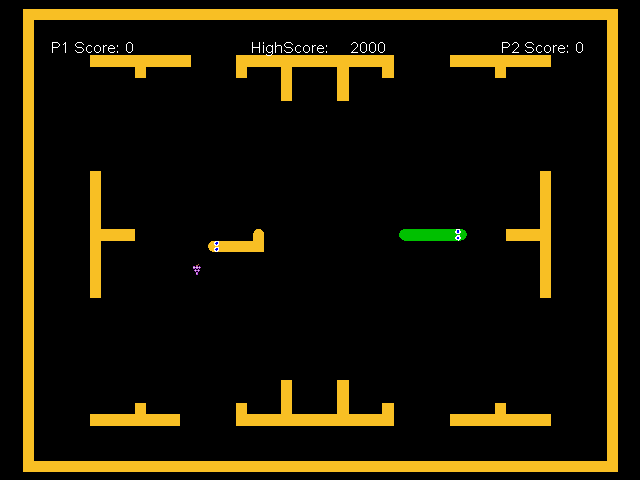
WormS is a homebrew game similar to old snakes game.
Installation
Simply copy the default.xbe and the media folder to your Xbox.
Controls
A - Start game
D-Pad - Move the worm
Start - Pause game
Back - Un-pause
L+R+Black - Return to dash
Screenshots
Changelog
Beta 2
- Added multiplayer support now upto 4 players can play on screen at once.
- Changed name entry so the letter your on is now highlighted in red.
- Added 2 new mazes.
- Remapped pause control see below.
Credits
Authors: Ben_3D & Chossy.
Greetz: CedarWood, MeanStreak, Mookie, ADR UK, Lubby, Garlic_IV, HyperG, JJasmin.
External links
- Official website - http://www.xfactordev.net/ (archived)