
GluttonX Xbox: Difference between revisions
From GameBrew
More actions
m Text replacement - "{{Infobox XBOX homebrew" to "{{Infobox XBOX Homebrews" |
No edit summary |
||
| (12 intermediate revisions by the same user not shown) | |||
| Line 1: | Line 1: | ||
{{Infobox XBOX Homebrews | {{Infobox XBOX Homebrews | ||
| title | |title=GluttonX | ||
| image | |image=gluttonx2.png | ||
| type | |description=An isometric view Pac-Man clone using graphics made in POV-Ray. | ||
| version | |author=freakdave | ||
| | |lastupdated=2004/07/04 | ||
| | |type=Arcade Games | ||
|version=2 | |||
| download | |license=Mixed | ||
| source | |format=XBE | ||
|download=https://dlhb.gamebrew.org/xboxhomebrews/gluttonx.7z?k33p0fil35 | |||
|website=http://freakdave.xbox-scene.com/ | |||
|source=https://dlhb.gamebrew.org/xboxhomebrews/gluttonx.7z | |||
}} | }} | ||
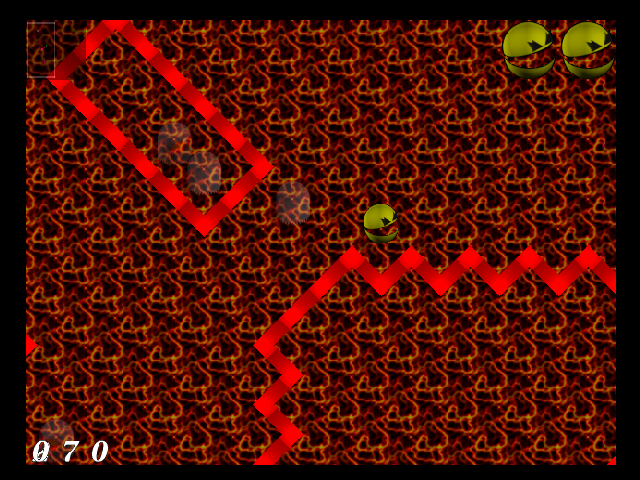
GluttonX is an isometric view Pac-Man clone using graphics made in POV-Ray. | |||
Original game by Phoenix Kokido.<ref>[https://web.archive.org/web/20040607173150/http://kokido.sourceforge.net/glutton.html “Glutton.”] Archived from [http://kokido.sourceforge.net/glutton.html the original] on 2004-06-07.</ref> | |||
GluttonX | ==User guide== | ||
A speedhack was implemented, because GluttonX was way too fast. | |||
== | ==Controls== | ||
'''Menu:''' | |||
Start - Start/Continue the game | |||
Right-Stick Thumb - Screenshot (saved as GluttonX.bmp in main game directory) | |||
Back - Quit to Dashboard | |||
'''In game:''' | |||
D-Pad/Left-Stick - Move Pac-Man | |||
=== | Right-Stick Thumb - Screenshot (saved as GluttonX_ingame.bmp in main game directory) | ||
* There is no mouse cursor. | |||
* | Back - Quit to Dashboard | ||
==Screenshots== | |||
https://dlhb.gamebrew.org/xboxhomebrews/gluttonx3.png | |||
==Known issues== | |||
* There is no mouse cursor. | |||
* This game maybe too fast. | |||
==Changelog== | |||
'''v2''' | |||
* Added: The game is now started by a launcher. The options are as follows: | |||
** Start game. | |||
** Resize screen (Use the L/R Analogue sticks). | |||
** Set Flicker Filter (works only for the launcher at this time. Choose between 5 modes). | |||
** Press BLACK to shutdown the launcher and quit to Dashboard. | |||
* Added: Game icon. | |||
==References== | |||
<references /> | |||
==External links== | |||
*Author's website - [https://web.archive.org/web/20120118014122/http://freakdave.xbox-scene.com/ http://freakdave.xbox-scene.com/] (archived) | |||
Latest revision as of 09:06, 28 January 2024
| GluttonX | |
|---|---|
 | |
| General | |
| Author | freakdave |
| Type | Arcade Games |
| Version | 2 |
| License | Mixed |
| Last Updated | 2004/07/04 |
| Links | |
| Download | |
| Website | |
| Source | |
GluttonX is an isometric view Pac-Man clone using graphics made in POV-Ray.
Original game by Phoenix Kokido.[1]
User guide
A speedhack was implemented, because GluttonX was way too fast.
Controls
Menu:
Start - Start/Continue the game
Right-Stick Thumb - Screenshot (saved as GluttonX.bmp in main game directory)
Back - Quit to Dashboard
In game:
D-Pad/Left-Stick - Move Pac-Man
Right-Stick Thumb - Screenshot (saved as GluttonX_ingame.bmp in main game directory)
Back - Quit to Dashboard
Screenshots
Known issues
- There is no mouse cursor.
- This game maybe too fast.
Changelog
v2
- Added: The game is now started by a launcher. The options are as follows:
- Start game.
- Resize screen (Use the L/R Analogue sticks).
- Set Flicker Filter (works only for the launcher at this time. Choose between 5 modes).
- Press BLACK to shutdown the launcher and quit to Dashboard.
- Added: Game icon.
References
- ↑ “Glutton.” Archived from the original on 2004-06-07.
External links
- Author's website - http://freakdave.xbox-scene.com/ (archived)