
Wolf3D for DS: Difference between revisions
From GameBrew
More actions
No edit summary |
|||
| (17 intermediate revisions by the same user not shown) | |||
| Line 1: | Line 1: | ||
{{Infobox | {{Infobox DS Homebrews | ||
| title | |title=Wolf3D4DS | ||
| image | |image=wolf3d4ds.png | ||
| type | |description=Wolf3D Classic Game for DS and DSi. | ||
| version | |author=science1matthew | ||
| | |lastupdated=2011/07/21 | ||
| | |type=Shooter | ||
| website | |version=1.2 | ||
|license=Mixed | |||
|download=https://dlhb.gamebrew.org/dshomebrew2/wolf3d4ds12.zip | |||
}} | |website=https://gbatemp.net/download/wolf3d-for-ds.25725 | ||
}} | |||
Wolf 3D for DS is a port of Wolf3D for DS and DSi, compiled by science1matthew which uses [[DSx86|DSx86]] to run. | Wolf 3D for DS is a port of Wolf3D for DS and DSi, compiled by science1matthew which uses [[DSx86|DSx86]] to run. | ||
| Line 16: | Line 16: | ||
Copy all files to the flashcard, run DSx86. | Copy all files to the flashcard, run DSx86. | ||
Run install.exe. Once installation is completed, type wolf3d to launch the game. | |||
It is advised to change FPS to 15 and | It is advised to change FPS to 15 and Screen settings to Smooth for best results. | ||
==Controls== | ==Controls== | ||
| Line 43: | Line 43: | ||
DSx86: Patric Alto. | DSx86: Patric Alto. | ||
Wolf3D: [ | Wolf3D: [http://www.3drealms.com/downloads.html 3DRealms]. | ||
Compiled by: science1matthew. | Compiled by: science1matthew. | ||
| Line 49: | Line 49: | ||
==External links== | ==External links== | ||
GBAtemp - https://gbatemp.net/download/wolf3d-for-ds.25725 | GBAtemp - https://gbatemp.net/download/wolf3d-for-ds.25725 | ||
Latest revision as of 06:50, 28 July 2025
| Wolf3D4DS | |
|---|---|
 | |
| General | |
| Author | science1matthew |
| Type | Shooter |
| Version | 1.2 |
| License | Mixed |
| Last Updated | 2011/07/21 |
| Links | |
| Download | |
| Website | |
Wolf 3D for DS is a port of Wolf3D for DS and DSi, compiled by science1matthew which uses DSx86 to run.
Installation
Copy all files to the flashcard, run DSx86.
Run install.exe. Once installation is completed, type wolf3d to launch the game.
It is advised to change FPS to 15 and Screen settings to Smooth for best results.
Controls
On-screen keyboard:
Space - Open doors
CTRL - shoot
D-Pad - Turn, Walk
Screenshots
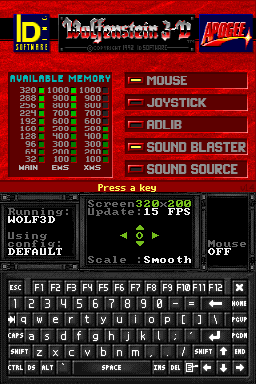
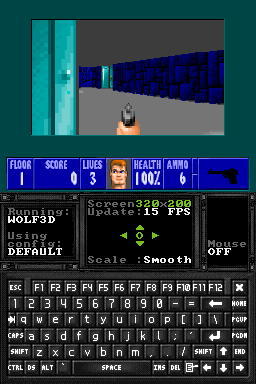
Changelog
1.2
- Added prebuilt kernal.
1.0
- Initial release.
Credits
DSx86: Patric Alto.
Wolf3D: 3DRealms.
Compiled by: science1matthew.