
Tico Switch: Difference between revisions
More actions
0.7.2 |
0.7.5 |
||
| (One intermediate revision by the same user not shown) | |||
| Line 4: | Line 4: | ||
|description=The first custom emulation frontend for Nintendo Switch. | |description=The first custom emulation frontend for Nintendo Switch. | ||
|author=dantiicu | |author=dantiicu | ||
|lastupdated=2026/ | |lastupdated=2026/17/16 | ||
|type=Other Emulators | |type=Other Emulators | ||
|version=0.7. | |version=0.7.5 | ||
|license=[https://github.com/ticohq/tico/blob/main/LICENSE.md tiicu] | |license=[https://github.com/ticohq/tico/blob/main/LICENSE.md tiicu] | ||
|download=https://dlhb.gamebrew.org/switchhomebrews/ticoSwitch.7z | |download=https://dlhb.gamebrew.org/switchhomebrews/ticoSwitch.7z | ||
| Line 19: | Line 19: | ||
|image_alt=tico | |image_alt=tico | ||
}} | }} | ||
tico is the first custom emulation frontend for Nintendo Switch, a controller-first, native C++ interface designed for performance, simplicity, and long-term portability. | |||
tico is a game launcher that supports libretro cores and custom emulators. It organizes your games automatically, manages assets, and launches everything from one place. No file browsers, no fragmented tools, no config menus. Just pick a game and play. | |||
tico is a | |||
tico does not include ROMs, BIOS files, system firmware, DRM circumvention tools, or emulator cores. Users are responsible for legal ownership of their games and compliance with local laws. | |||
tico does not include | |||
Users are responsible for legal ownership of games and compliance with local laws. | |||
==Features== | ==Features== | ||
| Line 220: | Line 208: | ||
==Changelog== | ==Changelog== | ||
'''0.7.5 2026/07/16''' | |||
* Fixes | |||
** Fixed an bug an Core Update Manager caused by versions.json | |||
** Locked tico startup from sdmc:/switch/tico/tico.nro to prevent confusion with core chainload back | |||
** Added system folders creation for 3DS | |||
** Added system name change for Azahar in Emulator Settings | |||
** Added inverted screens orientation for Azahar to prevent grip to hide vents | |||
'''0.7.4 2026/07/15''' | |||
* What's New | |||
** Azahar Support for Nintendo 3DS | |||
*** Nintendo 3DS emulation is now available in tico via Azahar, bringing support for a large portion of the 3DS library. | |||
*** Supported ROM formats: .3ds, .3dsx, .z3dsx, .elf, .axf, .cci, .zcci, .cxi, .zcxi, .app | |||
** Shader Compilation | |||
*** Shaders are compiled on a game's first launch and then cached, so subsequent launches load with improved visual stability and reduced stuttering. | |||
*** Quick Hotkeys | |||
*** L + Minus — Change screen orientation | |||
*** ZL + Minus — Change screen layout<br /> | |||
These are also available from the quick menu by pressing + and − in-game. | |||
* Fixes | |||
** Fixed alphabetical ordering in console emulator settings | |||
** Fixed a bug where resuming from a core would cause a crash | |||
'''0.7.3 2026/06/14''' | |||
* What's new | |||
** Flycast updated to 2.6+ | |||
*** The Dreamcast/Naomi emulator core has been updated to version 2.6+, bringing the latest upstream fixes and compatibility improvements. | |||
** Atomiswave and Naomi support | |||
*** You can now launch Atomiswave and Naomi arcade games directly through tico, expanding the supported library beyond Dreamcast titles. | |||
** Cover compressor for existing covers | |||
*** A one-time compression pass runs on your existing cover art to reduce storage usage and improve loading times going forward. | |||
* Improvements | |||
** Smoother navigation when holding up/down in gamelist | |||
*** Holding up or down in the gamelist now scrolls more fluidly, making it easier to browse through large collections. | |||
** Better assets loading and download performance | |||
*** Assets such as covers and metadata are now fetched and rendered more efficiently, reducing wait times when browsing your library. | |||
** Compression applied on cover downloads | |||
*** Newly downloaded covers are now compressed on the fly, keeping your storage footprint smaller without any extra steps. | |||
* Bug fixes | |||
** Game progress in RetroAchievements screen | |||
*** Fixed an issue where game progress was not displaying correctly on the RetroAchievements screen. | |||
** FBNeo cover fetching | |||
*** Covers for FBNeo games were not being retrieved properly; this has been resolved. | |||
** Crash when adding background to consoles | |||
*** Fixed a crash that occurred when trying to set a custom background image for a console entry. | |||
** Update downloads failing on lower clock speeds | |||
*** Resolved an issue that caused update downloads to fail on devices running at lower CPU clock speeds. | |||
* Warning: On first launch after this update, existing covers will be automatically compressed. This runs once and may take a moment depending on your library size. | |||
* Note: Even with the Flycast 2.6+ improvements, Windows CE-based games (e.g. Sega Rally 2) and most Naomi 2 titles remain too demanding for Switch hardware and may not run well. | |||
'''0.7.2 2026/06/01''' | '''0.7.2 2026/06/01''' | ||
* Installation & Updates | * Installation & Updates | ||
Latest revision as of 02:08, 17 July 2026
| tico | |
|---|---|
 | |
| General | |
| Author | dantiicu |
| Type | Other Emulators |
| Version | 0.7.5 |
| License | tiicu |
| Last Updated | 2026/17/16 |
| Links | |
| Download | |
| Website | |
| Source | |
tico is the first custom emulation frontend for Nintendo Switch, a controller-first, native C++ interface designed for performance, simplicity, and long-term portability.
tico is a game launcher that supports libretro cores and custom emulators. It organizes your games automatically, manages assets, and launches everything from one place. No file browsers, no fragmented tools, no config menus. Just pick a game and play.
tico does not include ROMs, BIOS files, system firmware, DRM circumvention tools, or emulator cores. Users are responsible for legal ownership of their games and compliance with local laws.
Features
Interface
- Redesigned UI with full dark mode
- Home screen with customizable game shortcuts and a dedicated favorites page
- Dynamic customizable cards — use custom images as console covers with swappable symbols and backgrounds
- Unified multi-console launcher
- Controller-first navigation
- Instant library loading with intelligent caching
- One-button rescan system
- Nintendo Switch account integration (avatar and nickname displayed in the interface)
- SteamGridDB integration — download cover art directly from the tico interface (API key required from steamgriddb.com)
Settings
- Comprehensive Settings screen with General, Display, Audio, Gamelist, and Emulator sections
- General settings: clock format (12-hour or 24-hour), ROM root directory picker with in-app folder navigation
- Per-core aspect ratio settings with unified display modes: 4:3, 16:9, Stretch, Integer 1×, and Integer 2×
- Per-core display configuration
Game Management
- Automatic No-Intro and Redump naming support
- Auto-organization by system and region
- Direct pinning from library to home screen
- Structured save and asset directories
Embedded and External Emulator Cores
- Built-in, statically linked cores
- External core support for flexible management, easier updates, and licensing compliance
- Resume app state support for external cores
- No manual installation
- No configuration required
- Optimized builds for Nintendo Switch
System
- Auto directory initialization — tico creates the complete folder structure for all supported consoles on first launch
- BIOS validation — tico checks for required BIOS files before launching a game and displays a clear error if any are missing
Architecture
- Written in modern C++
- Native performance
- No scripting languages
- No heavy frameworks
- Designed for long-term portability
Supported Systems
- Game Boy (GB)
- Game Boy Color (GBC)
- Game Boy Advance (GBA)
- Nintendo Entertainment System (NES)
- Super Nintendo Entertainment System (SNES)
- Nintendo 64 (N64)
- GameCube (GC)
- Wii
- PlayStation 1 (PS1)
- PlayStation Portable (PSP)
- Sega Dreamcast (DC)
- Sega Saturn
- Sega Game Gear
- Sega Master System
- Sega Mega Drive (Genesis)
- Sega CD
Installation
- Copy the tico folder to the root of your SD card
- Place tico.nro inside the switch folder
- Launch any game while holding R to open the Homebrew Menu
- Open tico
- Install required cores via the in-app settings updater or manually from https://github.com/ticohq
- Enjoy
Note: On first launch, tico auto-generates its full directory structure. After opening tico once, reconnect your Switch to a PC or phone to copy ROMs, saves, and BIOS files into the correct locations.
Important: tico does not work in applet mode.
Important (0.6.0): Cores are no longer bundled with tico. Systems will not run until the required cores are installed. Cores can be installed from the in-app settings updater or manually via https://github.com/ticohq.
Migrating from earlier versions
The project directory has been renamed from tiicu to tico. Existing users must:
- Navigate to the root of the SD card
- Rename the tiicu folder to tico
- Move custom assets: sdmc:/tiicu/covers → sdmc:/tico/assets/covers and sdmc:/tiicu/backgrounds → sdmc:/tico/assets/backgrounds
All ROMs, saves, states, and configuration will remain intact.
Note: If you have a custom ROM path set via the old custom_roms_path field in roms.json, migrate your path through the new Settings interface — that field is deprecated and will be ignored.
Directory Structure
ROMs should be organized in the following structure:
sdmc:/tico/roms/{console}/
sdmc:/tico/assets/covers/{console}/
sdmc:/tico/assets/backgrounds/{console}/
sdmc:/tico/saves/{console}/
sdmc:/tico/states/{console}/
Where {console} can be: gb, gbc, gba, nes, snes, n64, gc, wii, psx, psp, dc, saturn, game-gear, master-system, genesis, sega-cd
ROMs can be organized into subfolders one level deep (e.g. psx/Resident Evil 2 (Disc 1)/).
Artwork must match ROM names (without extension) and must be in JPG format.
Custom ROM Path
You can set a custom ROM root directory through the built-in Settings screen under General Settings. Use the in-app folder navigation to select your preferred ROM root directory.
Note: Changing the ROM root path invalidates existing caches; a one-time rescan will be required.
Inside your custom path, keep consoles separated in their respective folders.
BIOS Requirements
PlayStation (PS1)
Place one of the following BIOS files in: sdmc:/tico/system/psx/
- scph5501.bin
- scph5502.bin
- scph5500.bin
- scph1001.bin
Sega Saturn
Place one of the following BIOS files in: sdmc:/tico/system/saturn/
- saturn_bios.bin
- sega_101.bin
- mpr-17933.bin
Dreamcast
Place the following BIOS file in:
sdmc:/tico/system/dc/
- dc_boot.bin — Dreamcast Boot ROM
Sega Systems
All Sega BIOS files should be placed in:
sdmc:/tico/system/sega-cd/
Sega CD / Mega CD:
- bios_CD_U.bin — Sega CD (NTSC-U)
- bios_CD_E.bin — Mega CD (PAL)
- bios_CD_J.bin — Mega CD (NTSC-J)
Super Nintendo (Satellaview)
For Satellaview games on SNES:
- Copy BS-X.bin to: sdmc:/tico/system/snes/
Controls
- Type 1 — Dock: L/R, Pages: D-Pad ←/→
- Type 2 — Dock: ZL/ZR, Pages: L/R
In-Game
- Press + and - together to suspend gameplay and access game options
- Configure aspect ratio settings per-core for optimal display
Sega Saturn
- Press ZL and − to switch between Standard Pad and 3D Pad
Configuration
Settings Screen
The built-in Settings screen provides access to:
- General Settings — Clock format, ROM root directory
- Display Settings — Visual preferences
- Audio Settings — Sound output and volume controls
- Gamelist Settings — Library organization and display options
- Emulator Settings — Per-core configuration, core downloads and updates
Core Settings
PSP core settings can be customized at:
sdmc:/tico/config/cores/ppsspp.jsonc
Core improvements include:
- PPSSPP (PSP): 2x resolution rendering, 60fps support
- SwanStation (PS1): 2x resolution rendering, TrueColor mode enabled
- SNES9x (SNES): Overclock mode (Compatible), Flicker Reduction, Sinc Audio Resampling
- mGBA (GBA): Smart Color Blending, No Frameskip
- Gambatte (GB/GBC): Ghosting Reduction, Sinc Audio Resampling
- Flycast (Dreamcast): Seamless handheld-to-docked transitions, 1080p docked mode
- Beetle Saturn (Saturn): 720p/1080p output, FXAA, Scanlines, Bilinear filters, Standard Pad and 3D Pad support
- Mupen64Plus (N64): Initial support
Screenshots
|
|
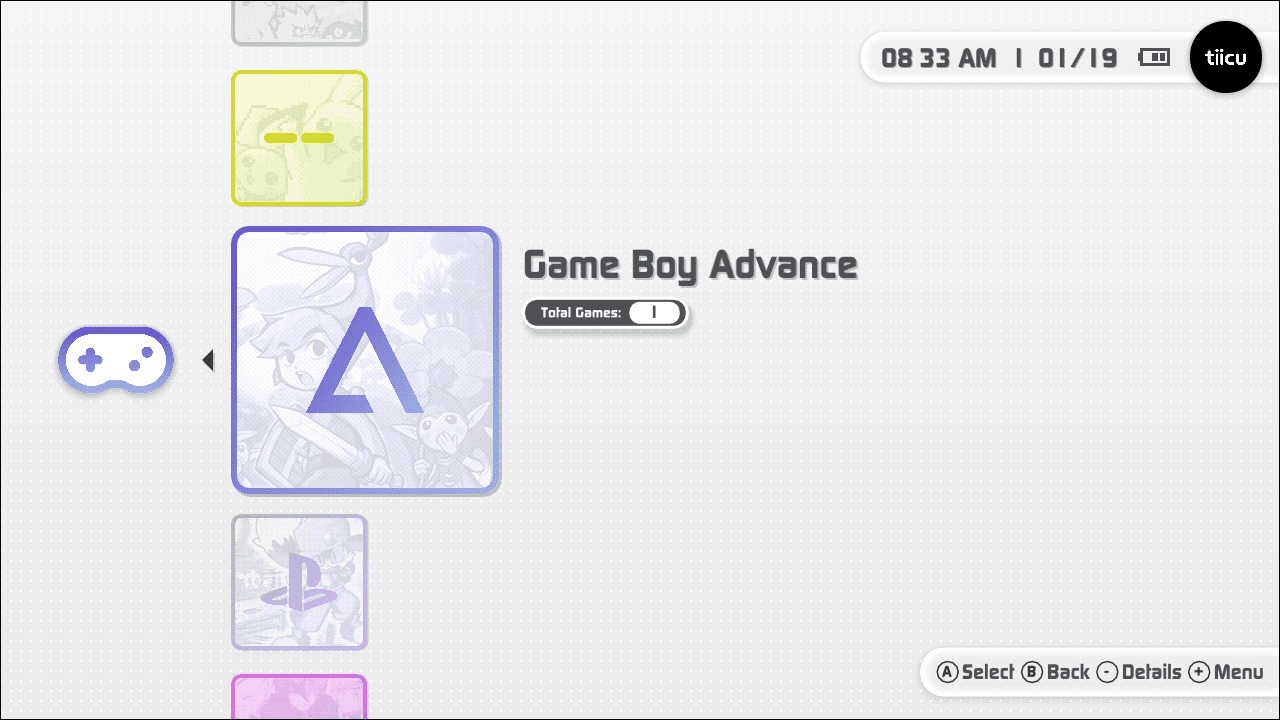
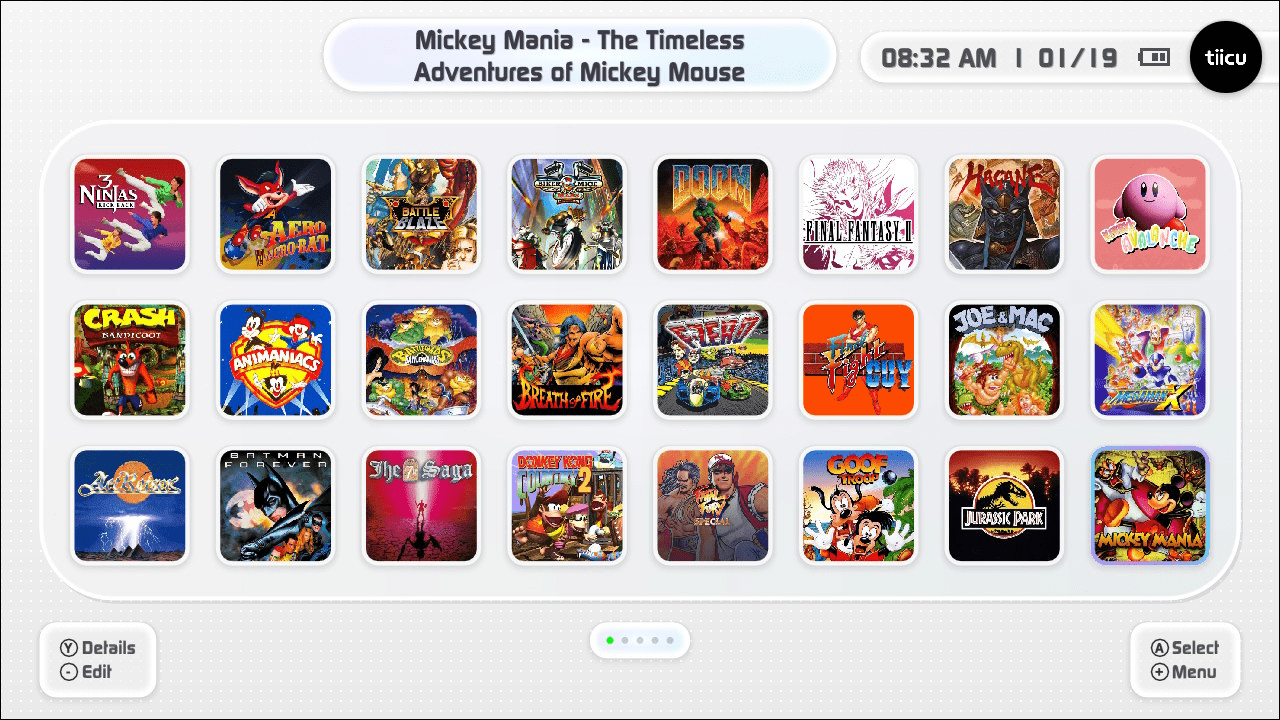
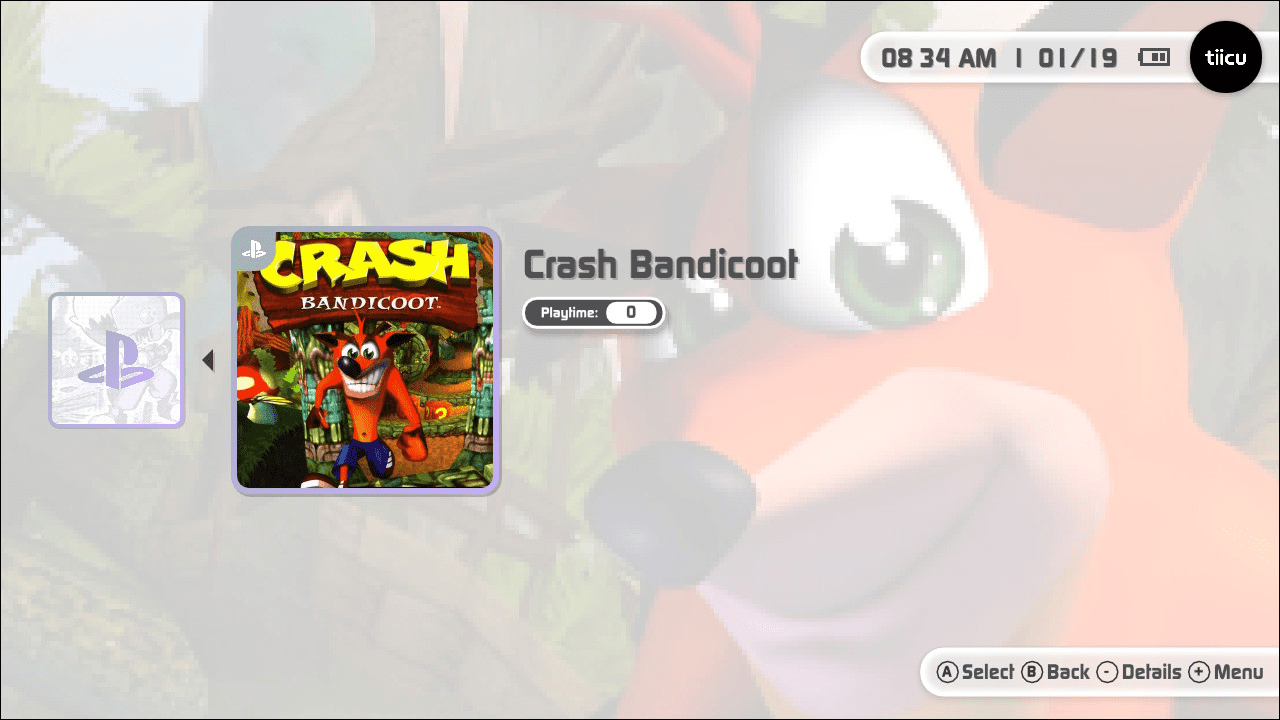
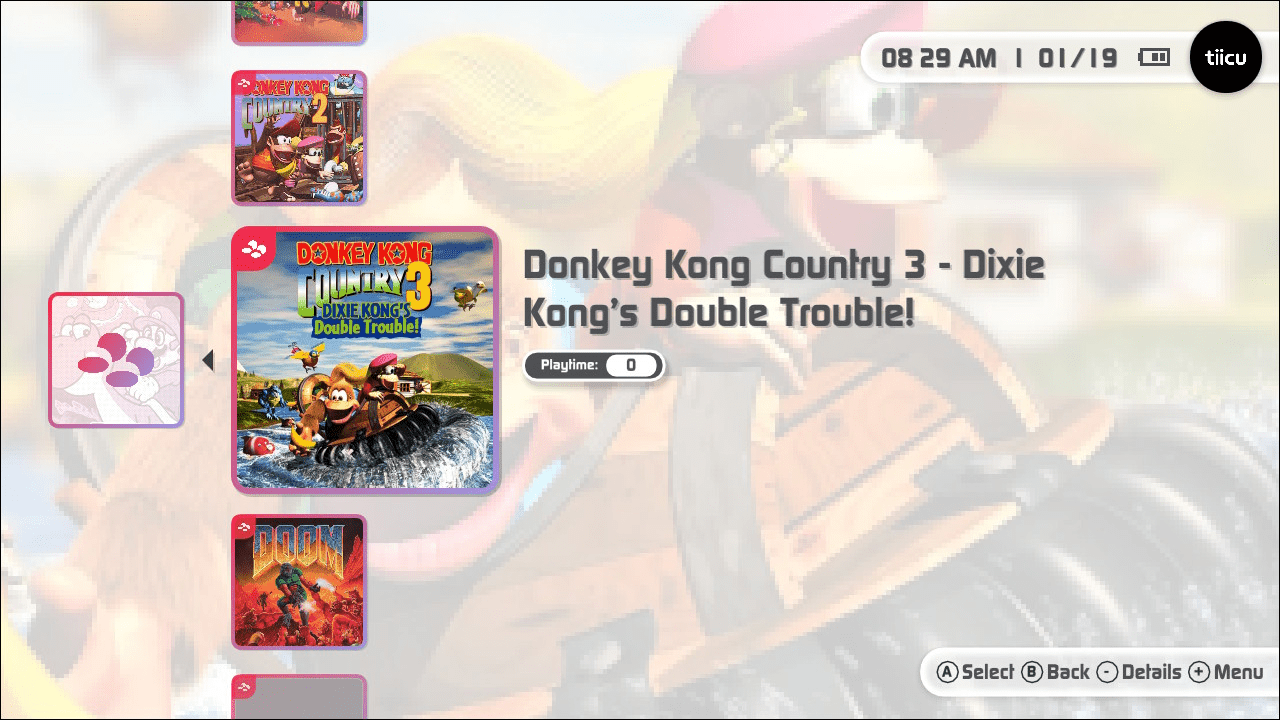
Changelog
0.7.5 2026/07/16
- Fixes
- Fixed an bug an Core Update Manager caused by versions.json
- Locked tico startup from sdmc:/switch/tico/tico.nro to prevent confusion with core chainload back
- Added system folders creation for 3DS
- Added system name change for Azahar in Emulator Settings
- Added inverted screens orientation for Azahar to prevent grip to hide vents
0.7.4 2026/07/15
- What's New
- Azahar Support for Nintendo 3DS
- Nintendo 3DS emulation is now available in tico via Azahar, bringing support for a large portion of the 3DS library.
- Supported ROM formats: .3ds, .3dsx, .z3dsx, .elf, .axf, .cci, .zcci, .cxi, .zcxi, .app
- Shader Compilation
- Shaders are compiled on a game's first launch and then cached, so subsequent launches load with improved visual stability and reduced stuttering.
- Quick Hotkeys
- L + Minus — Change screen orientation
- ZL + Minus — Change screen layout
- Azahar Support for Nintendo 3DS
These are also available from the quick menu by pressing + and − in-game.
- Fixes
- Fixed alphabetical ordering in console emulator settings
- Fixed a bug where resuming from a core would cause a crash
0.7.3 2026/06/14
- What's new
- Flycast updated to 2.6+
- The Dreamcast/Naomi emulator core has been updated to version 2.6+, bringing the latest upstream fixes and compatibility improvements.
- Atomiswave and Naomi support
- You can now launch Atomiswave and Naomi arcade games directly through tico, expanding the supported library beyond Dreamcast titles.
- Cover compressor for existing covers
- A one-time compression pass runs on your existing cover art to reduce storage usage and improve loading times going forward.
- Flycast updated to 2.6+
- Improvements
- Smoother navigation when holding up/down in gamelist
- Holding up or down in the gamelist now scrolls more fluidly, making it easier to browse through large collections.
- Better assets loading and download performance
- Assets such as covers and metadata are now fetched and rendered more efficiently, reducing wait times when browsing your library.
- Compression applied on cover downloads
- Newly downloaded covers are now compressed on the fly, keeping your storage footprint smaller without any extra steps.
- Smoother navigation when holding up/down in gamelist
- Bug fixes
- Game progress in RetroAchievements screen
- Fixed an issue where game progress was not displaying correctly on the RetroAchievements screen.
- FBNeo cover fetching
- Covers for FBNeo games were not being retrieved properly; this has been resolved.
- Crash when adding background to consoles
- Fixed a crash that occurred when trying to set a custom background image for a console entry.
- Update downloads failing on lower clock speeds
- Resolved an issue that caused update downloads to fail on devices running at lower CPU clock speeds.
- Game progress in RetroAchievements screen
- Warning: On first launch after this update, existing covers will be automatically compressed. This runs once and may take a moment depending on your library size.
- Note: Even with the Flycast 2.6+ improvements, Windows CE-based games (e.g. Sega Rally 2) and most Naomi 2 titles remain too demanding for Switch hardware and may not run well.
0.7.2 2026/06/01
- Installation & Updates
- New installer for a smoother first-time setup
- Built-in updater (Settings > Updates)
- Home
- New item sizes: 1x3, 3x1, 2x3, 3x2, 2x2
- Custom backgrounds and decorations per item (logo and cover)
- Console launch shortcut from homescreen
- Asset Finder accessible from homescreen
- Game logos displayed on launcher screen
- Fixed D-Pad when using navigation type 2
- Game Select
- Added jump titles by using left/right for fast navigation
- Added support for custom background, covers and logo using Find Assets
- Added support for added console as shortcut to Homescreen
- Retro Achievements
- Fully redesigned screen
- Faster and more responsive connection
- Customization
- Full card customization — frames, overlays, badge size, style and position
- New screen transition animations
- Non-square cover support with built-in crop tool
- Asset Manager
- Browse and download covers, backgrounds and icons in-app via SteamGridDB
- Seamless homescreen integration for quick asset assignment
- Audio
- Soundpacks - swap UI sounds and background music from Settings > Audio
- Console Colors
- Custom gradients per console for light and dark mode
- Game Library
- Game search across your library
- Fast navigation in game select screen for large collections
- Emulator Updates
- Dolphin - added support for WAD, WIA, M3U and more
- Fixes
- General smoothness improvements throughout the app
- Fixed UI scaling on 1080p displays
0.7.1 2026/04/25
- New: Vulkan backend
- Fixed: Updater
- New: Onboarding tips for new users
- Fixed: Passwords now fully hidden in Settings > Accounts
0.7.0-alpha 2026/04/20
- New: Experimental GameCube and Wii support via Dolphin core (enable from the new Experimental tab in Settings)
- New: Experimental tab added to Settings — Dolphin must be enabled here before it appears in the tico interface
- Note: Dolphin enables boost mode by default (1785 MHz CPU / 768 MHz GPU); monitor device temperature accordingly
- New (Saturn): Simulated BIOS / skip Saturn BIOS option added to Yabasanshiro core settings
- Cores: Fixes and updates available from the Updater in Settings
0.6.0-alpha 2026/04/06
- Breaking: Cores are no longer bundled with tico — cores must be installed manually after updating
- Breaking: Systems will not run until required cores are installed
- New: External core distribution model — cores are now distributed and updated independently from the main application
- New: Core downloads and updates available directly from the settings screen
- New: Nintendo 64 support via Mupen64Plus (note: app must be restarted after exiting an N64 game)
- New: FinalBurn Neo support via FBNeo
- New: ROM subfolder support — ROMs can be organized into subfolders one level deep
- New: Multi-disc handling — multi-disc titles grouped into a single entry with Disc 1 as primary; optional setting to list each disc individually
- New: Localization — English, Spanish, Portuguese, French, Japanese, and Chinese
- New: RetroAchievements screen with online summary and progress (supported platforms: Dreamcast, FinalBurn Neo, GB, GBC, GBA, Game Gear, Master System, Mega Drive, N64, NES, PlayStation, PSP, Sega CD, Sega Saturn, SNES)
- New: Navigation type option — Type 1 (Dock: L/R, Pages: D-Pad ←/→) or Type 2 (Dock: ZL/ZR, Pages: L/R)
- New (Saturn): CHD support (.chd), 1MB and 4MB RAM cartridge support, optional async rendering, optional compute shader output, fixed SRAM save persistence
- New (PlayStation): Rumble support, corrected button mapping, memory card support (.mcd, .mcr), automatic multi-disc switching
- New: Mesa 23.3 driver — shader cache support and NIR compiler for improved GPU utilization
- Fixed: Cover art loading for .cue, .m3u, and .bin formats
- Fixed: Core startup/exit when Music and SFX is enabled
- Core updates: All cores updated for improved compatibility and stability
0.5.0-alpha 2026/02/18
- New: Sega Saturn support (720p/1080p, 60fps 2D / 30fps 3D, Standard Pad and 3D Pad, FXAA/Scanlines/Bilinear filters)
- New: SteamGridDB integration — download cover art directly from the interface (API key required)
- New: General Settings section (clock format, ROM root directory picker with in-app folder navigation)
- New: Unified aspect ratio display modes across all cores (4:3, 16:9, Stretch, Integer 1×, Integer 2×)
- New: Auto directory initialization on first launch for all supported consoles
- New: BIOS validation — checks for required BIOS files before launching and displays clear error messages
- Improvement: Flycast seamless handheld-to-docked transitions, fixed 1080p docked resolution
- Improvement: Expanded PS1 BIOS compatibility (scph5501.bin, scph5502.bin, scph5500.bin, scph1001.bin)
- Improvement: Simplified Dreamcast BIOS requirement (dc_boot.bin only)
- Changed: Custom ROM path configuration via roms.json is deprecated — use the Settings interface instead
- Various minor fixes and stability improvements
0.4.0-alpha 2026/02/10
- Redesigned: Complete visual overhaul with new UI, refined colors, and sleek iconography
- Redesigned: Full dark mode across the entire application
- New: Dynamic customizable cards — custom images as console covers, swappable symbols and backgrounds
- New: Nintendo Switch account integration (avatar and nickname)
- New: Comprehensive Settings screen (Display, Audio, Gamelist, Emulator)
- New: Sega Dreamcast support
- New: Favorites page opens automatically on launch
- New: Per-core aspect ratio settings (stretch or integer scaling)
- New: External core support for flexible management and licensing compliance
- New: Resume app state support for external cores
- Changed: Project directory renamed from tiicu to tico
- Changed: Asset directories moved under sdmc:/tico/assets/
- Changed: Navigation — D-PAD Left/Right swaps home screen pages, L/R navigates docked screens
0.3.0-alpha 2026/01/23
- Fixed: Custom ROM paths now work correctly
- Fixed: Moving shortcuts no longer creates duplicates
- Fixed: PlayStation analog stick/axis controls now function properly
- Improvement: "Add to homescreen" automatically navigates to first available page
- New: Alert notification when all home screen pages are full
- New: Sega Game Gear support
- New: Sega Master System support
- New: Sega Mega Drive (Genesis) support
- New: Sega CD support
- New: PSP CHD format support
- New: Advanced PPSSPP settings customization via config file
0.0.2 2026/01/20
- Major: ROM scanning no longer strictly enforces No-Intro or Redump naming
- New: Custom ROM path configuration support
- New: NES (Nintendo Entertainment System) support
- Improvement: Desktop items now animate gracefully on startup
- Improvement: Consoles organized alphabetically in launcher
- Improvement: Better animation when entering games
- Bugfix: Shortcuts no longer disappear when deleting or moving other shortcuts
- Core: PPSSPP 2x resolution rendering, 60fps support
- Core: SwanStation 2x resolution rendering, TrueColor mode
- Core: SNES9x Overclock mode, Flicker Reduction, Sinc Audio Resampling
- Core: mGBA Smart Color Blending, No Frameskip
- Core: Gambatte Ghosting Reduction, Sinc Audio Resampling
External links
- Official website - https://ticoverse.com/
- GitHub - https://github.com/ticohq/tico
- Discord - https://discord.gg/DPgXGqJMkJ
- Reddit - https://www.reddit.com/r/SwitchHacks/comments/1qh2kxc/tiicu_001_is_here_the_first_custom_emulator/