
Unreal Tournament Vita: Difference between revisions
From GameBrew
More actions
Make a page for the new Unreal Tournament PS Vita port |
No edit summary |
||
| (One intermediate revision by one other user not shown) | |||
| Line 4: | Line 4: | ||
|description=Port of Unreal Tournament for the PS Vita. | |description=Port of Unreal Tournament for the PS Vita. | ||
|author=Rinnegatamante | |author=Rinnegatamante | ||
|lastupdated=2026/ | |lastupdated=2026/06/06 | ||
|type=Shooter | |type=Shooter | ||
|version=0. | |version=0.7.0 | ||
|download=https://github.com/Rinnegatamante/UT99-Vita/releases | |download=https://github.com/Rinnegatamante/UT99-Vita/releases | ||
|website=https://www.rinnegatamante.eu/vitadb/#/info/1399 | |website=https://www.rinnegatamante.eu/vitadb/#/info/1399 | ||
|source=https://github.com/Rinnegatamante/UT99-Vita | |source=https://github.com/Rinnegatamante/UT99-Vita | ||
}} | }}<!--UT99Vita.7z--> | ||
Port of Unreal Tournament for the PS Vita. | Port of Unreal Tournament for the PS Vita. | ||
| Line 60: | Line 60: | ||
The calculation for the aiming is done lossly as follows: | The calculation for the aiming is done lossly as follows: | ||
<code>FinalAimDelta = ((ScaleXYZ * GyroDelta) + RightAnalogDelta) * ScaleRUV</code> | <code>FinalAimDelta = ((ScaleXYZ * GyroDelta) + RightAnalogDelta) * ScaleRUV</code> | ||
==Screenshots== | |||
https://dlhb.gamebrew.org/vitahomebrews/images/UT99Vita-01.png | |||
https://dlhb.gamebrew.org/vitahomebrews/images/UT99Vita-02.png | |||
https://dlhb.gamebrew.org/vitahomebrews/images/UT99Vita-03.png | |||
https://dlhb.gamebrew.org/vitahomebrews/images/UT99Vita-04.png | |||
== Known issues == | == Known issues == | ||
| Line 66: | Line 75: | ||
See [https://github.com/Rinnegatamante/UT99-Vita/issues Issues] for currently known problems. | See [https://github.com/Rinnegatamante/UT99-Vita/issues Issues] for currently known problems. | ||
== Changelog == | |||
'''v0.7.0''' | |||
* Cleaned up the symbol lookup table of the loader from several unused symbols (reduces memory usage of the game). | |||
* Upgraded to latest so loader variant. (Improves boot time) | |||
* Upgraded to latest vitaGL commit. | |||
* Applied several patches to game code to reduce CPU workload. (Together with vitaGL improvements, it brings approximately a 15-20% performance boost) | |||
'''v0.6.1''' | |||
* Fixed a bug causing the directory listing cache to fail with System folder, resulting in crashes accessing some game menus. | |||
* Added extension-full files in the file cache. This will sped up loading times further. (Boot times now down from 41 seconds to 40 seconds) | |||
* Fully disabled debug file logging at engine level. | |||
'''v0.6''' | |||
* Added directory listing and file lookup caching: this reduces loading times across the whole game. | |||
* Moved to SceLibc usage for I/O. This greatly improves loading times, especially during game boot. (Combined with the previous change, boot time went from 105 seconds to 41 seconds). | |||
* Added the possibility to open the virtual keyboard for text inputing with Down Arrow. | |||
* Moved to vitaGL memory allocators: this should make the game less prone to run out of memory when cycling through maps in the map selector. | |||
* Added a Livearea option to launch the game with a 30 FPS framecap. | |||
'''v0.5''' | |||
* First Release. | |||
== Credits == | == Credits == | ||
Latest revision as of 05:20, 7 June 2026
| Unreal Tournament | |
|---|---|
 | |
| General | |
| Author | Rinnegatamante |
| Type | Shooter |
| Version | 0.7.0 |
| Last Updated | 2026/06/06 |
| Links | |
| Download | |
| Website | |
| Source | |
Port of Unreal Tournament for the PS Vita.
Installation
Instructions:
- Legally obtain your copy of Unreal Tournament and extract the game data files.
- Copy the
ut99folder containing the game data files intoux0:data/. - Install
ut99.vpk(from Releases or VitaDB).
Controls
Left Analog - Move
Right Analog - Aim (Move Cursor in Menus)
L - Alternate Fire
R - Fire (Click in Menus)
Cross - Jump
Square - Crouch
Triangle - Equip best weapon
Circle - Equip Slot 0 weapon (Impact Hammer/Translator)
D-Pad Left - Equip previous weapon
D-Pad Right - Equip next weapon
D-Pad Up - Feign Death
D-Pad Down - Equip Slot 0 weapon (Impact Hammer/Translator)
Start - Pause
Select - Show Score
Special Options Mapping
There are a few options that are re-used for different purposes on Vita:
- DeadZoneXYZ: Deadzone for the left analog.
- DeadZoneRUV: Deadzone for the right analog.
- ScaleXYZ: Scale used for gyro aiming.
- ScaleRUV: Scale used for right analog aiming.
- InvertY: Invert Y axis for gyro aiming.
- InvertV: Invert Y axis for right analog aiming.
- UseJoystick: Enables gyro aiming.
The calculation for the aiming is done lossly as follows:
FinalAimDelta = ((ScaleXYZ * GyroDelta) + RightAnalogDelta) * ScaleRUV
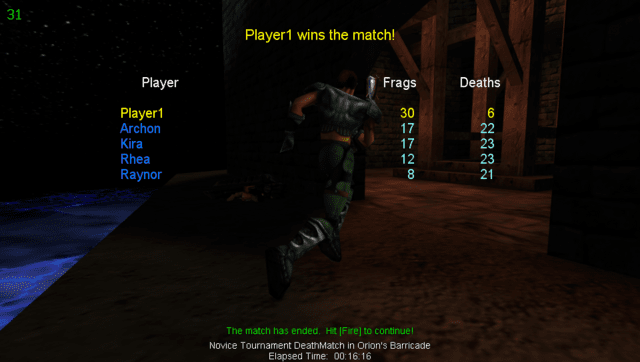
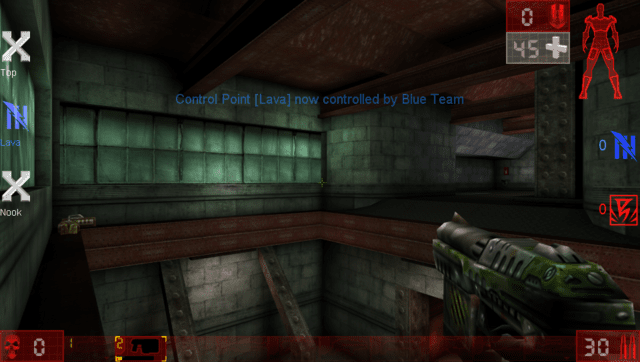
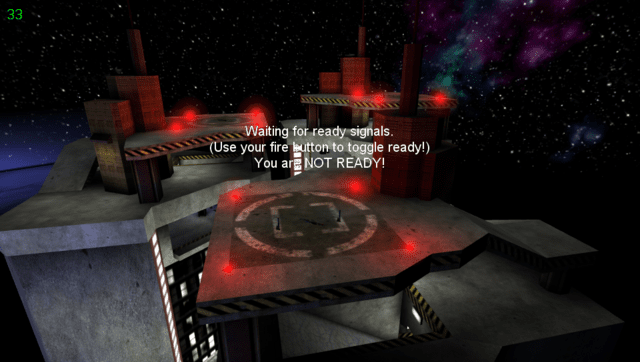
Screenshots

Known issues
- Loading times are pretty rough and the game can have framedrops in more chaotic situations.
- Editing Options from in-game can brick the .ini file. If you want to edit options, edit the .ini files in the System folder directly.
See Issues for currently known problems.
Changelog
v0.7.0
- Cleaned up the symbol lookup table of the loader from several unused symbols (reduces memory usage of the game).
- Upgraded to latest so loader variant. (Improves boot time)
- Upgraded to latest vitaGL commit.
- Applied several patches to game code to reduce CPU workload. (Together with vitaGL improvements, it brings approximately a 15-20% performance boost)
v0.6.1
- Fixed a bug causing the directory listing cache to fail with System folder, resulting in crashes accessing some game menus.
- Added extension-full files in the file cache. This will sped up loading times further. (Boot times now down from 41 seconds to 40 seconds)
- Fully disabled debug file logging at engine level.
v0.6
- Added directory listing and file lookup caching: this reduces loading times across the whole game.
- Moved to SceLibc usage for I/O. This greatly improves loading times, especially during game boot. (Combined with the previous change, boot time went from 105 seconds to 41 seconds).
- Added the possibility to open the virtual keyboard for text inputing with Down Arrow.
- Moved to vitaGL memory allocators: this should make the game less prone to run out of memory when cycling through maps in the map selector.
- Added a Livearea option to launch the game with a 30 FPS framecap.
v0.5
- First Release.
Credits
- Rinnegatamante for the PS Vita port.