
Lumiose Shiny Stash Map Switch: Difference between revisions
From GameBrew
More actions
1.0.5 |
|||
| Line 4: | Line 4: | ||
|description=Nintendo Switch homebrew to view Pokemon Legends Z-A Shiny Stash from memory with interactive maps locations and coordinates. | |description=Nintendo Switch homebrew to view Pokemon Legends Z-A Shiny Stash from memory with interactive maps locations and coordinates. | ||
|author=Insektaure | |author=Insektaure | ||
|lastupdated=2026/ | |lastupdated=2026/04/17 | ||
|type=Other Apps | |type=Other Apps | ||
|version=1.0. | |version=1.0.5 | ||
|license=GPL-2.0 | |license=GPL-2.0 | ||
|download=https://dlhb.gamebrew.org/switchhomebrews/LumioseShinyStashMapSwitch.7z | |download=https://dlhb.gamebrew.org/switchhomebrews/LumioseShinyStashMapSwitch.7z | ||
| Line 18: | Line 18: | ||
|image_alt=Lumiose Shiny Stash Map | |image_alt=Lumiose Shiny Stash Map | ||
}} | }} | ||
A Nintendo Switch homebrew application that reads the Shiny Stash from Pokemon Legends: Z-A in real-time and displays each entry's spawn location on an interactive map. | |||
What it does: | |||
* Reads the Shiny Stash block (up to 10 entries) directly from game memory via Atmosphere's <code>dmnt:cht</code> service | * Reads the Shiny Stash block (up to 10 entries) directly from game memory via Atmosphere's <code>dmnt:cht</code> service | ||
* Displays an interactive list of all stashed shiny Pokemon with species name, Pokedex number, and spawn location | * Displays an interactive list of all stashed shiny Pokemon with species name, Pokedex number, and spawn location | ||
| Line 28: | Line 26: | ||
* All other stash entries on the same map are shown as gold dots for an overview of shiny locations | * All other stash entries on the same map are shown as gold dots for an overview of shiny locations | ||
* Decrypts PKX-encrypted PA9 data and converts Gen9 internal species IDs to National Dex numbers | * Decrypts PKX-encrypted PA9 data and converts Gen9 internal species IDs to National Dex numbers | ||
== Installation == | |||
'''Requirements:''' | |||
* Nintendo Switch with [[Atmosphere Switch]] CFW | * Nintendo Switch with [[Atmosphere Switch]] CFW | ||
* <code>dmnt:cht</code> service enabled (default in Atmosphere) | * <code>dmnt:cht</code> service enabled (default in Atmosphere) | ||
* Pokemon Legends: Z-A must be running in the background | * Pokemon Legends: Z-A must be running in the background | ||
'''Instructions:''' | |||
Download the <code>.nro</code> file from the [https://github.com/Insektaure/Shiny-Stash-Live-Map/releases Releases] page | * Download the <code>.nro</code> file from the [https://github.com/Insektaure/Shiny-Stash-Live-Map/releases Releases] page. | ||
* Copy it to the <code>/switch/</code> folder on the SD card. | |||
== User guide == | |||
=== Supported versions === | |||
The application automatically detects the running game version and adjusts accordingly, supported versions are: | |||
* 1.0.0 | |||
* 1.0.1 | |||
* 1.0.2 | |||
* 1.0.3 | |||
* 2.0.0 | |||
* 2.0.1 | |||
* 2.0.2 | |||
=== How to use === | === How to use === | ||
* Launch Pokemon Legends: Z-A. | |||
* Press the 'Home' button and launch the Homebrew Menu via the Album icon. | |||
* Start the Shiny Stash Live Map homebrew application from the Homebrew Menu. | |||
* The app will automatically read the Shiny Stash from the game's memory and display the list of stashed shiny Pokemon along with their spawn locations on the map. | |||
* Use the D-Pad to navigate the list of stashed Pokemon. The selected Pokemon's spawn point will be highlighted on the map, and other stashed Pokemon on the same map will be shown as gold dots. | |||
* Press the '-' button to toggle the About screen. | |||
* Press the '+' button to exit the application. | |||
Note: If no shiny Pokemon are in the stash, nothing will appear on the list. | Note: If no shiny Pokemon are in the stash, nothing will appear on the list. | ||
| Line 75: | Line 77: | ||
==Changelog== | ==Changelog== | ||
'''v1.0.5''' | |||
* Add support for game version 1.0.0, 1.0.1, 1.0.2. | |||
'''v1.0.4''' | '''v1.0.4''' | ||
* Add support for game version 2.0.2. | * Add support for game version 2.0.2. | ||
'''v1.0.3''' | '''v1.0.3''' | ||
* Automatic game version detection | * Automatic game version detection | ||
Latest revision as of 23:45, 16 April 2026
| Lumiose Shiny Stash Map | |
|---|---|
 | |
| General | |
| Author | Insektaure |
| Type | Other Apps |
| Version | 1.0.5 |
| License | GPL-2.0 |
| Last Updated | 2026/04/17 |
| Links | |
| Download | |
| Website | |
| Source | |
A Nintendo Switch homebrew application that reads the Shiny Stash from Pokemon Legends: Z-A in real-time and displays each entry's spawn location on an interactive map.
What it does:
- Reads the Shiny Stash block (up to 10 entries) directly from game memory via Atmosphere's
dmnt:chtservice - Displays an interactive list of all stashed shiny Pokemon with species name, Pokedex number, and spawn location
- Shows the selected Pokemon's spawn point on the corresponding map (Lumiose City, Lysandre Labs, The Sewers, The Sewers B)
- All other stash entries on the same map are shown as gold dots for an overview of shiny locations
- Decrypts PKX-encrypted PA9 data and converts Gen9 internal species IDs to National Dex numbers
Installation
Requirements:
- Nintendo Switch with Atmosphere Switch CFW
dmnt:chtservice enabled (default in Atmosphere)- Pokemon Legends: Z-A must be running in the background
Instructions:
- Download the
.nrofile from the Releases page. - Copy it to the
/switch/folder on the SD card.
User guide
Supported versions
The application automatically detects the running game version and adjusts accordingly, supported versions are:
- 1.0.0
- 1.0.1
- 1.0.2
- 1.0.3
- 2.0.0
- 2.0.1
- 2.0.2
How to use
- Launch Pokemon Legends: Z-A.
- Press the 'Home' button and launch the Homebrew Menu via the Album icon.
- Start the Shiny Stash Live Map homebrew application from the Homebrew Menu.
- The app will automatically read the Shiny Stash from the game's memory and display the list of stashed shiny Pokemon along with their spawn locations on the map.
- Use the D-Pad to navigate the list of stashed Pokemon. The selected Pokemon's spawn point will be highlighted on the map, and other stashed Pokemon on the same map will be shown as gold dots.
- Press the '-' button to toggle the About screen.
- Press the '+' button to exit the application.
Note: If no shiny Pokemon are in the stash, nothing will appear on the list.
Controls
A - Read shiny stash from game memory
D-Pad Up/Down - Navigate the stash list
Minus - Toggle About screen
Plus - Exit
Screenshots
|
|
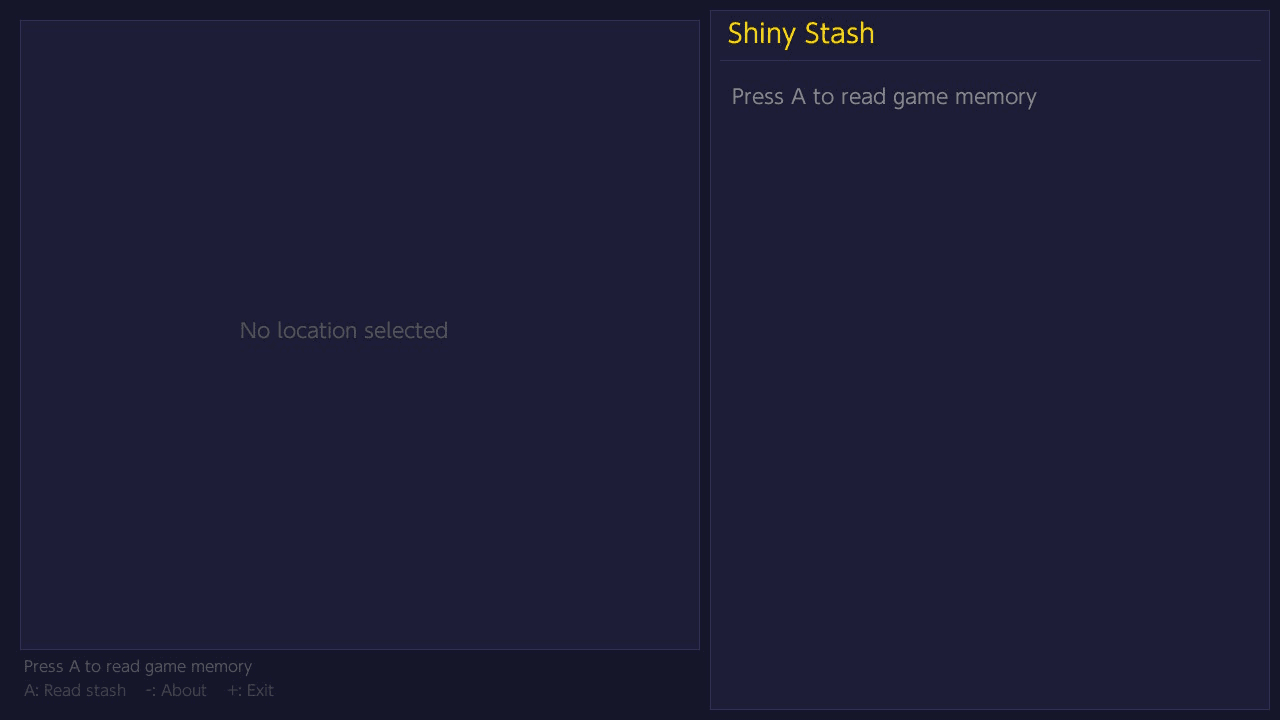
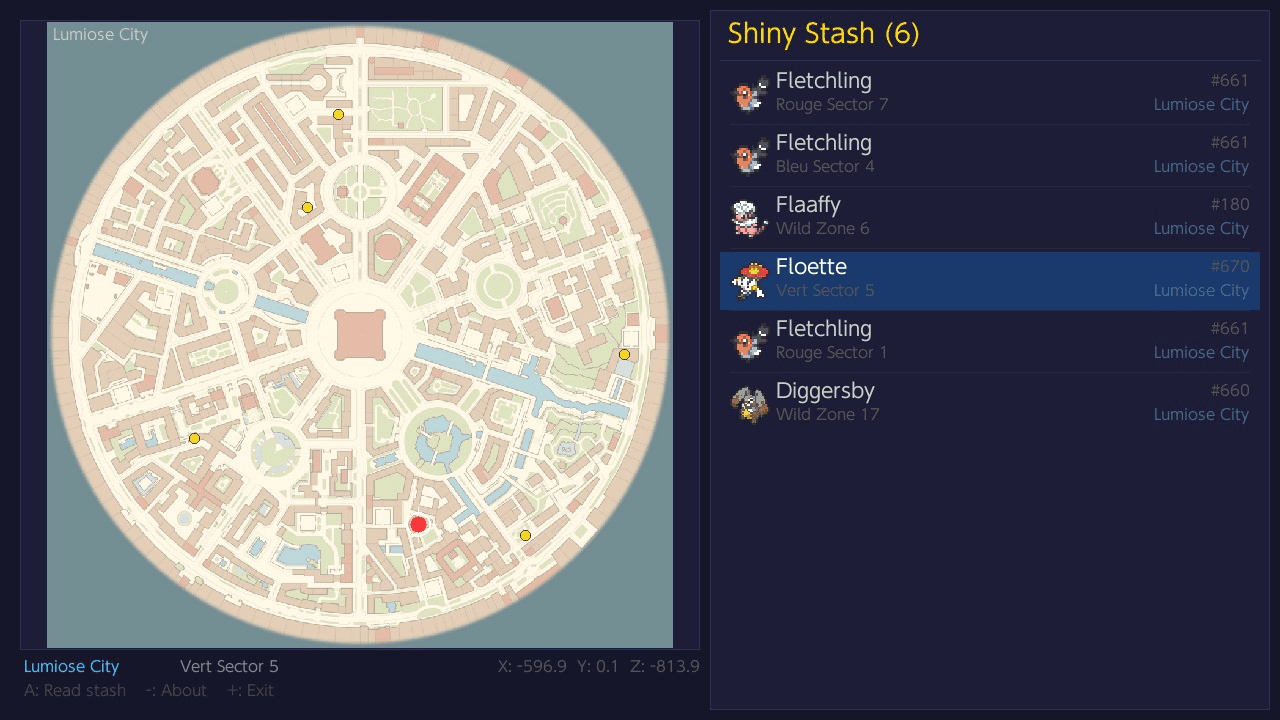
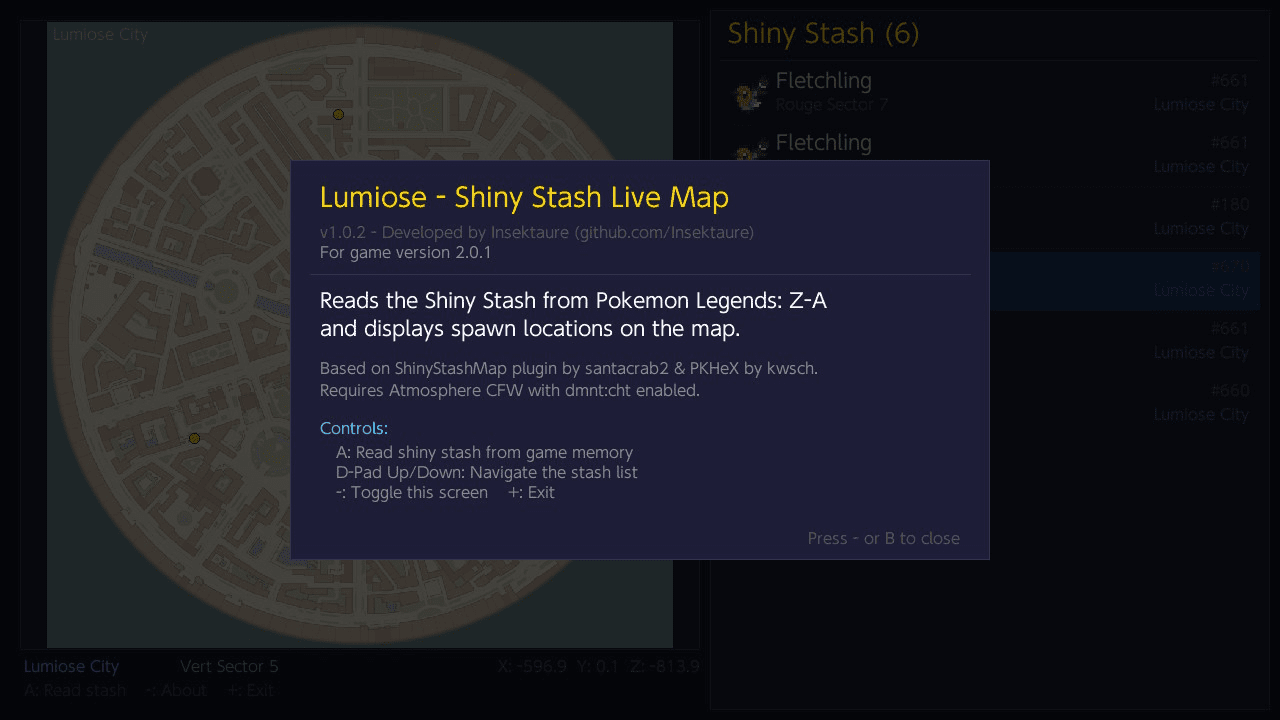
Changelog
v1.0.5
- Add support for game version 1.0.0, 1.0.1, 1.0.2.
v1.0.4
- Add support for game version 2.0.2.
v1.0.3
- Automatic game version detection
- The app now reads the main NSO build ID at launch and identifies whether you're running game version 1.0.3, 2.0.0, or 2.0.1
- Version-specific pointer chains
- Each game version uses a different base pointer to locate the Shiny Stash in memory; the app automatically selects the correct one for supported versions
v1.0.2
- Now display missing Y coordinates for entries.
- Fix : skip entries with unknown locations (Hyperspace).
v1.0.1
- Add sprites before the Pokemon name in the stash listing.
v1.0
- First Release.
Credits
- ShinyStashMap by santacrab2 - Reference for shiny stash block parsing, spawner data, map transforms, and pointer chain.
- PKHeX by kwsch - Reference for PA9 structure, PKX encryption/decryption, Gen9 species conversion, and SCBlock format.
- Atmosphere -
dmnt:chtdebug monitor service for live memory access. - devkitPro - Nintendo Switch homebrew toolchain.