
FrogGBC PSP: Difference between revisions
From GameBrew
More actions
No edit summary |
No edit summary |
||
| (One intermediate revision by the same user not shown) | |||
| Line 7: | Line 7: | ||
|type=Handheld | |type=Handheld | ||
|version=0.1.3 | |version=0.1.3 | ||
|license=GPL-2.0 | |license=[https://github.com/tzubertowski/FrogGBC/blob/main/LICENSE GPL-2.0] | ||
|download=https://dlhb.gamebrew.org/psphomebrew/FrogGBCPSP.7z | |download=https://dlhb.gamebrew.org/psphomebrew/FrogGBCPSP.7z | ||
|website=https://www.reddit.com/r/PSP/comments/1nauvd9/froggbc_v010_updated_fast_libretrogambatte_port/ | |website=https://www.reddit.com/r/PSP/comments/1nauvd9/froggbc_v010_updated_fast_libretrogambatte_port/ | ||
| Line 36: | Line 36: | ||
== Screenshots == | == Screenshots == | ||
https://dlhb.gamebrew.org/psphomebrew/images/FrogGBCPSP3.png | https://dlhb.gamebrew.org/psphomebrew/images/FrogGBCPSP3.png | ||
Latest revision as of 08:25, 25 March 2026
| FrogGBC | |
|---|---|
 | |
| General | |
| Author | tzubertowski |
| Type | Handheld |
| Version | 0.1.3 |
| License | GPL-2.0 |
| Last Updated | 2025/10/18 |
| Links | |
| Download | |
| Website | |
| Source | |
FrogGBC is a minimal libretro-Gambatte port for PSP, a super small, super compatible, and super fast Game Boy / Game Boy Color emulator with modern features.
Built on the up-to-date Gambatte core with several MIPS32 optimizations from the author's SF2000 work, it's lightweight, accurate, and battery-friendly on real PSP hardware.
Features
- Save states.
- Rewind.
- Fast forward.
- Video filters & proper scaling.
- Game Boy Color palettes.
- Frame blending / LCD ghosting emulation.
- Accurate Game Boy transparency effects.
- Optimized for PSP - runs smooth even at 222 MHz.
Installation
Download the ZIP from the Releases page.
Unzip and drop directly on your PSP memory stick root folder.
Place your Game Boy / Game Boy Color ROMs anywhere you like.
Launch FrogGBC from your PSP's game menu.
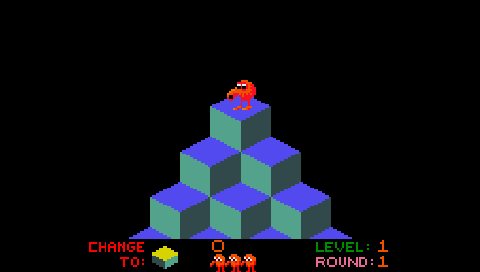
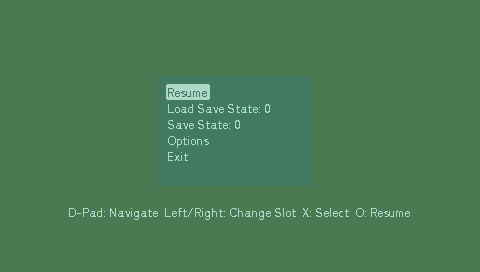
Screenshots
Changelog
v0.1.3
- Added theming to the Frontend (eg. minui inspired colour pallete)
- Changed default LCD ghosting to disabled
v0.1.2
- Added "Recently Played" section to ROM selection for quick access to your last games
- Rebuilt with L/R list scrolling support for improved navigation
- Changed default audio resampler to CC (from sinc) for better performance on PSP hardware
- Overall performance improvements thanks to lighter default audio processing
v0.1.1
- Added L/R page-wise scrolling in the ROM list for faster browsing
- Added Audio Resampler selection; default set to CC for best performance
- Fixed incorrect GBC palette shift affecting some titles
- Minor polish and stability tweaks
- Much faster fast forwards
Credits
Tomasz Żubertowski / Prosty