
ZATO Vita: Difference between revisions
More actions
Created page with "{{Infobox Vita Homebrews |title=ZATO Vita |image=ZATOVita.png |description=Port of Z.A.T.O for PSVita. |author=ZFhuang |lastupdated=2026/02/08 |type=Other Games |version=1.0 |license=MIT |download=https://dlhb.gamebrew.org/vitahomebrews/ZATOVita.7z |website=https://github.com/ZFhuang/ZATO-vita |source=https://github.com/ZFhuang/ZATO-vita |donation= }} {{#seo: |title=Vita Homebrew Games (Other Games) - GameBrew |title_mode=append |image=ZATOVita.png |image_alt=ZATO Vita }..." |
No edit summary |
||
| Line 23: | Line 23: | ||
The original game is set in the USSR in 1986, where a girl goes missing in the closed city of Vorkuta-5. It is a linear visual novel with roughly 7-8 hours of playtime, made with Ren'Py. This port uses Python scripts to optimize and prepare the game files for running on PS Vita via [[Renpy_Vita|Ren'Py PSVita]] and [[Ren'Py_Vita_8|RenPy-Vita-8]]. | The original game is set in the USSR in 1986, where a girl goes missing in the closed city of Vorkuta-5. It is a linear visual novel with roughly 7-8 hours of playtime, made with Ren'Py. This port uses Python scripts to optimize and prepare the game files for running on PS Vita via [[Renpy_Vita|Ren'Py PSVita]] and [[Ren'Py_Vita_8|RenPy-Vita-8]]. | ||
== | == Installation == | ||
=== Step 1: Prepare game files on PC === | |||
Install [https://store.steampowered.com/app/4122860/ZATO__I_Love_the_World_and_Everything_In_It/ Z.A.T.O. // I Love the World and Everything In It] on Steam (free). | |||
If needed, find and install a translation patch from Steam or elsewhere. | |||
Right-click the game in your Steam library and select Manage -> Browse local files. | |||
Copy the <code>game/</code> folder from your Steam game directory to the root of the repository (the folder containing <code>scripts_for_vita/</code>). | |||
=== Step 2: Run optimization scripts (required) === | === Step 2: Run optimization scripts (required) === | ||
Run one of the following Python scripts (requires Python 3.7+ and Pillow >= 9.0.0): | Run one of the following Python scripts (requires Python 3.7+ and Pillow >= 9.0.0): | ||
* Option 1 True Lossless (Only unpacks resources and removes WebM videos, keeping game resources completely original.) | |||
* Option 2 Lossless with GUI optimization (Optimizes GUI scaling and image sizes from the original 1280x720 resolution for the PS Vita's 960x544 screen to improve text readability.) | |||
* Option 3 Compressed (Performs lossy compression on images and audio for the smallest file size, reducing Vita IO pressure for a smoother experience.) | |||
'''Option 1: True Lossless''' | '''Option 1: True Lossless''' | ||
| Line 54: | Line 51: | ||
=== Step 3: Copy to Vita === | === Step 3: Copy to Vita === | ||
Download the [https://github.com/ZFhuang/ZATO-vita/releases/tag/v01_00 VPK] file and install it on your PS Vita. | |||
Copy the optimized <code>game/</code> folder (processed by the script) to <code>ux0:app/ZATO01986/</code>. | |||
Run Z.A.T.O on your Vita (first launch may take 5-10 minutes). | |||
== Known issues == | == Known issues == | ||
* | * First-time loading: Due to resource caching and Python precompilation, the first launch may take 5-10 minutes. Subsequent launches will be much faster. | ||
* | * Resource loading stutters: When loading new resources not in cache (images, audio), the game may stutter. This is a hardware limitation of the Vita's IO speed. | ||
* | * Save data: Save files are stored in the standard Ren'Py location on Vita. The game uses the same save format as the PC version. | ||
* No video support - Ren'Py Vita does not currently support video playback, so all videos are removed by the scripts. The game only contains an opening animation. | * No video support - Ren'Py Vita does not currently support video playback, so all videos are removed by the scripts. The game only contains an opening animation. | ||
* Some high-resolution resources may cause memory issues. If you encounter crashes, use the compressed option. | * Some high-resolution resources may cause memory issues. If you encounter crashes, use the compressed option. | ||
* Saves may become invalid if you change the <code>game/</code> folder, or possibly after the first installation. | * Saves may become invalid if you change the <code>game/</code> folder, or possibly after the first installation. | ||
* Translation patches are not guaranteed to work correctly, though the Chinese translation patch was tested and worked fine. | * Translation patches are not guaranteed to work correctly, though the Chinese translation patch was tested and worked fine. | ||
==Screenshots== | ==Screenshots== | ||
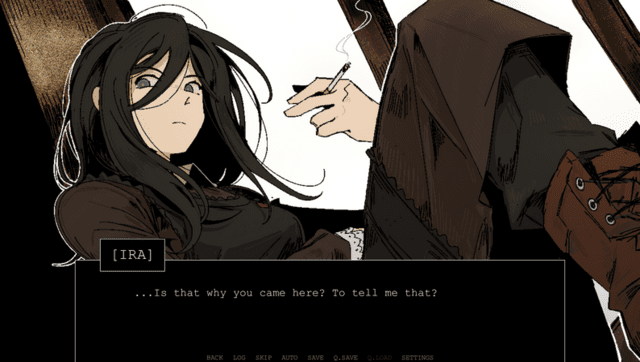
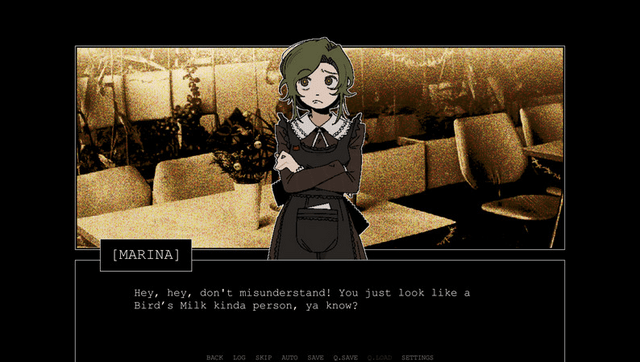
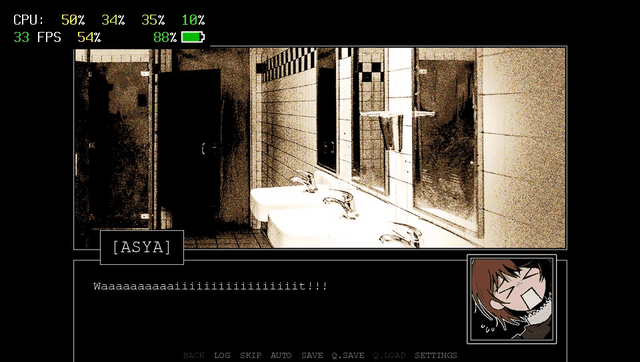
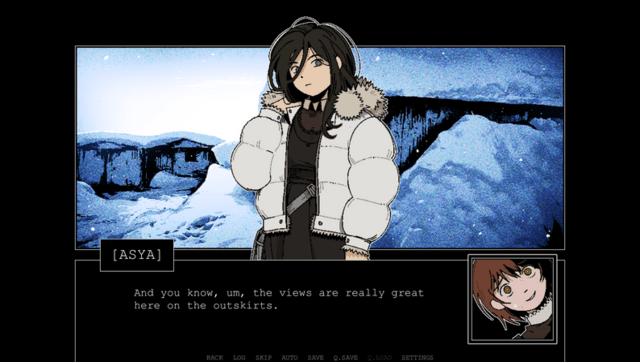
| Line 79: | Line 74: | ||
https://dlhb.gamebrew.org/vitahomebrews/images/ZATOVita-04.png | https://dlhb.gamebrew.org/vitahomebrews/images/ZATOVita-04.png | ||
==Media== | |||
'''Z.A.T.O. Full Intro''' ([https://www.youtube.com/watch?v=qjlY1ksx4tw Ferry]) <br> | |||
<youtube width="640">qjlY1ksx4tw</youtube> | |||
== Changelog == | == Changelog == | ||
Latest revision as of 03:54, 17 February 2026
| ZATO Vita | |
|---|---|
 | |
| General | |
| Author | ZFhuang |
| Type | Other Games |
| Version | 1.0 |
| License | MIT License |
| Last Updated | 2026/02/08 |
| Links | |
| Download | |
| Website | |
| Source | |
PS Vita porting scripts for Z.A.T.O. // I Love the World and Everything In It, a free visual novel game on Steam developed by Ferry // Nopanamaman.
The original game is set in the USSR in 1986, where a girl goes missing in the closed city of Vorkuta-5. It is a linear visual novel with roughly 7-8 hours of playtime, made with Ren'Py. This port uses Python scripts to optimize and prepare the game files for running on PS Vita via Ren'Py PSVita and RenPy-Vita-8.
Installation
Step 1: Prepare game files on PC
Install Z.A.T.O. // I Love the World and Everything In It on Steam (free).
If needed, find and install a translation patch from Steam or elsewhere.
Right-click the game in your Steam library and select Manage -> Browse local files.
Copy the game/ folder from your Steam game directory to the root of the repository (the folder containing scripts_for_vita/).
Step 2: Run optimization scripts (required)
Run one of the following Python scripts (requires Python 3.7+ and Pillow >= 9.0.0):
- Option 1 True Lossless (Only unpacks resources and removes WebM videos, keeping game resources completely original.)
- Option 2 Lossless with GUI optimization (Optimizes GUI scaling and image sizes from the original 1280x720 resolution for the PS Vita's 960x544 screen to improve text readability.)
- Option 3 Compressed (Performs lossy compression on images and audio for the smallest file size, reducing Vita IO pressure for a smoother experience.)
Option 1: True Lossless
python scripts_for_vita/run_true_lossless.py
Option 2: Lossless with GUI optimization
python scripts_for_vita/run_lossless_w_gui.py
Option 3: Compressed
python scripts_for_vita/run_compressed.py
If there are uninstalled dependencies during execution, interact and install them automatically. Wait for the optimization to complete before proceeding to the next step.
Step 3: Copy to Vita
Download the VPK file and install it on your PS Vita.
Copy the optimized game/ folder (processed by the script) to ux0:app/ZATO01986/.
Run Z.A.T.O on your Vita (first launch may take 5-10 minutes).
Known issues
- First-time loading: Due to resource caching and Python precompilation, the first launch may take 5-10 minutes. Subsequent launches will be much faster.
- Resource loading stutters: When loading new resources not in cache (images, audio), the game may stutter. This is a hardware limitation of the Vita's IO speed.
- Save data: Save files are stored in the standard Ren'Py location on Vita. The game uses the same save format as the PC version.
- No video support - Ren'Py Vita does not currently support video playback, so all videos are removed by the scripts. The game only contains an opening animation.
- Some high-resolution resources may cause memory issues. If you encounter crashes, use the compressed option.
- Saves may become invalid if you change the
game/folder, or possibly after the first installation. - Translation patches are not guaranteed to work correctly, though the Chinese translation patch was tested and worked fine.
Screenshots
Media
Z.A.T.O. Full Intro (Ferry)
Changelog
v01.00 2025/02/08
- Initial release.
Credits
- Z.A.T.O. // I Love the World and Everything In It: I love this game
- Ren'Py PSVita: Thanks to this, I could port this game to Vita
- RenPy-Vita-8: Thanks to this, Python3 Ren'Py games can be successfully ported
- Kimi K2.5: I used this LLM to write the code and documentation for this repository
- Hope this repository can help others port more Ren'Py games to Vita