
Baldur's Gate: Dark Alliance Vita: Difference between revisions
From GameBrew
More actions
No edit summary |
No edit summary |
||
| (6 intermediate revisions by 2 users not shown) | |||
| Line 4: | Line 4: | ||
|description=Baldur's Gate: Dark Alliance port for PlayStation Vita | |description=Baldur's Gate: Dark Alliance port for PlayStation Vita | ||
|author=Nevak | |author=Nevak | ||
|lastupdated= | |lastupdated=2026/02/28 | ||
|type=Role Playing | |type=Role Playing | ||
|version=1. | |version=1.06 | ||
|license=MIT | |license=MIT | ||
|download=https://dlhb.gamebrew.org/vitahomebrews/BaldursGateDarkAllianceVita.7z | |download=https://dlhb.gamebrew.org/vitahomebrews/BaldursGateDarkAllianceVita.7z | ||
| Line 60: | Line 60: | ||
== Known issues == | == Known issues == | ||
* Missing real-time shadows from characters and enemies. Temporarily disabled for performance. | * Missing real-time shadows from characters and enemies. Temporarily disabled for performance. | ||
* Achievements not working yet. | * Achievements not working yet. | ||
| Line 68: | Line 66: | ||
==Changelog== | ==Changelog== | ||
'''v1.06''' | |||
* Substantially improved video playback performance by passing YUV data directly to GXM, avoiding CPU color space conversion. | |||
* Added playstation button icons and PS Vita diagram in control settings screen. Notes: | |||
** This works by automatically patching the original game files when the game starts. The game creates automatic backups of files before applying patches (e.g., <code>config.lmp.backup</code>). Backups are only created once and won't be overwritten. The patching code was written with the help of AI tools. | |||
** This was achieved in part thanks to the cool [https://github.com/bigianb/bgda-explorer BGDA Explorer tool for PS2 by Bryce Barbara]. The tool was adapted to work with the Xbox texture format and modified to support importing new textures. I will share the modified fork of BGDA Explorer in the future. | |||
* Eliminated periodic framerate stutter every 3-4 seconds. Moved Vorbis audio decoding to a background thread on CPU core 2. Uses a [https://github.com/Nevak/vorbis-vita/tree/rulas custom fork of libvorbis] with a lock-free ring buffer that pre-fills decoded PCM data so <code>ov_read()</code> returns instantly via memcpy. Included as a submodule at <code>lib/libvorbis</code> and built automatically by the build script. Note: The code for this custom fork was written with the help of AI tools, by creating tests to ensure the original libvorbis and the threaded version behave exactly the same for this game's use case. | |||
'''v1.05''' | |||
* Fixed glitched textures when playing for a prolonged period of time. Caused by leaked texture slots in previous version of VitaGL. See the [https://github.com/Rinnegatamante/vitaGL/commit/8950bfa970b7e8a47454a5cdf89e28be638b22fe commit] that fixed it. | |||
'''v1.04''' | |||
* Fixed crashes/freezes right before the loading screen when entering a new level. This happened after playing for a while and changing levels a few times due to a memory leak from the loading screen thread. | |||
* Fixed crash during the ending cutscene after defeating the final boss. | |||
* Enabled 2x antialias as the impact in performance seems negligible. | |||
'''v1.03''' | |||
* Support for L2/R2 button emulation using rear touch panel. | |||
* Disabled logs in VitaGL options. | |||
'''v1.02''' | |||
* Fixed Italian language not being set correctly. | |||
'''v1.01''' | '''v1.01''' | ||
* Fixes for typo in live area game title. | * Fixes for typo in live area game title. | ||
Latest revision as of 13:30, 2 March 2026
| Baldur's Gate: Dark Alliance Vita | |
|---|---|
 | |
| General | |
| Author | Nevak |
| Type | Role Playing |
| Version | 1.06 |
| License | MIT License |
| Last Updated | 2026/02/28 |
| Links | |
| Download | |
| Website | |
| Source | |
Port of Baldur’s Gate: Dark Alliance for the PS Vita.
Installation
Instructions
- Install Kubridge and FdFix by copying
kubridge.skprxandfd_fix.skprxto your taiHEN plugins folder (usuallyux0:tai) and adding two entries to yourconfig.txtunder*KERNEL:
  *KERNEL
  ux0:tai/kubridge.skprx
  ux0:tai/fd_fix.skprx
- Note: Don't install fd_fix.skprx if you're using rePatch plugin
- (Optional) Install PSVshell to overclock your device to 500Mhz.
- Install
libshacccg.suprx, if you don't have it already, by following this guide. - Obtain your copy of "Baldur's Gate: Dark Alliance" legally for Android in form of an
.apkfile. You can get all the required files directly from your phone or by using an apk extractor you can find in the play store. - Extract these files from the APK to your vita:
- Copy the contents of "lib" folder to "ux0:/data/bgda/lib"
- Copy the contents of "assets" folder to "ux0:/data/bgda/assets"
- Open the file "ux0:/data/bgda/assets/world.xvu" in a text editor and do the following:
- Right under the line that says
#define lightColor4_extra C(20)add this new line:#define uvScale C(24)
- Near the end of the file, immediately under the line that says
oT0 = inTexCoord;add these two lines:oT0.x *= uvScale.x;oT0.y *= uvScale.y;
- Right under the line that says
Notes
- If performance drops in some levels or the game slows down, locking to 30FPS can help. This is done in the game settings menu by enabling Battery Saving.
- The game will set the language to your Vita's system language. It has been mostly tested in Spanish and English, but other versions such as Italian, French, German or Japanese might have issues with audio/texts or even crashes. If you find any problems, feel free to open an Issue.
- For 2-player coop, if you are using a handheld Vita (not Vita TV) you need to install this plugin: MiniVitaTV.
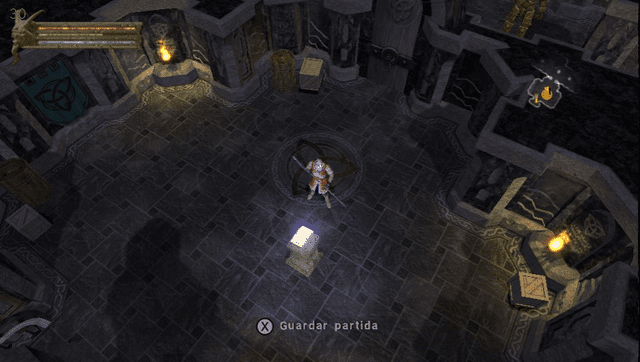
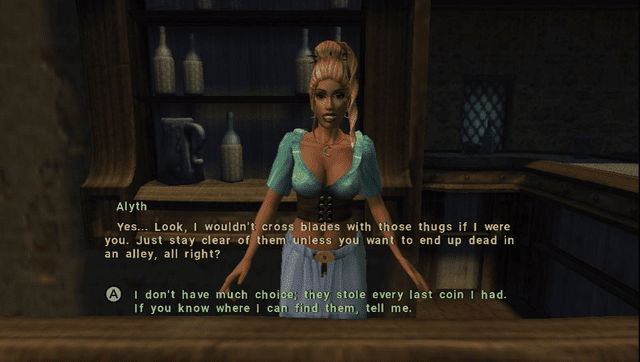
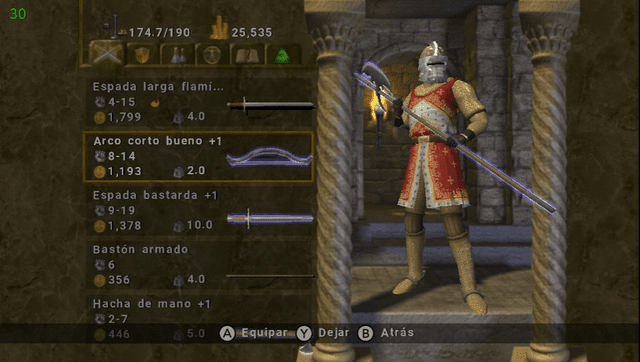
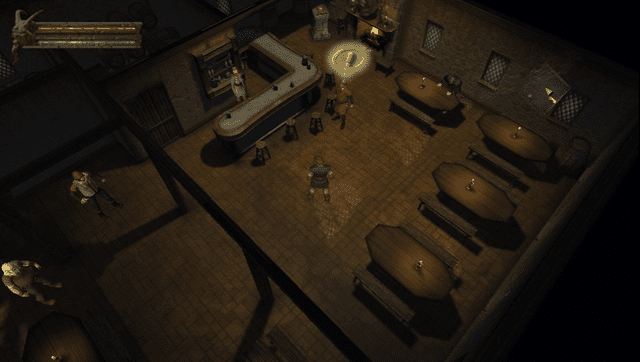
Screenshots
Media
Baldur's Gate: Dark Alliance - Official Launch Trailer (IGN)
Known issues
- Missing real-time shadows from characters and enemies. Temporarily disabled for performance.
- Achievements not working yet.
- Some levels with lots of vegetation and water have performance issues. Ex: the Rotting Bog.
- 2 player coop with 2 controllers is implemented, but only works if both controllers are connected before launching the game.
Changelog
v1.06
- Substantially improved video playback performance by passing YUV data directly to GXM, avoiding CPU color space conversion.
- Added playstation button icons and PS Vita diagram in control settings screen. Notes:
- This works by automatically patching the original game files when the game starts. The game creates automatic backups of files before applying patches (e.g.,
config.lmp.backup). Backups are only created once and won't be overwritten. The patching code was written with the help of AI tools. - This was achieved in part thanks to the cool BGDA Explorer tool for PS2 by Bryce Barbara. The tool was adapted to work with the Xbox texture format and modified to support importing new textures. I will share the modified fork of BGDA Explorer in the future.
- This works by automatically patching the original game files when the game starts. The game creates automatic backups of files before applying patches (e.g.,
- Eliminated periodic framerate stutter every 3-4 seconds. Moved Vorbis audio decoding to a background thread on CPU core 2. Uses a custom fork of libvorbis with a lock-free ring buffer that pre-fills decoded PCM data so
ov_read()returns instantly via memcpy. Included as a submodule atlib/libvorbisand built automatically by the build script. Note: The code for this custom fork was written with the help of AI tools, by creating tests to ensure the original libvorbis and the threaded version behave exactly the same for this game's use case.
v1.05
- Fixed glitched textures when playing for a prolonged period of time. Caused by leaked texture slots in previous version of VitaGL. See the commit that fixed it.
v1.04
- Fixed crashes/freezes right before the loading screen when entering a new level. This happened after playing for a while and changing levels a few times due to a memory leak from the loading screen thread.
- Fixed crash during the ending cutscene after defeating the final boss.
- Enabled 2x antialias as the impact in performance seems negligible.
v1.03
- Support for L2/R2 button emulation using rear touch panel.
- Disabled logs in VitaGL options.
v1.02
- Fixed Italian language not being set correctly.
v1.01
- Fixes for typo in live area game title.
v1.0
- First Release.
Credits
- TheFlow for the original .so loader.
- Rinnegatamante for VitaGL, his Android ports, answering all my questions and making changes needed for the game to VitaGL.
- gl33ntwine for the awesome Android subsystem reimplementation FalsoNDK and FalsoJNI.
- [withLogic] for the help testing.
Special
- Dedicado a mi Abuelo Manolo.