
Batman: The Dark Knight Rises Vita: Difference between revisions
From GameBrew
More actions
No edit summary |
No edit summary |
||
| (2 intermediate revisions by the same user not shown) | |||
| Line 8: | Line 8: | ||
|version=0.8 | |version=0.8 | ||
|license=MIT | |license=MIT | ||
|download= | |download= | ||
|website=https://github.com/TheOfficialFloW/kras_vita | |website=https://github.com/TheOfficialFloW/kras_vita | ||
|source=https://github.com/TheOfficialFloW/kras_vita | |source=https://github.com/TheOfficialFloW/kras_vita | ||
| Line 18: | Line 18: | ||
|image=BatmanTheDarkKnightRisesVita.png | |image=BatmanTheDarkKnightRisesVita.png | ||
|image_alt=Batman: The Dark Knight Rises Vita | |image_alt=Batman: The Dark Knight Rises Vita | ||
}} | }}<!--BatmanTheDarkKnightRisesVita.7z--> | ||
This is a wrapper/port of Batman: The Dark Knight Rises for the PS Vita. | This is a wrapper/port of Batman: The Dark Knight Rises for the PS Vita. | ||
| Line 36: | Line 36: | ||
* (Optional) Install [[PSVshell Vita|PSVshell]] to overclock your device to 500Mhz. | * (Optional) Install [[PSVshell Vita|PSVshell]] to overclock your device to 500Mhz. | ||
* Install <code>libshacccg.suprx</code>, if you don't have it already, by following [https://samilops2.gitbook.io/vita-troubleshooting-guide/shader-compiler/extract-libshacccg.suprx this guide]. | * Install <code>libshacccg.suprx</code>, if you don't have it already, by following [https://samilops2.gitbook.io/vita-troubleshooting-guide/shader-compiler/extract-libshacccg.suprx this guide]. | ||
* Install the vpk from | * Install the vpk from [https://github.com/TheOfficialFloW/kras_vita/releases Releases]. | ||
* Obtain your copy of 'Batman: The Dark Knight Rises' legally for Android in form of an <code>.apk</code> file and an <code>.obb</code> file. | * Obtain your copy of 'Batman: The Dark Knight Rises' legally for Android in form of an <code>.apk</code> file and an <code>.obb</code> file. | ||
* Open the apk with your zip explorer and extract the files <code>libkras.so</code> from the <code>lib/armeabi-v7a</code> folder to <code>ux0:data/kras</code>. | * Open the apk with your zip explorer and extract the files <code>libkras.so</code> from the <code>lib/armeabi-v7a</code> folder to <code>ux0:data/kras</code>. | ||
| Line 86: | Line 86: | ||
* GitHub - https://github.com/TheOfficialFloW/kras_vita | * GitHub - https://github.com/TheOfficialFloW/kras_vita | ||
* VitaDB - https://www.rinnegatamante.eu/vitadb/#/info/1342 | * VitaDB - https://www.rinnegatamante.eu/vitadb/#/info/1342 | ||
[[Category:Mobile game ports on Vita]] | |||
[[Category:Vita game ports]] | |||
Latest revision as of 07:32, 18 March 2026
| Batman: The Dark Knight Rises Vita | |
|---|---|
 | |
| General | |
| Author | TheFloW, Rinnegatamante |
| Type | Action |
| Version | 0.8 |
| License | MIT License |
| Last Updated | 2025/10/26 |
| Links | |
| Website | |
| Source | |
| Support Author | |
This is a wrapper/port of Batman: The Dark Knight Rises for the PS Vita.
Installation
How to setup
Requirements:
- libshacccg.suprx
- kubridge.skprx
- Android game data files
Instructions:
- Install Kubridge and FdFix by copying
kubridge.skprxandfd_fix.skprxto your taiHEN plugins folder (usuallyux0:tai) and adding two entries to yourconfig.txtunder*KERNEL:
  *KERNEL
  ux0:tai/kubridge.skprx
  ux0:tai/fd_fix.skprx
- Note: Don't install fd_fix.skprx if you're using rePatch plugin.
- (Optional) Install PSVshell to overclock your device to 500Mhz.
- Install
libshacccg.suprx, if you don't have it already, by following this guide. - Install the vpk from Releases.
- Obtain your copy of 'Batman: The Dark Knight Rises' legally for Android in form of an
.apkfile and an.obbfile. - Open the apk with your zip explorer and extract the files
libkras.sofrom thelib/armeabi-v7afolder toux0:data/kras. - Open the obb with your zip explorer and extract everything that's inside the
filesfolder inux0:data/kras. - Grab every file with extension
.glafrom the data files extracted from the obb (check in all subdirectories) and place them in a folder in your PC. - Install Total Commander and its PSARC plugin.
- Launch Total Commander and navigate up to the folder where the
.glafiles are located. - Right click on every file in this folder; they will turn red.
- Click on File -> Pack.
- Set
psarcas Compressor and then click onConfigurebutton right below. - Set
PSARC Versionto1.3,CompressiontoZLIBandRatioto0and pressOK - Press
OKto launch the compression, it will create a file inC:. (If you get an error, manually change the location in the command line stringpsarc: DESTINATIONFOLDER\kras.psarc). - Transfer the new psarc file named as
kras.psarctoux0:data/kras. - Extract the content of the
gamefiles.zipfrom the Download section inux0:data/kras.
Changing graphical settings
The game ships with an optimized preset to balance between framerate and graphics quality although, if you wish to change any settings, you can do so by editing the files:
ux0:data/kras/data/options/Vita.xmlux0:data/kras/data/options/MEM_Vita.xmlux0:data/kras/data/options/GPU_Vita.xmlux0:data/kras/data/options/CPU_Vita.xml
Screenshots
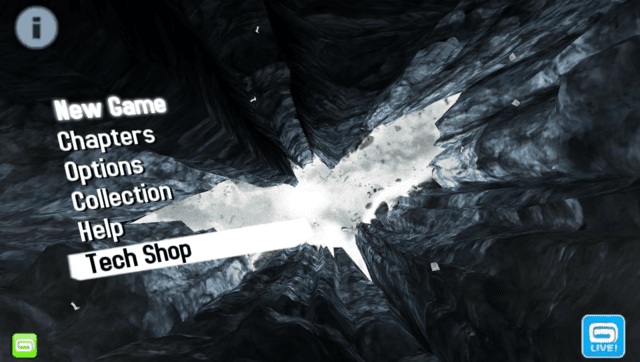
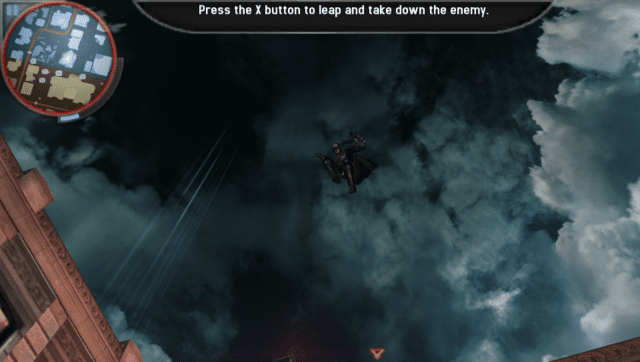
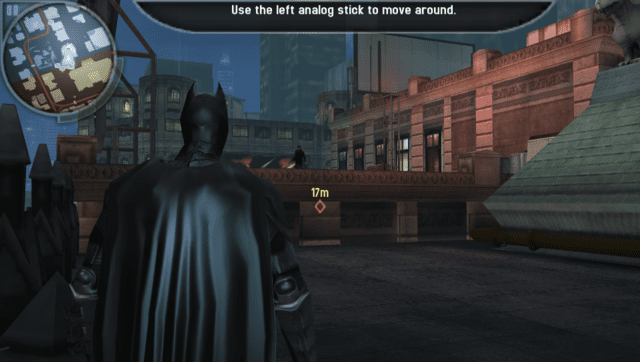
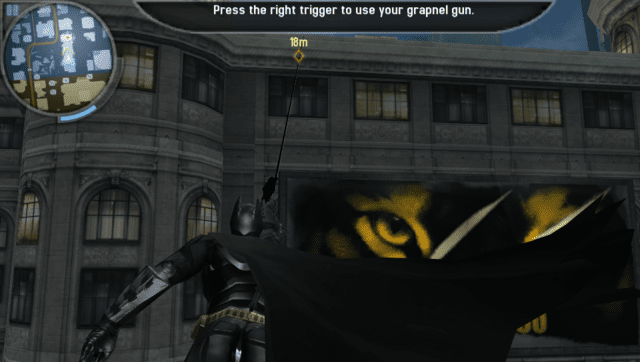
Media
The Dark Knight Rises - iOS/Android - Launch Trailer (Gameloft)
Known issues
- There is some audio crackling here and there.
- Game may start glitching randomly. If this happens, it is suggested to restart the app.
- Sometimes there might be stutters due to assets streaming.
Changelog
v0.8
- First Release.
Credits
- BetterWinds for the Livearea assets.